
Participant
November 17, 2011
Answered

Indesign CS5.5 can't select objects, they don't show in layers panel either

  • November 17, 2011
  • 1 reply
  • 24180 views

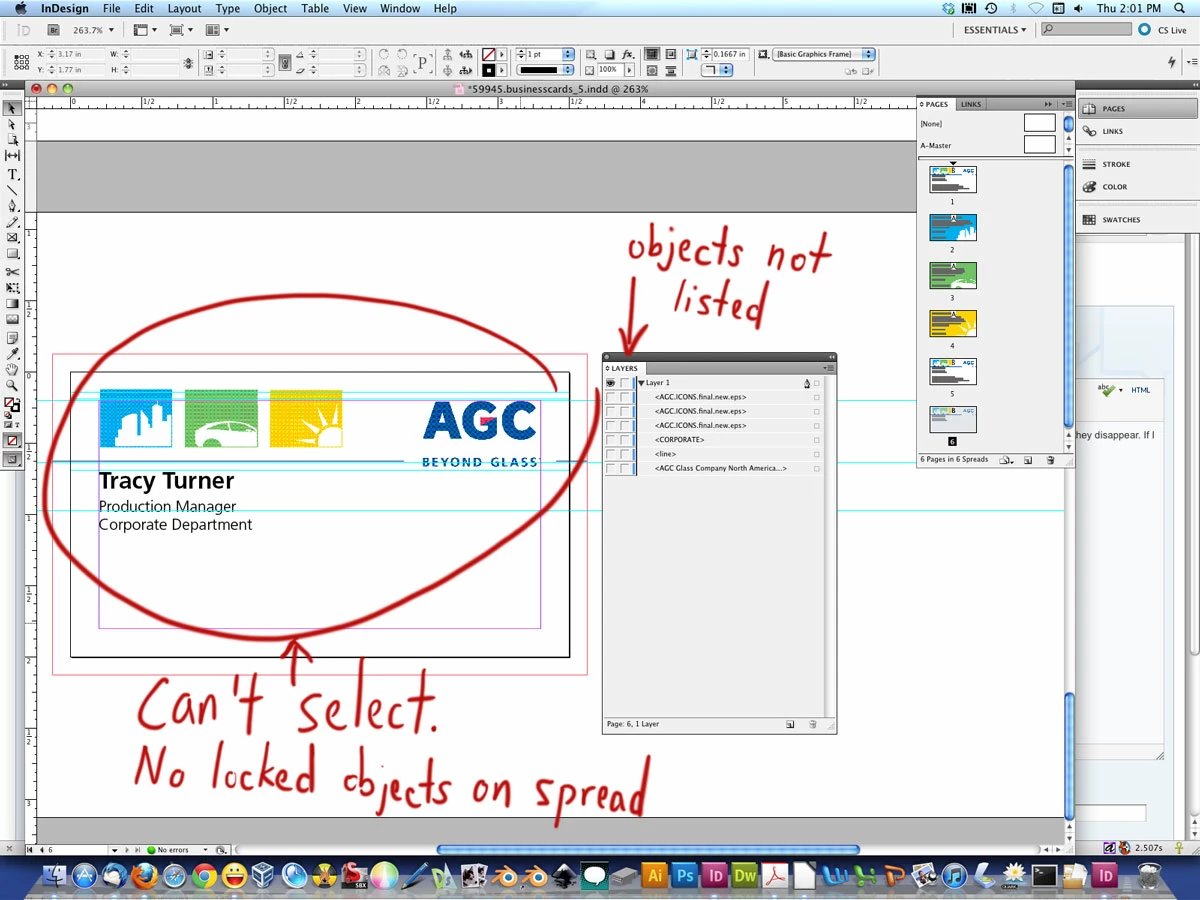
I received an .indd file from a client. There are certain objects that I can't select. I know they aren't locked because I can't select "Unlock all on spread." The weird thing is, the objects don't show up in the layer panel. If I uncheck the layer's eye, they disappear. But if I uncheck the eyes of all the individual objects within the layer, the objects I can't select are still visible. I'm attaching a screenshot. Can someone help please?
    This topic has been closed for replies.
    Correct answer tonyharmer

    The items are on a mster page.

    In the Pages Panel, go to the master associated with the page you're on, there you'll find the things you're after.

    1 reply

    tonyharmer
    Community Expert
    tonyharmerCommunity ExpertCorrect answer
    Community Expert
    November 17, 2011

    The items are on a mster page.

    In the Pages Panel, go to the master associated with the page you're on, there you'll find the things you're after.

    wcorbettAuthor
    Participant
    November 17, 2011

    Haha, I'm an idiot. You're right. I could only see the A-Master page and didn't think to scroll down. Thanks!