michaelah61684383
Participant
January 17, 2017
Answered

InDesign CS6 glyph problem

  • January 17, 2017
  • 3 replies
  • 738 views

Hello everyone.

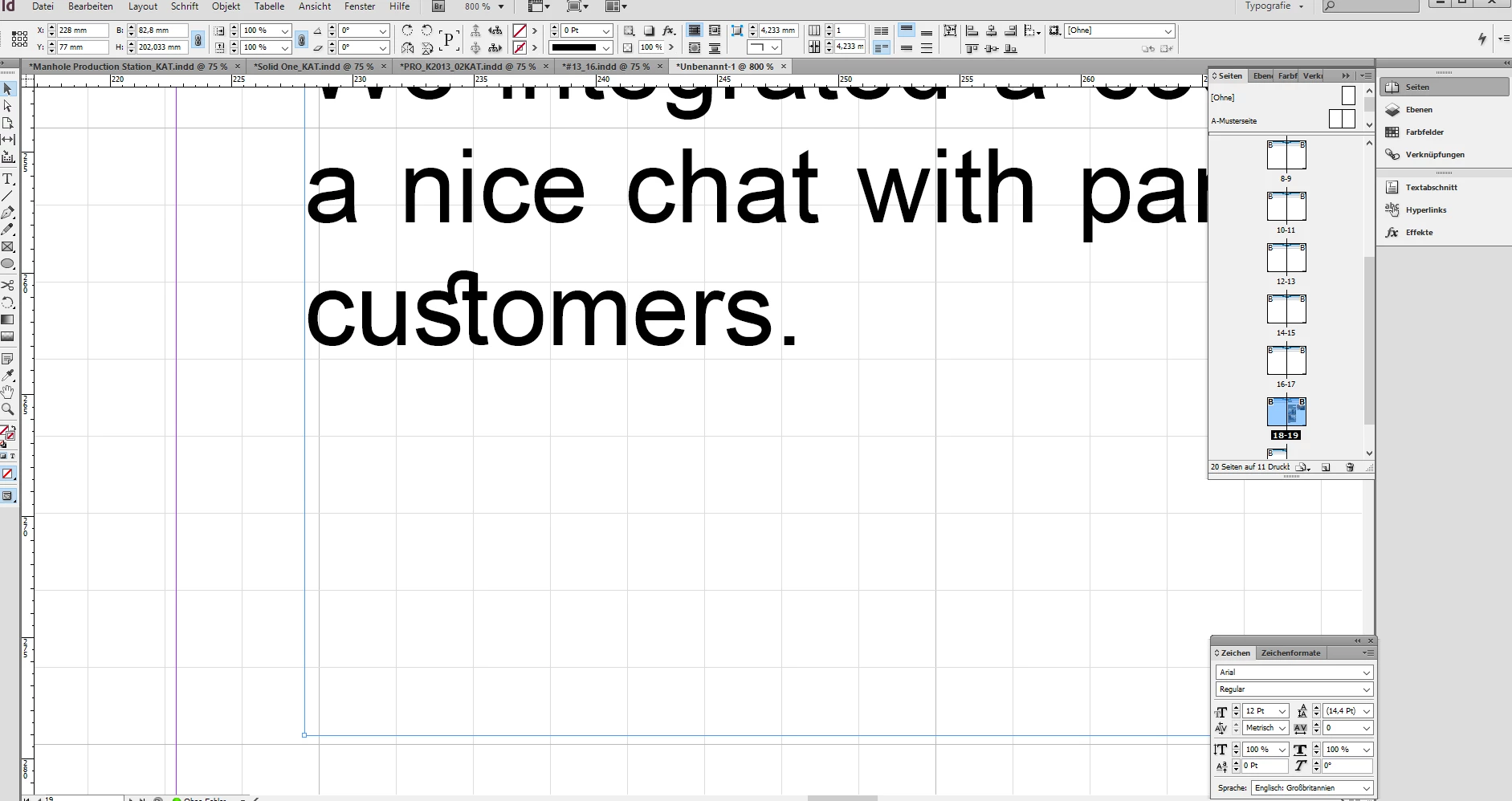
I am designing an online newsletter right now and somehow InDesign weirldy connects the letters "s" and "t"

together, but only in the font Arial Regular.. Kind of hard to explain but does anyone know how I stop doing this?

It seems to be a glyph but I have no idea how to remove it ...

Thanks in advance

PS: I have a Windows PC, no MAC

Regards
This topic has been closed for replies.
Correct answer vinny38

Hi

These are ligatures.

see Format characters in InDesign

3 replies

Sandee Cohen
Legend
January 17, 2017

Try selecting the text and going to the Open Type menu in the Character formatting and turning off Discretionary Ligatures.

But I am stunned that you're seeing this because Ariel Regular isn't supposed to have discretionary ligatures. Do you know where you got that font?

michaelah61684383
Participant
January 17, 2017

Thanks, I was able to turn them off. Phew, good question, my colleague is really trained in InDesign

- more than I am- so I don't really know where she got it..

BobLevine
Community Expert
Community Expert
January 17, 2017

That's a ligature.

vinny38
vinny38Correct answer
Legend
January 17, 2017

Hi

These are ligatures.

see Format characters in InDesign

michaelah61684383
Participant
January 17, 2017

Thank you!!