Participant
March 30, 2023
Answered

Indesign CS6 - Turning off ligatures PERMANENTLY

  • March 30, 2023
  • 2 replies
  • 705 views

Hello,

I already said it in short in the subject box above.

How do I PERMANENTLY turn off the ligatures option in the character men? I have to switch it off every time after (e.g.) typing st. I can switch it off but a few minutes later (when typing st again) it is active again in the character menu. Strange enough (working in a large document of 100's of pages) not everywhere this st-persistence exists.

Any ideas?

Thanks in advance for your help!
Correct answer Steve Werner

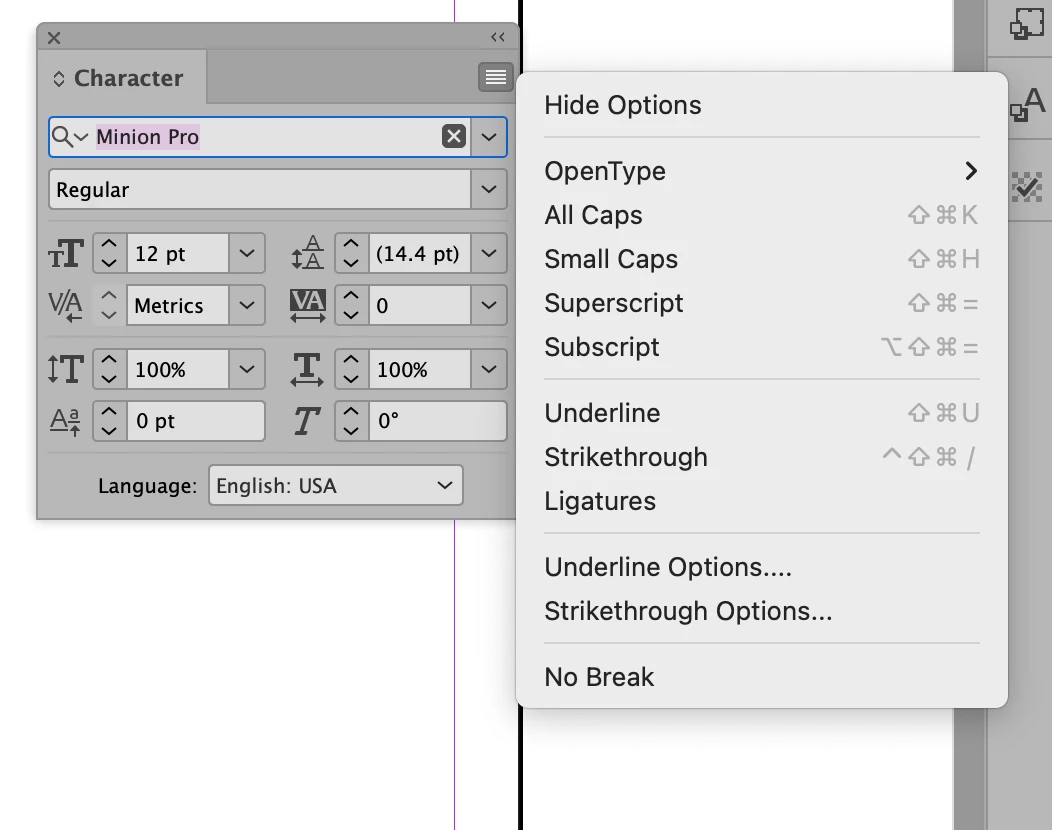
You can set defaults when there is no document open. Here with no documents open, I've turned off ligatures:


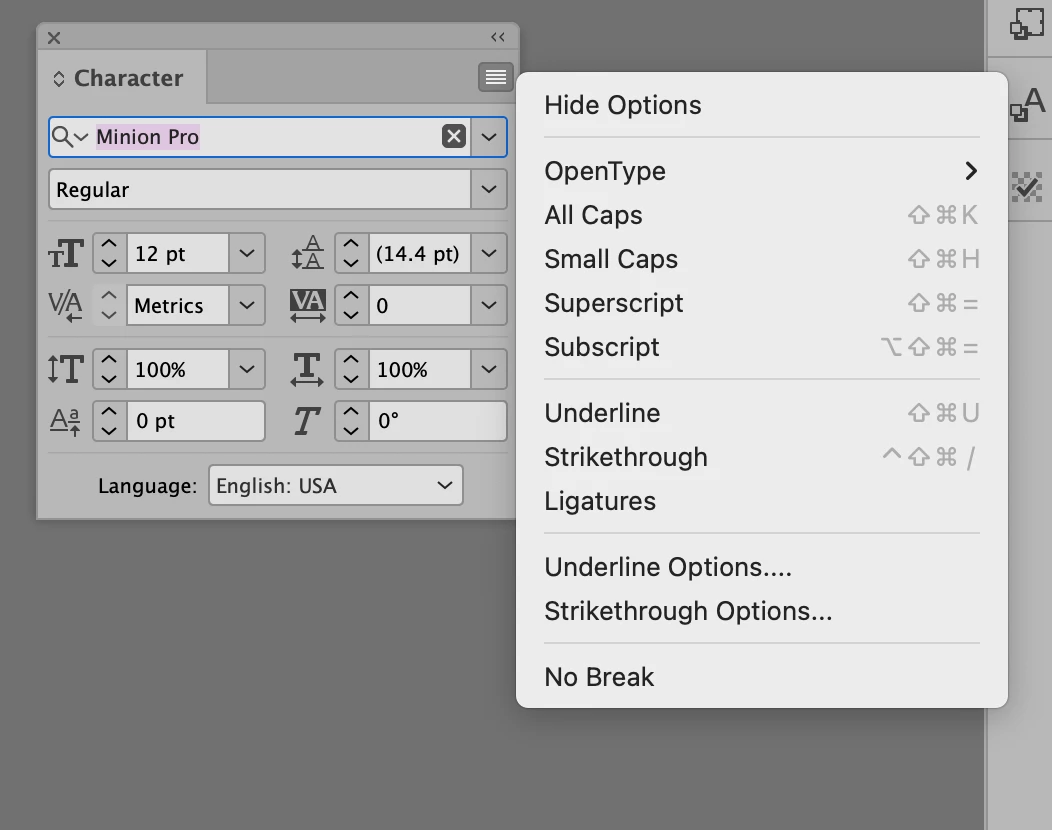
Now, I create a new document. When I open the Character panel, ligatures are turned off.


However, if you have existing files which you've saved and Ligatures is turned on, it will still on when you open them.

2 replies

Steve Werner
Community Expert
Steve WernerCommunity ExpertCorrect answer
Community Expert
March 30, 2023

You can set defaults when there is no document open. Here with no documents open, I've turned off ligatures:


Now, I create a new document. When I open the Character panel, ligatures are turned off.


However, if you have existing files which you've saved and Ligatures is turned on, it will still on when you open them.

Participant
September 11, 2025

Yes, that worked. Thank you so much for sharing your expertise!

Legend
March 30, 2023

Things shown in the character menu are not preferences/options to be turned on/off, any more than you can "turn off" Times-Roman font or 27 point type. They are character attributes. So you need to change the default character attributes, since starting new text will pick them up.

Participant
September 11, 2025

If you look at the response below yours, you'll see there is a way to permantently turn off Ligatures.
He is a Community Expert. (Thank him for giving a correct and thorough response to the question.)