
Participant
April 3, 2021
Answered

Indesign data merge - Does not support language

  • April 3, 2021
  • 1 reply
  • 3690 views

Hi, 


Thanks for the help in advance. 

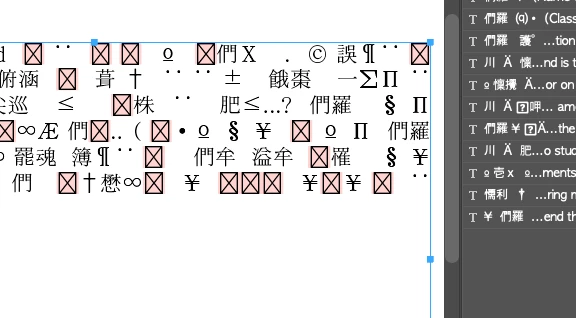
I am trying to import a csv file in Indesign using data merge. This csv file contains both Korean and English and I saved it via google spreadsheet. The file is encoded in Unicode format. 

Whenever I try to import it, all the Korean texts are broken and a bunch of Chinese and Japanese characters along with question marks replace the texts. 

I know that some fonts do not support Korean and that the texts appear broken when you type them in without using the right font. In this case it works when you change the font. However, the imported csv file would remain broken even if I change the font. 


I have tried changing the language settings in adobe creative cloud to korean & reinstalled indesign, and also tried opening it in textedit to save it as a txt file but none of it has worked. 


Please let me know if i can fix this 🙂


This topic has been closed for replies.
Correct answer Manan Joshi

Hi @Yvetty 

Try saving the CSV file in UTF-16 BE encoding, it should work fine along with a font that has all the glyphs that are needed for your text. See a similar discussion here

-Manan

1 reply

Manan JoshiCommunity ExpertCorrect answer
Community Expert
April 3, 2021

Hi @Yvetty 

Try saving the CSV file in UTF-16 BE encoding, it should work fine along with a font that has all the glyphs that are needed for your text. See a similar discussion here

-Manan

-Manan
YvettyAuthor
Participant
April 3, 2021

Hi, thanks for the reply!!

So I opened the original csv file with numbers and went to 

file - export to - csv - changed the text encoding to unicode (UTF-16BE)  and saved it. 

Now when I select data source from indesign this error message pops up. 


YvettyAuthor
Participant
April 3, 2021

I tired UTF - 16 instead of UTF- 16BF and it worked!! Thank you so much