


Mauricio_Domingues
Participant
Oct 23, 2022 10:07 AM UTC
Answered

InDesign - Delete row in table

Hi!
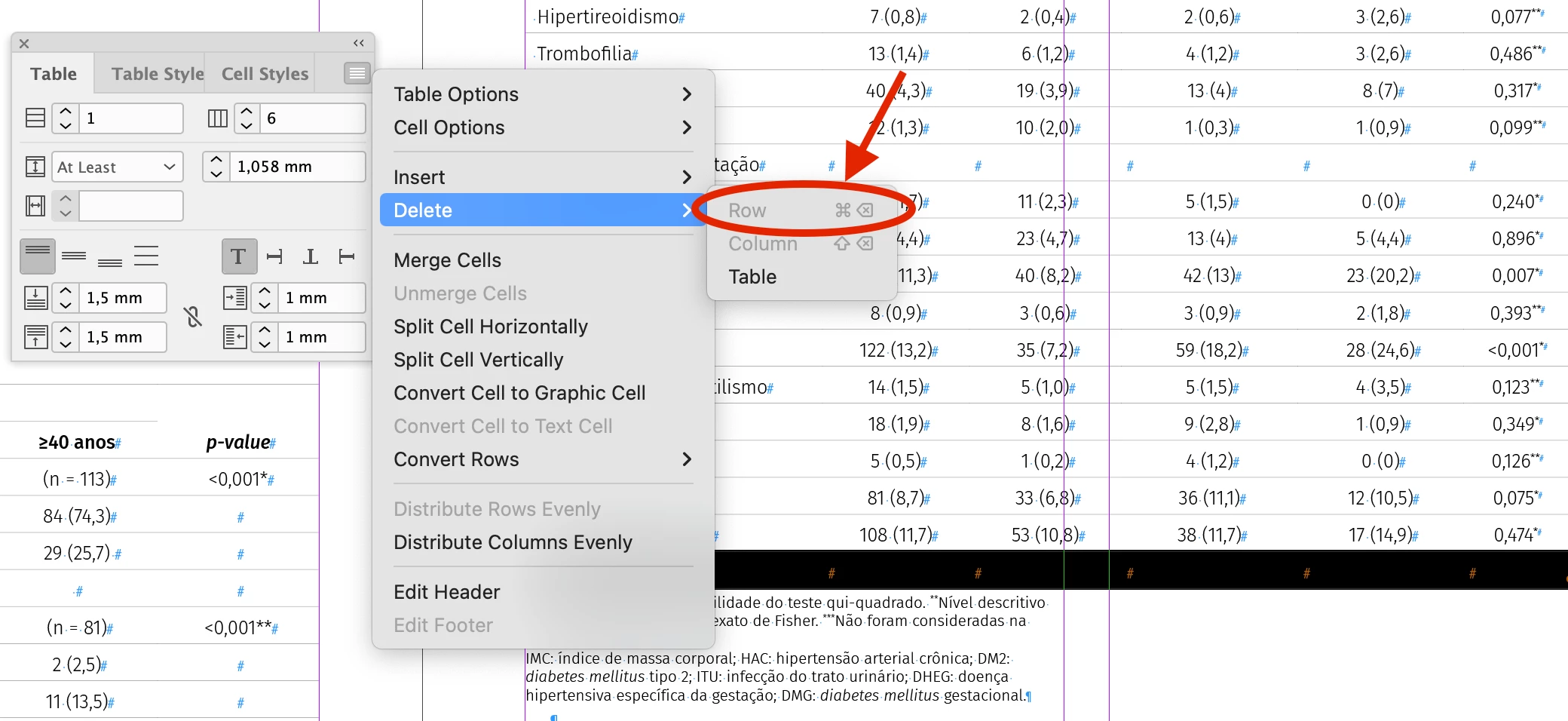
Why can't I delete a row in a table in InDesign anymore?
Someone with the same problem?
jenniferj3
jenniferj3Correct answer
Participant
Oct 26, 2023 5:42 PM UTC

I just hit this same problem with a table imported in a Word doc. InDesign had added an extra row that I couldn't delete. I eventually figured out that all the table rows (except the extra one) were set to be header rows. I'm guessing InDesign requires there be at least one row that's not a header or footer, which must be why it added the exta.


I selected all the rows, right-clicked and chose Convert to Body Rows, and then was finally able to delete the extra row.

6 replies

jenniferj3
jenniferj3Correct answer
Participant
Oct 26, 2023 5:42 PM UTC

I just hit this same problem with a table imported in a Word doc. InDesign had added an extra row that I couldn't delete. I eventually figured out that all the table rows (except the extra one) were set to be header rows. I'm guessing InDesign requires there be at least one row that's not a header or footer, which must be why it added the exta.


I selected all the rows, right-clicked and chose Convert to Body Rows, and then was finally able to delete the extra row.

Translate
Participating Frequently
Oct 9, 2025 9:33 AM UTC

Thank you very much my friend. This helped.

Translate
Community Expert
Oct 23, 2022 3:02 PM UTC

Hi @Mauricio_Domingues ,

could you share a document with that table?

This is definitely not the norm.


Regards,
Uwe Laubender
( Adobe Community Expert )

Translate
Derek Cross
Community Expert
Community Expert
Oct 23, 2022 10:49 AM UTC

Do these work?

To delete a row, column, or table, place the insertion point inside the table, or select text in the table, and then choose Table > Delete > Row, Column, or Table. To delete rows and columns by using the Table Options dialogue box, choose Table > Table Options > Table Setup

Translate
Mauricio_Domingues
Participant
Oct 23, 2022 11:23 AM UTC

Unfortunately no... with the InDesign update these options were hidden. It just erases the entire table. =(

Translate
Community Expert
Oct 23, 2022 12:40 PM UTC

Try resetting your preferences:
The easiest way to reset everything is to delete the InDesign preferences: as soon as InDesign starts to boot hold down Shift, Alt, Ctrl (and Apple/Cmd if working on a Macintosh). A dialog will appear asking to delete the InDesign Preferences, select 'Yes' on this dialog.
Further info and instructions here if needed:
https://helpx.adobe.com/in/indesign/kb/indesign-preferences-support-file-locations.html


Translate
