
anthonyp2369
Participating Frequently
August 11, 2019
Answered

InDesign document won't open without being signed in to Creative Cloud

  • August 11, 2019
  • 2 replies
  • 2739 views

Hi

Hopefully someone can help me with this.

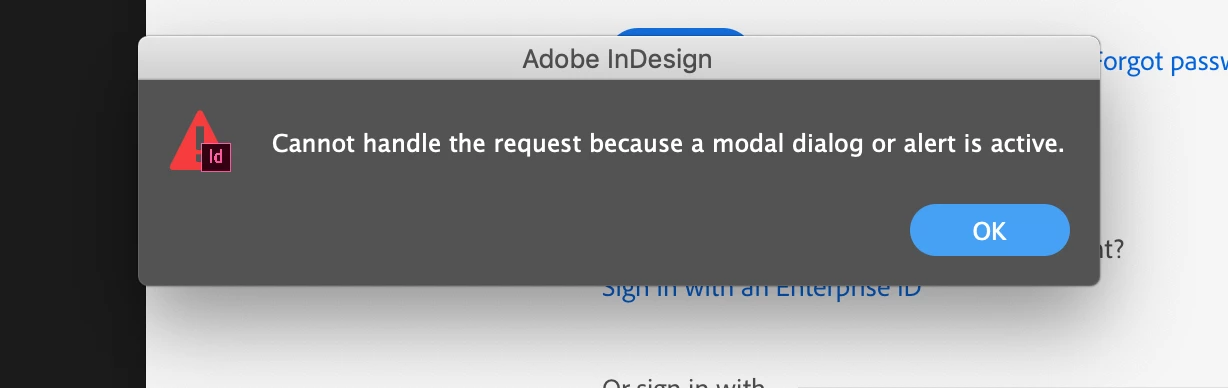
I'm using InDesign CC 2019 and have created two separate documents. These were both created whilst being signed in to Creative Cloud. Neither document will open without being signed in and I receive this pop up box. I need to email both documents to a friend who I assume, will be greeted by the same message when they try to open the files. Is there something I'm missing here, or a workaround?

Any help will be really, much appreciated.

Thanks

Anthony.
    This topic has been closed for replies.
    Correct answer BobLevine

    Open the CC Desktop App and sign in.

    If you're already signed in, then sign out and then back in.

    And your assumption is incorrect. This has nothing to do with the files themselves, just your local account.

    2 replies

    Barb Binder
    Community Expert
    Community Expert
    August 11, 2019

    I still get the same pop up box when not signed in to Creative Cloud

    You must be signed in to use InDesign.

    ~Barb

    ~Barb at Rocky Mountain Training
    anthonyp2369
    Participating Frequently
    August 11, 2019

    Thank you.

    BobLevine
    Community Expert
    BobLevineCommunity ExpertCorrect answer
    Community Expert
    August 11, 2019

    Open the CC Desktop App and sign in.

    If you're already signed in, then sign out and then back in.

    And your assumption is incorrect. This has nothing to do with the files themselves, just your local account.

    anthonyp2369
    Participating Frequently
    August 11, 2019

    Thanks for replying.

    I followed what you said, but still get the same pop up box.

    If my friend has a Creative Cloud account this will resolve this issue, yes?

    Barb Binder
    Community Expert
    Community Expert
    August 11, 2019

    Hi AnthonyP:

    If you have exceeded the 7-day free trial period on that computer, you will have to have a valid subscription and be signed in to continue using InDesign CC. Are you saying that you have a CC subscription and that you are signed in with your Adobe ID? Have you tried signing out, rebooting the computer and signing back in? (Reboot because that message means that a dialog box is open that is preventing InDesign from opening the files. It's not what I would expect to see if you are simply not signed in.)

    If your friend has a valid CC subscription and is signed in they should be able to open the files that you created.

    ~Barb

    ~Barb at Rocky Mountain Training