
kyriosity
Inspiring
June 3, 2022
Answered

Indesign dropping footnote numbers when exporting to epub

  • June 3, 2022
  • 2 replies
  • 964 views

Getting rather desperate for an answer to this one. Have posted in three user groups to no avail.


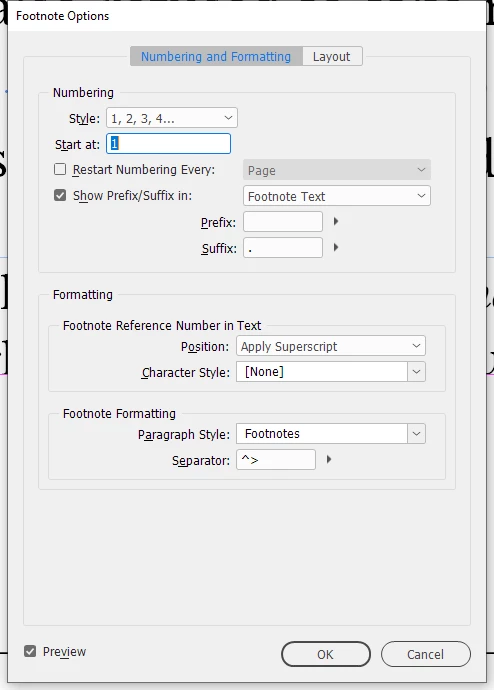
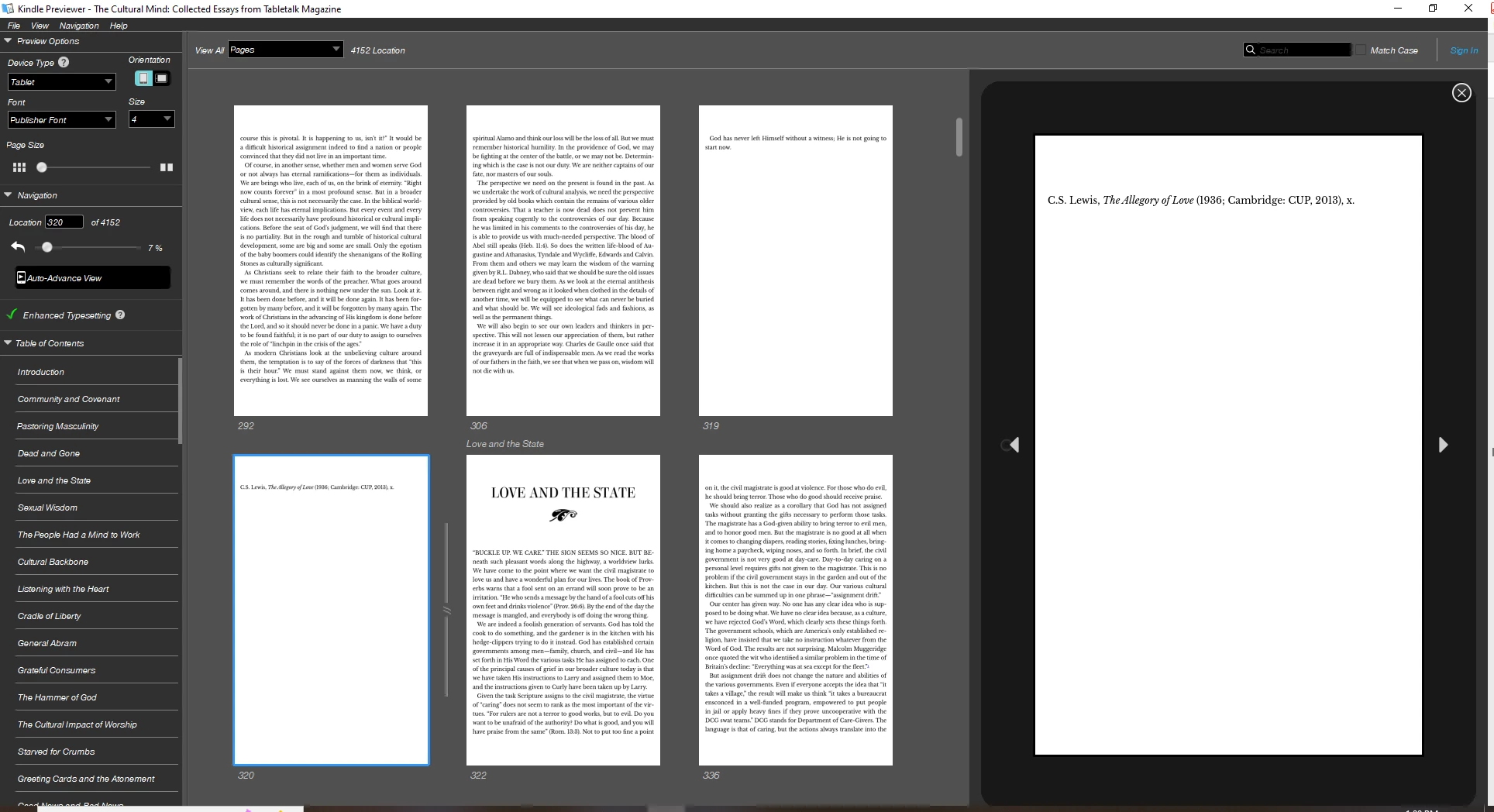
Somewhere between indd and epub, my footnote numbers are going AWOL. They're fine in the text, but gone from the note. First image is my ID footnote settings (and they show up obediently in the indd) and second shows a numberless note in the epub. Lemme know if you need any others. I've exported dozens and dozens of epubs with these same settings, and suddenly three books in a row had this problem. The first one randomly corrected itself, but the next two have proved more stubborn. I will name my firstborn child for anyone who can solve this! 😉
 

This topic has been closed for replies.
Correct answer James Gifford—NitroPress

Great!


You can also save a current file that's corrupted. Keep this trick under your hat: save or export to IDML, reopen. You may have to touch up a few things but this tends to purge bloat and fix corrupted files when features like this just won't work right.


2 replies

kyriosity
kyriosityAuthor
Inspiring
August 10, 2022

This issue has cropped up again. Here are a couple of screenshots of the code from Sigil. Hoping they might help identify where the problem is so I can perhaps repair it in ID (or in Sigil, as long as it gets fixed, but I'll officially ask for an ID solution since this is an Adobe forum!).

Here's the text where the first note appears:


Here's the note:


James Gifford—NitroPress
Legend
August 11, 2022

Ugh. Nothing (new) jumps out at me as obvious; it's just more of the fragility of endnotes in EPUB exports. You might try exporting without splitting the XHTML file, just to see if that corrects the problem.


The reply from the Sigil crowd et al. is likely to be that ID is a terrible, no-good, awful tool for EPUB and it's all your fault for using it. (Pretty much the universal response I get even when asking focused technical questions anywhere out there in the e-book forums.) But maybe not.


kyriosity
kyriosityAuthor
Inspiring
August 11, 2022

Kinda like whenever I ask for PC help and half a dozen people can't find anything more useful to say than "Buy a Mac." 🙄


Anyway, thanks for taking a look at it, James. And I just bought your book. 😉

James Gifford—NitroPress
Legend
June 3, 2022

What EPUB version — I assume 3?

And what footnote export option in the EPUB menu are you using?

Are these books serially using a template or former file that might have become corrupted?

Is there anything odd about your Footnotes style that might be causing the number to be suppressed?


The only two alternatives are that the number actually isn't there, or that a format glitch is hiding it. I'd look in the EPUB's XHTML file to see if the footnote number is actually present or not.


kyriosity
kyriosityAuthor
Inspiring
June 4, 2022

I think a corrupted former file is the answer! I went back to an older indd that I'd set up for export, copied a few chapters into there to test, exported, and...ahhhh...those lovely little blue underlined numbers are back. Thanks so much, James!

James Gifford—NitroPress
Legend
June 4, 2022

Great!


You can also save a current file that's corrupted. Keep this trick under your hat: save or export to IDML, reopen. You may have to touch up a few things but this tends to purge bloat and fix corrupted files when features like this just won't work right.