Participant
April 1, 2025
Question

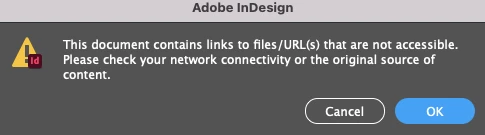
Indesign error message when exporting PDF

  • April 1, 2025
  • 3 replies
  • 634 views

Can anyone help with this error message? All links within the file are successfully linked and nothing is missing

 

3 replies

Abhishek Rao
Community Manager
Community Manager
April 3, 2025

Hi @kylie_6541,  


I hope the expert suggestions helped resolve the issue. Let me know if you're still facing the problem after trying all the suggestions mentioned in the thread. Looking forward to your update!  


^

Abhishek

Abhishek Rao
Community Manager
Community Manager
April 1, 2025

Hi @KN_0639,


Could you share which version of InDesign and operating system you’re using? Also, where is this affected file stored? On your local system drive, an external drive, a remote location, or the cloud?

As Robert asked, are you able to access and open the file without any issues? If so, try saving it as an IDML file, reopen it in InDesign, and then attempt to export it as a PDF again. 

Let me know how it goes. Looking forward to your update!


^

Abhishek

Luke Jennings3
Community Expert
Community Expert
April 1, 2025

One of your links may be corrupt, to find it, try exporting in sections, until you see the error (divide & conquer method), open and re-save the corrupt link, then update and export.

Robert at ID-Tasker
Legend
April 1, 2025
quote

One of your links may be corrupt, to find it, try exporting in sections, until you see the error (divide & conquer method), open and re-save the corrupt link, then update and export.


By @Luke Jennings3


No need to waste time - just export as single page PDFs - next page after the last generated is the problematic one. 


KN_0639Author
Participant
April 1, 2025

I have tried packaging the files too and this error comes up


Robert at ID-Tasker
Legend
April 1, 2025

Do you have access to this file? 


Participating Frequently
April 1, 2025

Yes thanks, it opens fine. I just can't export out as PDF