Participant
July 14, 2020
Answered

Indesign Export Color Issues - PNG

  • July 14, 2020
  • 3 replies
  • 3216 views

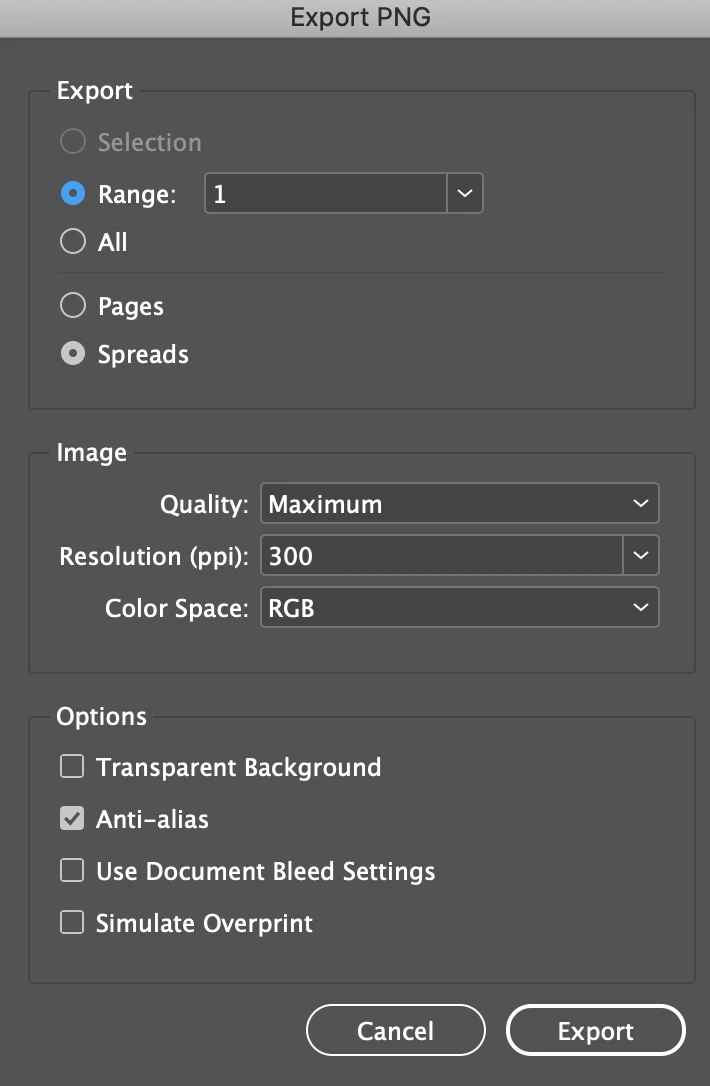
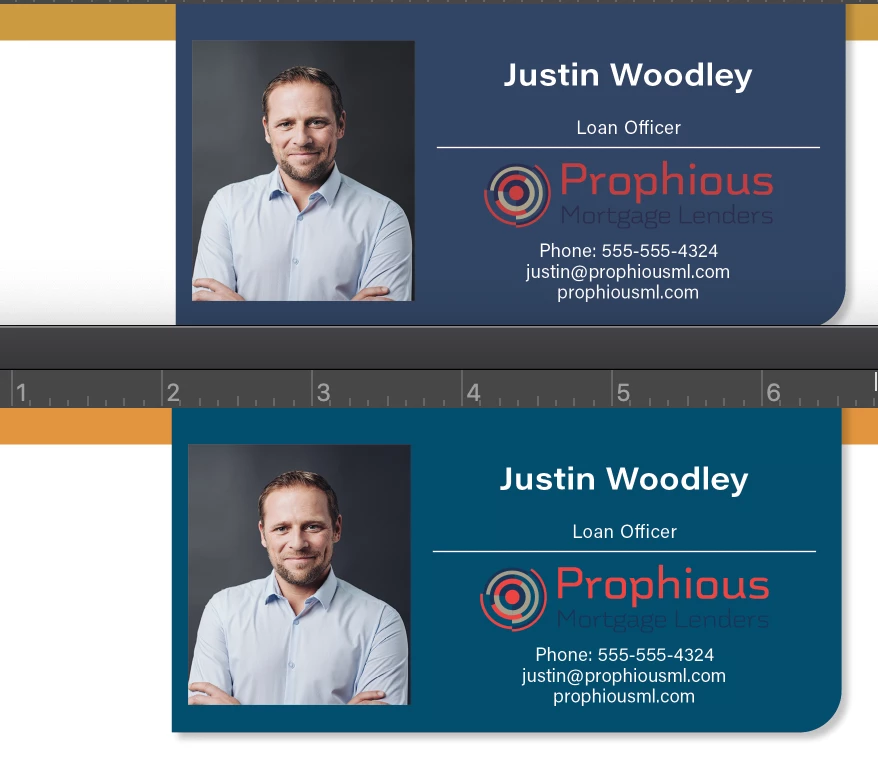
My coworker and I are exporting the same file and are using the same PNG setting but our colors are very different. While mine are bright and match the original file, his are murky looking — we cannot figure out why his colors are so off in comparison. The top image is the export from his computer and the bottom is what the file should look like —I have also included his export settings. The original file does not contain any spot colors and is set to CMYK as the final products will be printed, the PNGs will be used as samples on a website.  
 

This topic has been closed for replies.
Correct answer rob day

we cannot figure out why his colors are so off in comparison


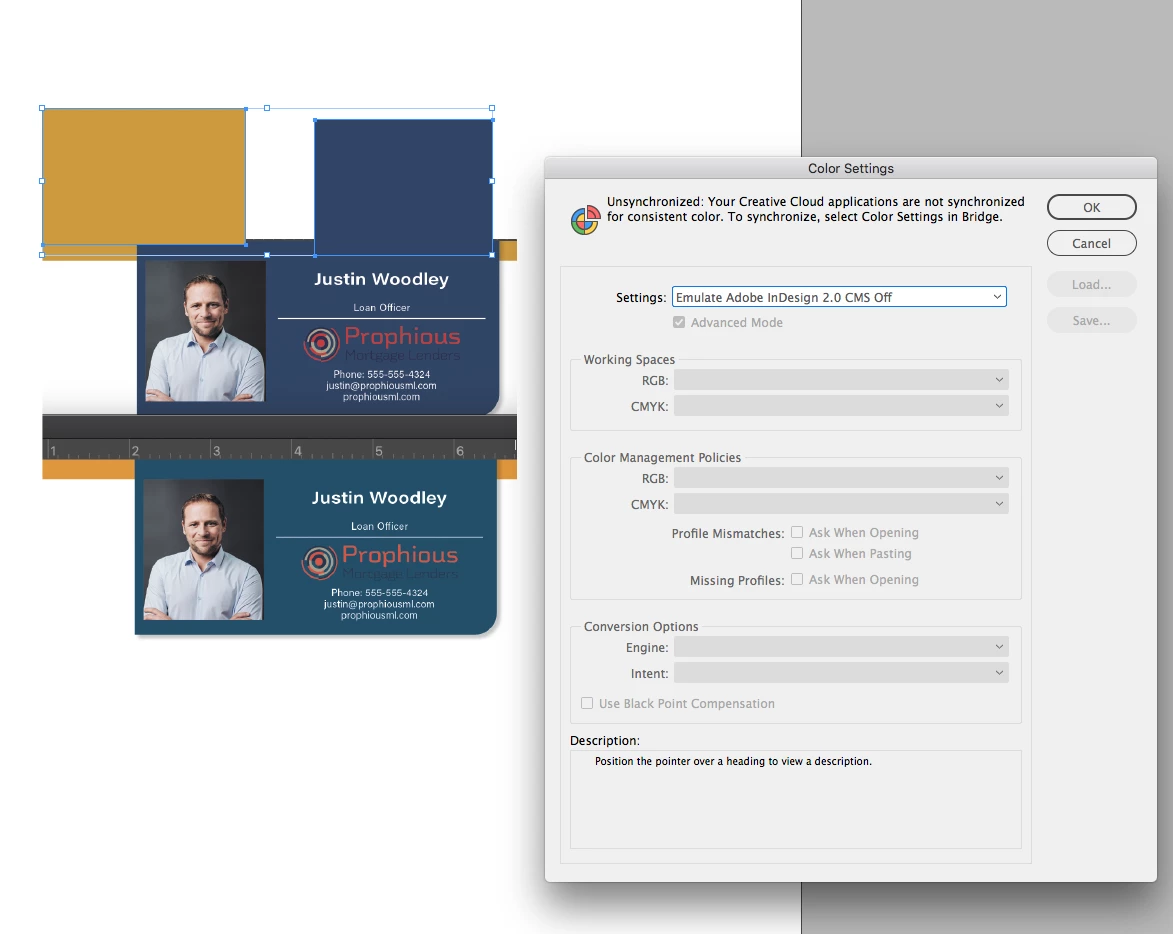
Make sure he doesn’t have color management turned off in Color Settings—should not be set to Emulate Adobe InDesign 2.0 CMS Off.


I can replicate his color by turning Off CM


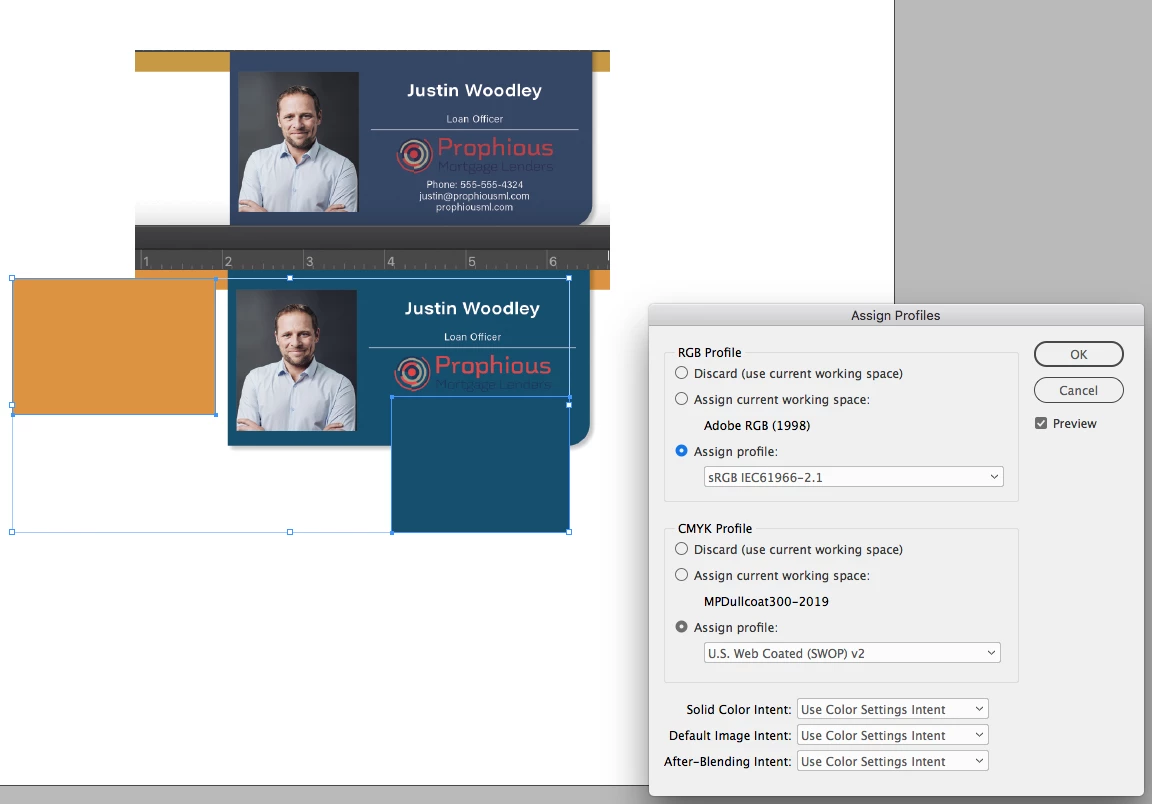
With CM on and sRGB and US Web Coated SWOP as document assignments:


3 replies

Ashutosh_Mishra
Inspiring
July 25, 2020

Hi there,


Thanks for reaching out. I hope your issue is resolved now. We'd appreciate if you can mark the appropriate answer correct.

If you used any other method, please share it here. It'll help other users having similar concern.

If you still have issues, let us know. We'll be happy to help.


Regards,

Ashutosh

rob day
Community Expert
rob dayCommunity ExpertCorrect answer
Community Expert
July 14, 2020

we cannot figure out why his colors are so off in comparison


Make sure he doesn’t have color management turned off in Color Settings—should not be set to Emulate Adobe InDesign 2.0 CMS Off.


I can replicate his color by turning Off CM


With CM on and sRGB and US Web Coated SWOP as document assignments:


Participant
August 4, 2020

That was exactly the issue, thank you so much for your help!!!

rob day
Community Expert
Community Expert
July 14, 2020

What are the document’s assigned color profiles? Check Edit>Assign Profiles... (not Color Settings’ Working Spaces).