
Participant
April 12, 2025
Answered

InDesign export issue and crashing

  • April 12, 2025
  • 5 replies
  • 839 views

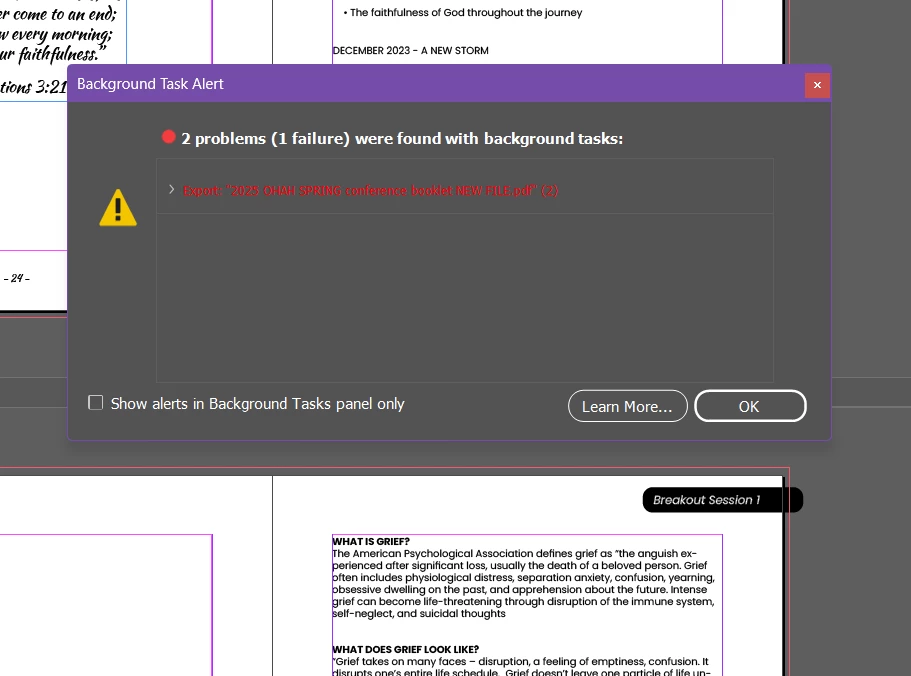
I've been having so many issues with InDesign lately. The most recent issue is that I cannot export my file. This error message comes up when I try to export. It says there may be a problem with page 26, which was a blank page. I deleted the page and still cannot export. InDesign also keeps crashing. I tried uninstalling InDesign and re-installing it on my computer.  What else should I try? Thanks! 


Correct answer Robert at ID-Tasker

@Mhouse2


It's possible, that your INDD file got corrupted - you can: 


- do IDMLing - as mentioned by @Derek Cross - export as IDML, open, save with a new name - do not overwrite your original file,


Or: 


- create a new, blank document with the same page size and margins and then move all pages from the old document to the new one. 

5 replies

Legend
April 12, 2025

If you click the treeangle 😉 in front of the red line, you should get to the actual error messages.


There was also a way to disable the "background processing" part of the export and use the old busy-waiting approach, not sure whether that still works outside from scripting.


Most of the recent crashes discussed here were because of bad font managers or bad fonts. Make sure you add your email address when you submit the crash report, makes it easier to Adobe's developers to investigate them for you.

Derek Cross
Community Expert
Community Expert
April 12, 2025

Another way of finding the issue is dividing the document in half. If one half opens without any issue, but the other half crashes, divide that half again and repeat the process until you (hopeflly!) isolate the issue.

Robert at ID-Tasker
Legend
April 12, 2025
quote

Another way of finding the issue is dividing the document in half. If one half opens without any issue, but the other half crashes, divide that half again and repeat the process until you (hopeflly!) isolate the issue.


By @Derek Cross


I would disagree - "divide and conquer" method is a waste of time - it's better to export as separate pages - page after last correctly exported PDF will be the page with the problem.


If the problem skips to the next page - then it's most likely system resources problem - not enough RAM or disk space. 


Robert at ID-Tasker
Robert at ID-TaskerCorrect answer
Legend
April 12, 2025

@Mhouse2


It's possible, that your INDD file got corrupted - you can: 


- do IDMLing - as mentioned by @Derek Cross - export as IDML, open, save with a new name - do not overwrite your original file,


Or: 


- create a new, blank document with the same page size and margins and then move all pages from the old document to the new one. 

Mhouse2Author
Participant
April 12, 2025

That worked. Thank you so much!

Dave Creamer of IDEAS
Community Expert
Community Expert
April 12, 2025

WHICH option worked for you?


David Creamer: Community Expert (ACI and ACE 1995-2023)
Derek Cross
Community Expert
Community Expert
April 12, 2025

In addition to Peter's questions, how much RAM and spare hard disk capacity do you have?
Try saving the document as an IDML doc, renaming it and opening it as a new InDesign doc.

Peter Spier
Community Expert
Community Expert
April 12, 2025

Version of InDesign and OS?

Does Pre-flight show any errors?

Does the Links Panel show any problems with a link?