Known Participant
June 21, 2026
Question

InDesign Export Settings for 16" x 22" Fine Art Photography

  • June 21, 2026
  • 3 replies
  • 24 views

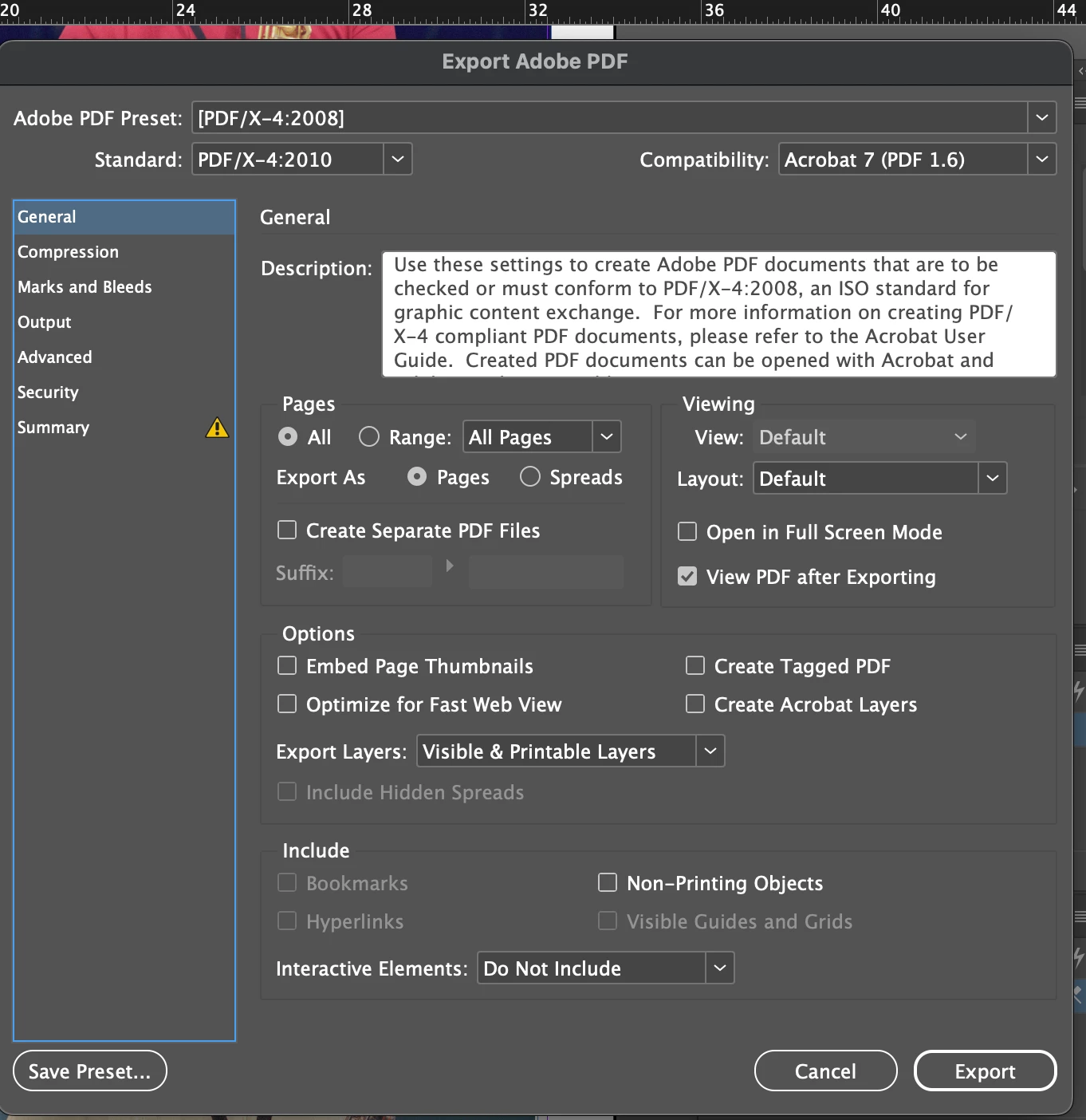
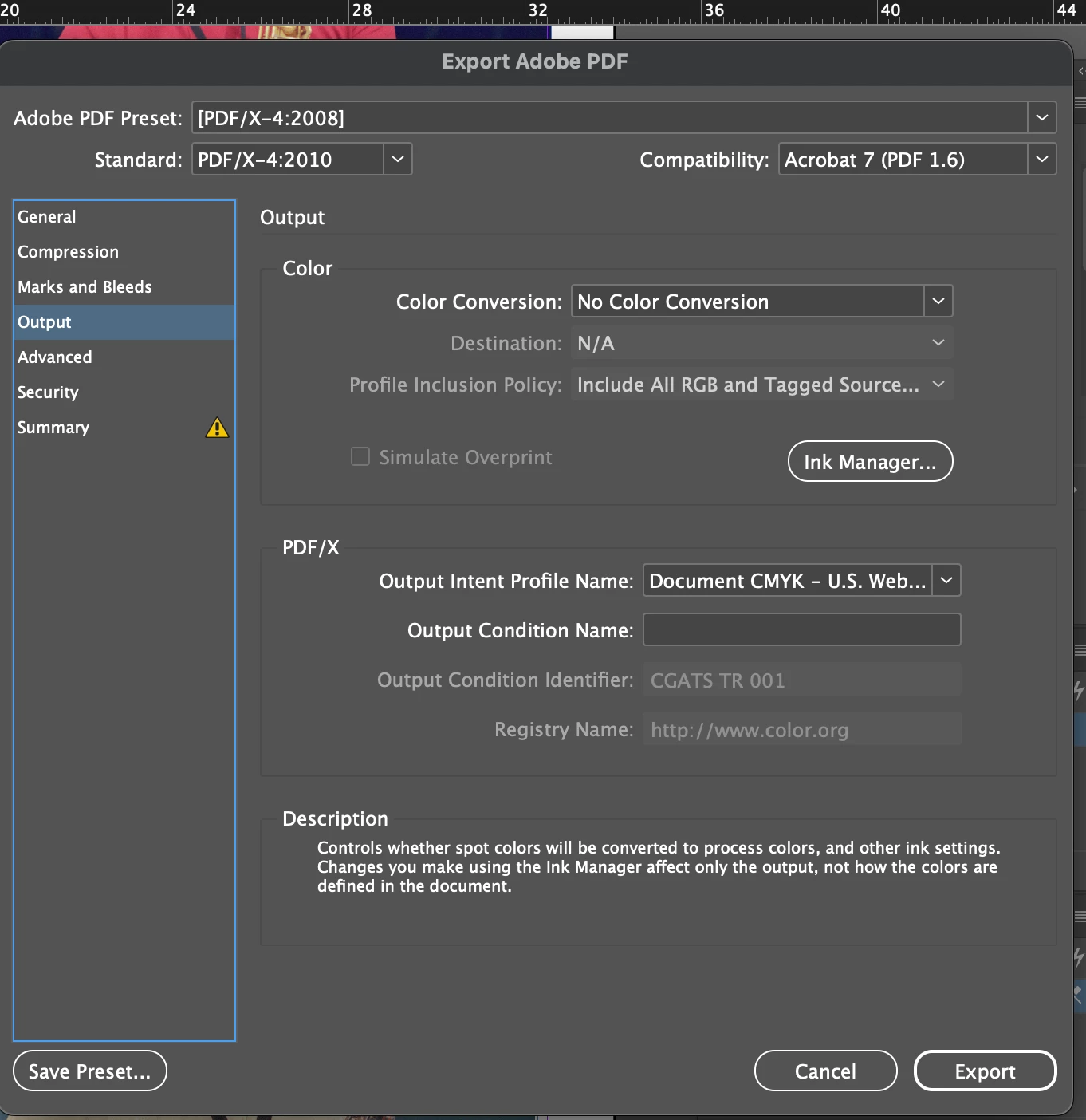
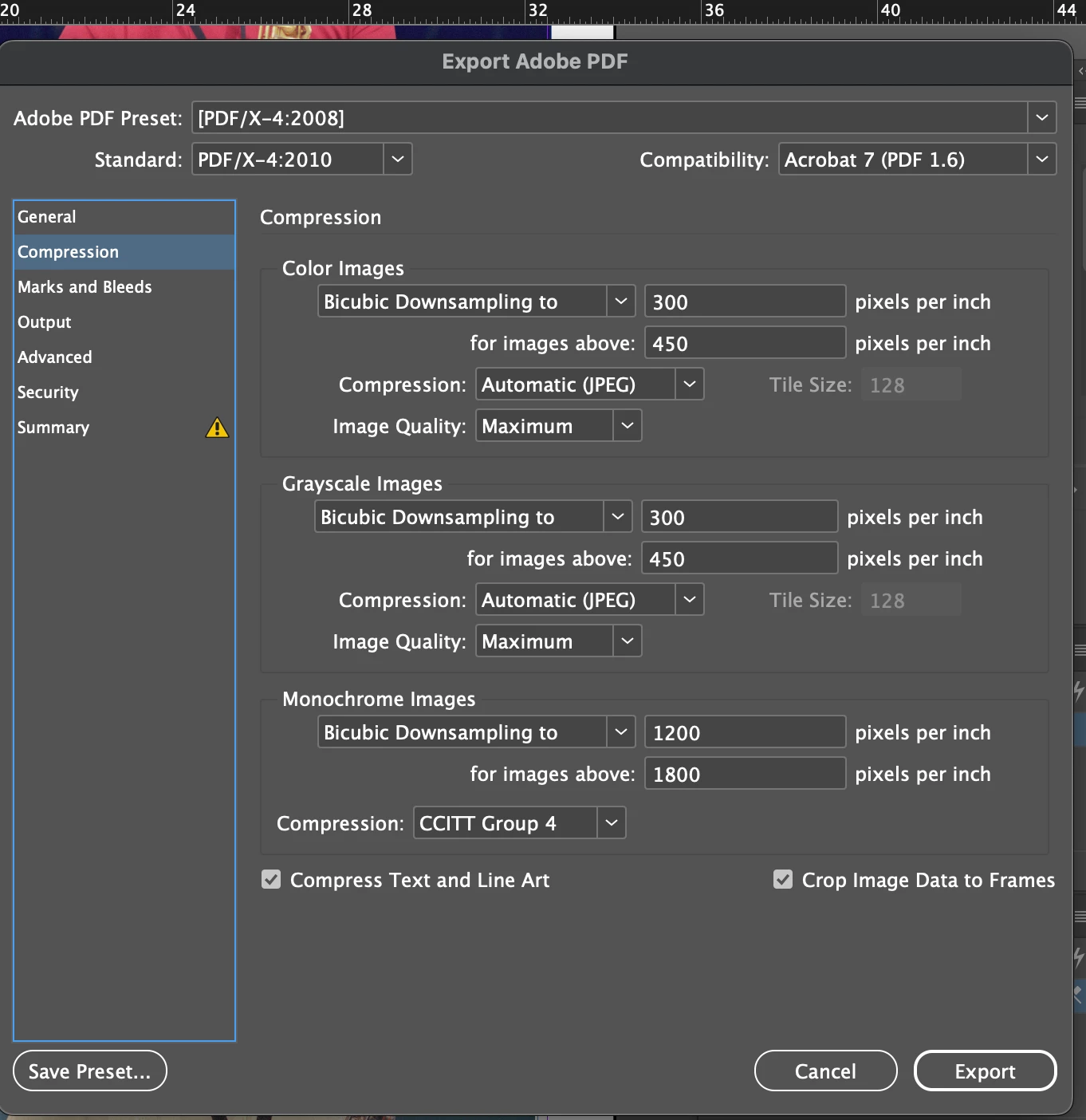
I’m preparing a museum grade gallery exhibition of several 16” x 22” framed images. The images have a 1-1/2” margin all around. My workflow is negative scans to Photoshop to InDesign then export to Acrobat PDF. I’ll be conferring with my printer who uses large commercial Canon printers (Pro 4000 and 6000) about the final settings, so I’m preparing for that interaction. I published a picture book last year with the settings used here and it came out perfect. But fine art photography is a different animal apparently.

Paper: photo rag baryta paper 308 GSM

Glazing: Tru Vue Museum Glass (non-reflective, UV protection)

My photoshop files are saved as Embed Color Profile: Adobe RGB (1998).

InDesign export format: Adobe PDF (Print).

Current Preset, Compression, and Output settings: see images attached.

Let me know if any further info is needed.
.
 

    3 replies

    Known Participant
    June 21, 2026

    Thanks Rob Day,

    I don’t have a Canon PRO option in the PDF/X drop downs. As BobLevine notes, I expect to work the details out with the printer, once they’re selected and on board. Anyways, I’m preparing two exhibits: Human Expression: Portraits in Jazz, and Human Expression: Portraits in Folk. Each has 20 framed images as specified in my post. There are actually 3 sizes: 17” x 22” (a majority are these), 16” x 24” (many), and 16” x 20” (only a few of these).

    I covered various festivals from 1999 to 2002 as a credentialed independent photographer, so I had prime vantage points and one of very few who were documenting the artistic aspects of the performances with the intent of revisiting them later in life. That time is now. The negatives held up after 25 years in storage and are scanning beautifully. 

    My workflow takes me to print ready. I only want to send the InDesign exported pdfs to print and frame operations. I’m starting with a prototype so I can see what the image looks like on photo rag baryta 308-315 GSM. I want the best nonreflective glazing available. The effect I’m looking for can be explained by this scenario: an art viewer sees the image from across the room from any angle and is drawn to it without anything obstructing that view, especially glare. The viewer should be drawn in—whether or not they like jazz (or folk)—by the human expression of the artist depicted. 


    I’m meeting with a ED of a museum mid-July for a quick review to see if they’re interested in hanging the prototype in the fall.


    That’s the gist of what I’m doing. Right now, I’m troubleshooting and checking my output settings while searching for the right printer for the prototype. I think I’m on track. I’m sure I’ll learn a lot from the process of producing the prototype.

    rob day
    Community Expert
    Community Expert
    June 21, 2026

    Hi ​@George DeLuca , Also, if the Adobe Acrobat soft proof preview matters to you, you might set the Output Intent Profile to the Canon output profile the printer will use. If you leave it as US Web Coated (SWOP) the default Acrobat output preview be for a  CMYK Web offset press, which has a smaller color gamut than a large format inkjet printer. But as ​@BobLevine suggests talk to the printer.


    BobLevine
    Community Expert
    Community Expert
    June 21, 2026

    Nothing’s jumping out at me as being a problem but it sounds like you’re in touch with the printer and nobody here is going to be able to give you better feedback then they will.