This topic has been closed for replies.
Correct answer Laubender

Hi Pam,

there are several options in your dialog for PDF Export to achieve what you want.

From my German InDesign where "Seiten" mean "Pages".

Currently "All" is enabled. Next to that option is "Range:" where "All Pages" is visible.

That's the default.
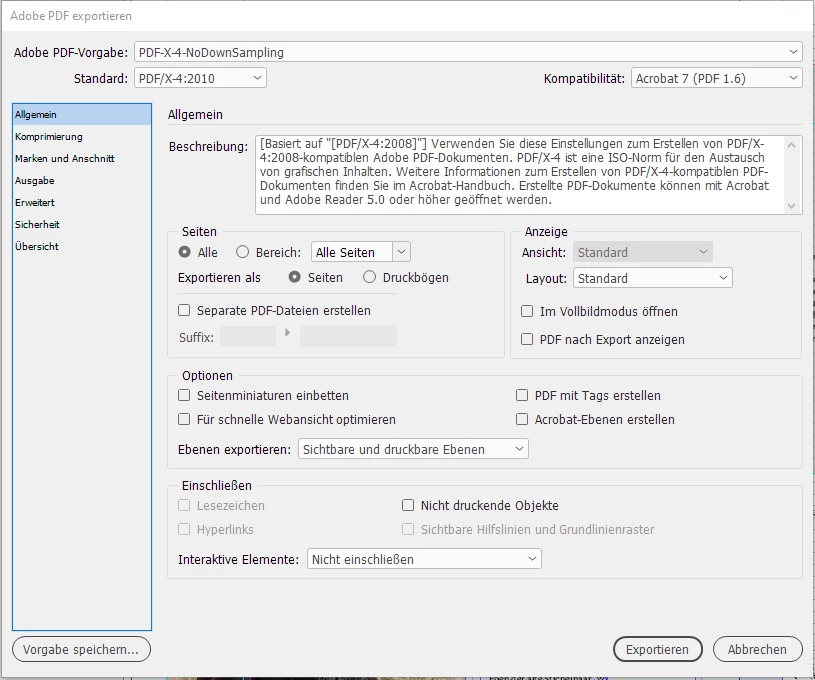


To export a single page simply type the name of the page you want to export to the Range field.

In my sample below the page with the name 52:
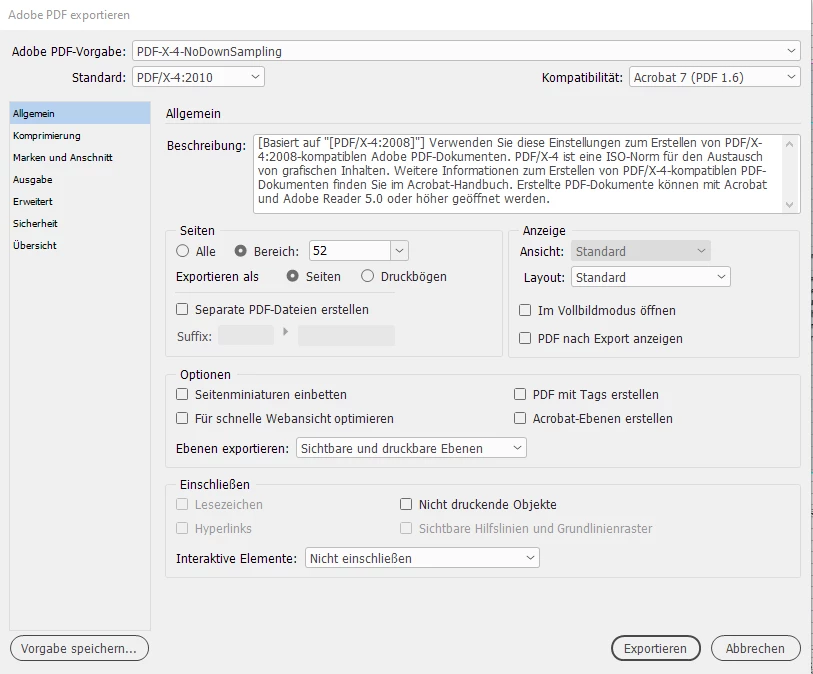


The Range field can also hold page name ranges like:

52-56 or 52,53,54,55,56


You could also dicatate a different order:

56,55,54


Or that one page will be exported more than one time to the exported PDF:

56,56,56


And then you could also use the position of a page in your document.

+1

would be the first page in your document whatever the actual name is.


Also doable, set a range from a distinct page to the end of a document or from the beginning of the document to a specific page.

Page named 56 to the end of the document:

56-


All pages to and including page 56:

-56


Regards,
Uwe Laubender

( ACP )

3 replies

LaubenderCommunity ExpertCorrect answer
Community Expert
March 13, 2020

Hi Pam,

there are several options in your dialog for PDF Export to achieve what you want.

From my German InDesign where "Seiten" mean "Pages".

Currently "All" is enabled. Next to that option is "Range:" where "All Pages" is visible.

That's the default.


To export a single page simply type the name of the page you want to export to the Range field.

In my sample below the page with the name 52:


The Range field can also hold page name ranges like:

52-56 or 52,53,54,55,56


You could also dicatate a different order:

56,55,54


Or that one page will be exported more than one time to the exported PDF:

56,56,56


And then you could also use the position of a page in your document.

+1

would be the first page in your document whatever the actual name is.


Also doable, set a range from a distinct page to the end of a document or from the beginning of the document to a specific page.

Page named 56 to the end of the document:

56-


All pages to and including page 56:

-56


Regards,
Uwe Laubender

( ACP )

Jazz0011Author
Participating Frequently
March 14, 2020
Thank you. I only use it once a year and with the upgrades I get lost sometimes. 🙂

Pam
Derek Cross
Community Expert
Community Expert
March 13, 2020

The normal procedure for commercial printing is to ask your printer for a spec. This will typically be a PDF, such as a PDF/X-4, supplied as pages (not spreads), with Crop Marks ticked and Use Document Bleed Settings. You don't generally send an InDesign file to a printer, and you print from a PDF even if you're using your own desktop-top printer.

Jazz0011Author
Participating Frequently
March 14, 2020
Yes but it is in the exporting part of InDesign that is not letting me combine all the pages into on link in order to put it into pdf.

Pam
Known Participant
March 13, 2020

Can you elaborate on what kind of export you want? InDesign can export single page PDFs already

Jazz0011Author
Participating Frequently
March 13, 2020
I am creating a publication to go to print and it will not let me save it individually. And when I save ALL pages it keeps them all separated out into each page rather than in just one link to open them all up.

Pam
