Or can I just set it to `sRGB` under the `Color Conversion` section when exporting a PDF? Will that be enough?
Hi @mttplbkp , I assume you have document designed for print that has mixed color spaces, and want a version for screen viewing. If that’s the case you can convert everything to sRGB by setting the Output tab’s Destination to sRGB, but for web viewing you might also flatten the PDF by setting Compatibility to Acrobat 4. If you leave transparency live, and are using blending modes with the Transparency Blending Space set to CMYK, there could be significant changes in color appearance in a web browser. Check Simulate Overprint if you want the conversion to imitate print output.
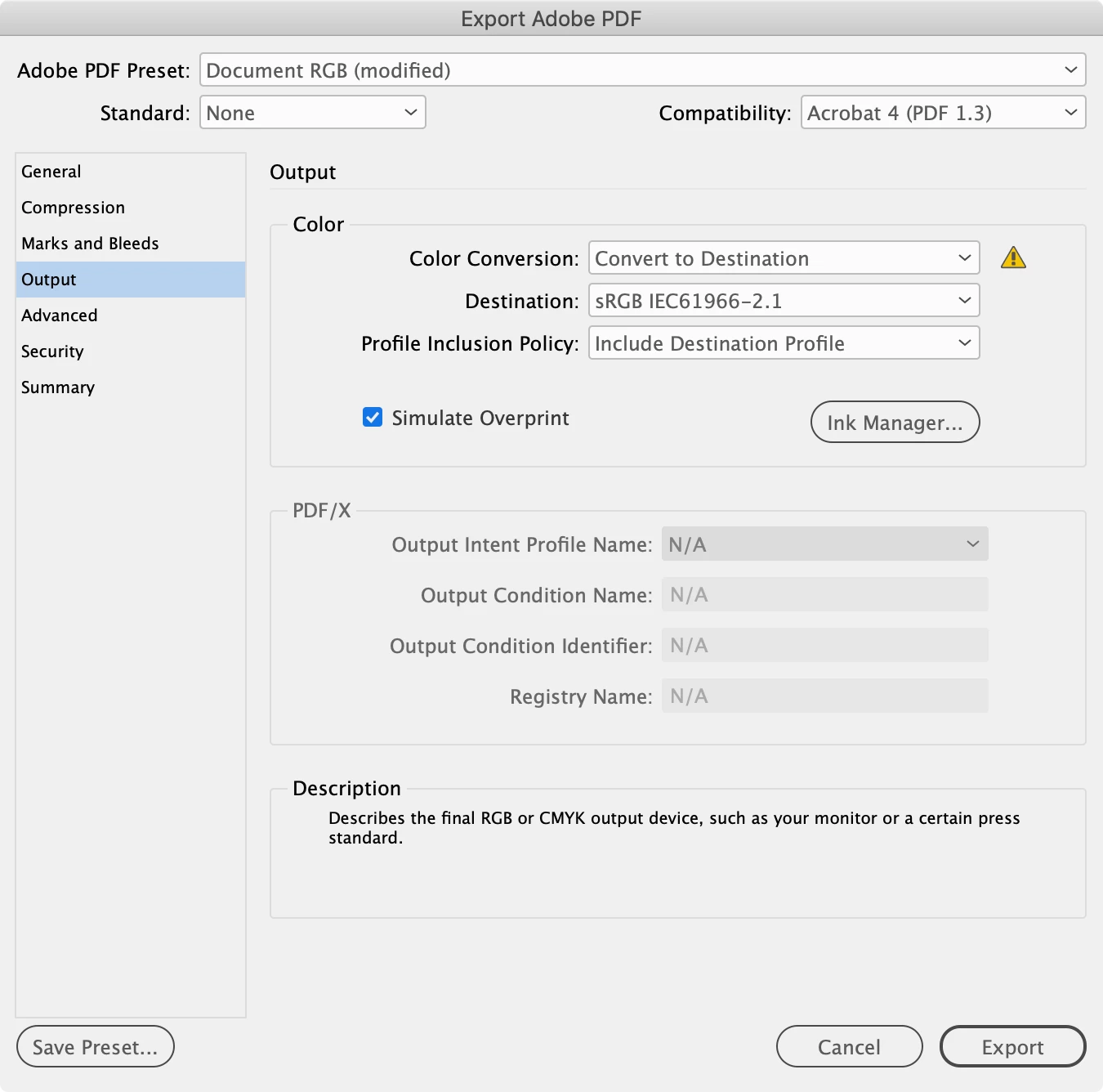
Also, the default PDF/X-4 preset designed for offset printing, exports document CMYK with no profile, and uses the Output Intent Profile for the simulation preview in AcrobatPro. I don’t think any current web browsers see the Output Intent, so if you are using native InDesign CMYK colors and Swatches those colors might change in appearance with a PDF/X-4 export with no color conversion.



 AdChoices