Participant
August 24, 2022
Answered

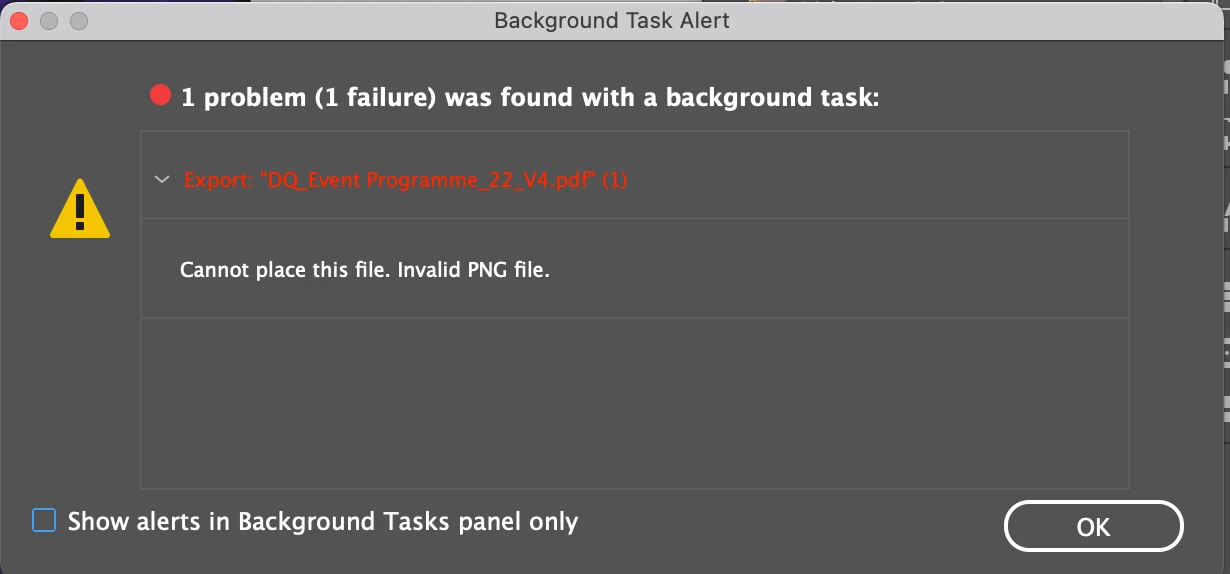
InDesign failing to export due to invalid PNG

  • August 24, 2022
  • 2 replies
  • 368 views

My InDesign is failing to export a PDF due to an invalid PNG. Yet I removed ALL PNG's in the document. And error still appearing..

 

This topic has been closed for replies.
Correct answer Derek Cross

Save a copy of the document in IDML format rename it and open it in InDesign again and see if you can Export it to PDF now.

2 replies

Willi Adelberger
Community Expert
Community Expert
August 24, 2022

Where did the png come from?

Why did you choose png on the first place?


Did you use eps files?


Did the IDML method solve your problem?

Derek Cross
Community Expert
Derek CrossCommunity ExpertCorrect answer
Community Expert
August 24, 2022

Save a copy of the document in IDML format rename it and open it in InDesign again and see if you can Export it to PDF now.

Participant
August 24, 2022

Thank you for this!

This seemed to have worked. Do you know why this is an issue? Perhaps something with PNGs? or just a fault within InDesign?


Derek Cross
Community Expert
Community Expert
August 24, 2022

Crud builds up in an InDesign document when you work on it for a long time, saving it as an IDML cleans it up and rebuilds it.