

nsweeney29
Participant
March 20, 2026
Question

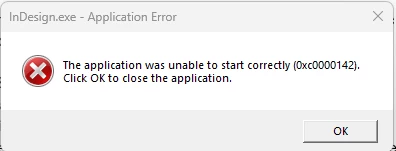
InDesign Fails to Launch After Update on Windows 11 with Error 0x0000142

  • March 20, 2026
  • 2 replies
  • 150 views

Every month once Indesign is updated, our whole company is unable to open adobe. They get the error "indesign.exe - application error. The application was unable to start correctly (0x0000142). Click OK to close the application." This has been an on going issue for a few months now. The temp fix is to run a repair on the Microsoft Visual C++ Redistributable which fixes it until the next update comes out. This is for windows 11. Is there a more permanent fix for this? 


    2 replies

    Abhishek Rao
    Community Manager
    Community Manager
    March 20, 2026

    Hi ​@nsweeney29,


    Thanks for sharing the details, and sorry to hear you’re running into this issue. Adding to the expert’’ suggestion, I’d like to let you know that this has been identified as a bug and our product team is actively working on a permanent fix. In the meantime, you can refer to this moderated post for more context and updates: https://community.adobe.com/questions-671/indesign-v21-not-starting-after-update-win-11-897997?postid=7505433#post7505433

    Please let me know if you notice any change in behavior or have any additional observations.


    I’ll keep you posted as soon as we have further updates from the team.

    Abhishek

    Mike Witherell
    Community Expert
    Community Expert
    March 20, 2026

    Hi NSweeney,

    In addition to fixing the Visual C++ Redistributable, what is your company doing related to Windows Updates? Are the February and later patches in place? Temp folders are being emptied out occasionally?

    https://helpx.adobe.com/indesign/kb/crash-on-launch.html

    Mike Witherell
    nsweeney29
    Participant
    March 20, 2026

    Yes, we have mandatory monthly patches. Not sure about the temp folders being emptied.