
Known Participant
March 10, 2025
Question

InDesign ‘File is damaged’ message

  • March 10, 2025
  • 1 reply
  • 4486 views

I am frequently getting this message when opening files in Indesign:
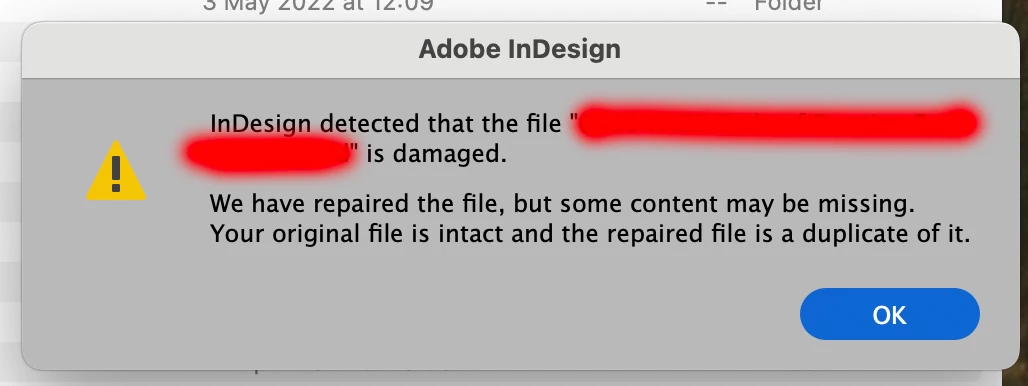
 I have the latest version (20.2), the computer is a new M2 max, and these are all files I have created myself. They are stored locally. I have tried exporting as IDML and resaving, but the proble keeps coming back.

Is InDesign really corrupting my files or is this a false message which can be ignored?

Prompt investigation of this would be apreciated please Adobe.

1 reply

Community Manager
March 10, 2025

Hello @Terence5F91,

Would you mind checking if InDesign behaves this way with new files, if the location you're saving your files to has sync enabled via iCloud (https://adobe.ly/3DiLDUp) or any other service like Dropbox, etc., and if Full Disk Access is enabled for InDesign (https://adobe.ly/4hjfQQV), so I can better assist you?

Also, try running InDesign under Safe Mode (macOS) and under a different administrator account (macOS) and share your observations.

Looking forward to hearing from you.


Anubhav

Known Participant
March 10, 2025

Hello Anubhav

Sync is enabled (although I am only saving to the mac's hard drive).

I have granted full disc access to Indesign.

I only have one user account on this mac.

Not sure what you mean by 'new files'. If you mean a file that I created this morning and tried to open this afternoon then that would a yes.

The only thing I have yet to try is running in safe mode. I shall try this tomorrow.

It would be good to know if my files are really being damaged or if I need to not worry so much. This is a large job for an important client and I can't afford to screw up here!


Robert at ID-Tasker
Legend
March 10, 2025

@Terence5F91


Are you using Typeface?