Participant
September 23, 2020
Answered

InDesign Font not resizing

  • September 23, 2020
  • 3 replies
  • 643 views

Hi,


I've recently noticed a few bugs on my indesign. 


When I try to resize my fonts they don't change. I've tried different documents, restarting my mac, uninstalling and reinstalling indesign and previous versions of indesign and it keeps bugging.


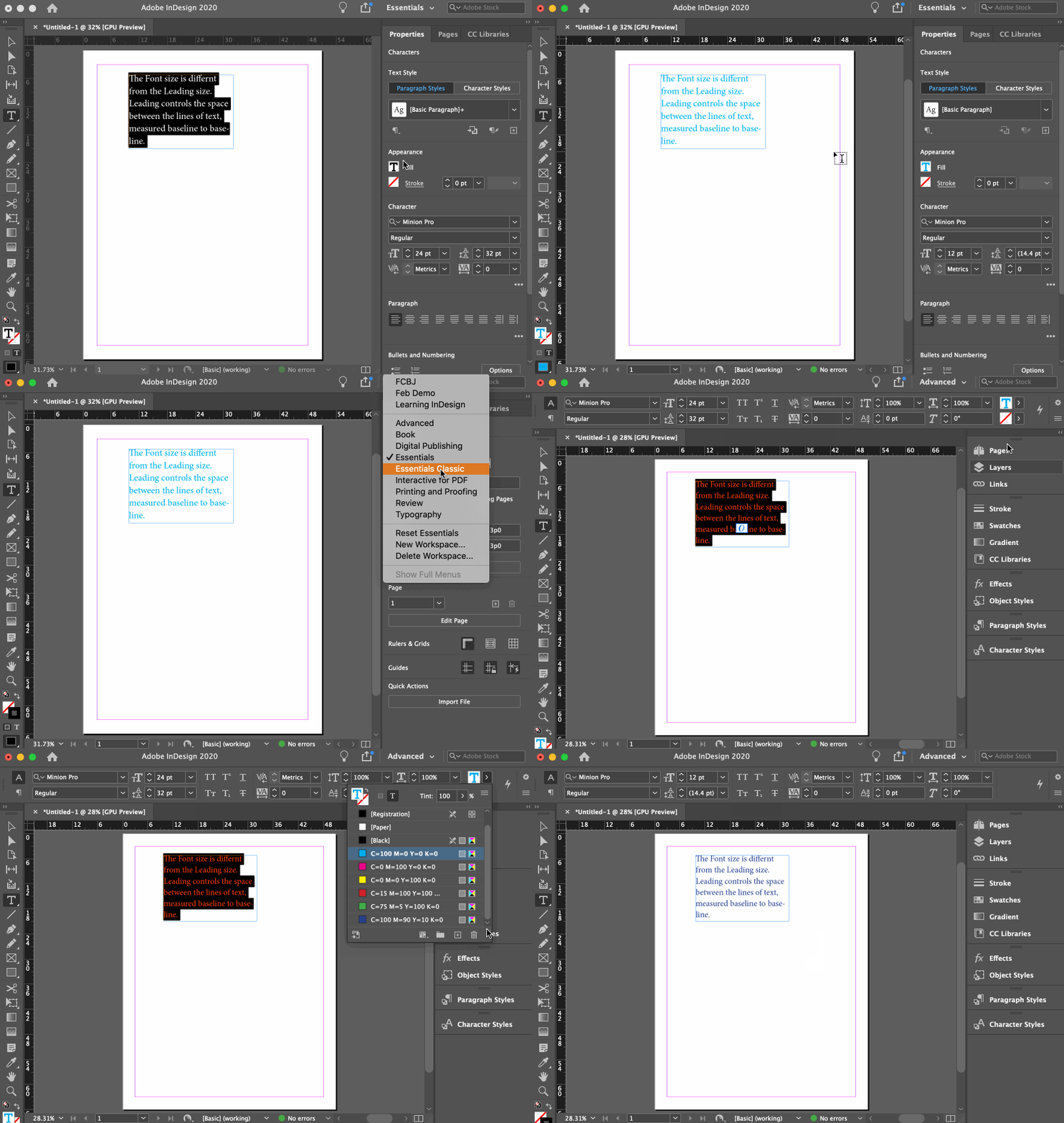
Another bug is when I click on the fill icon, the window that appears is always half off my screen and I can't move it or scroll down. I don't know whether the two bugs are related?


Has anyone had similar issues and know how to fix it?


Any help would be greatly appreciated!
This topic has been closed for replies.
Correct answer Barb Binder

Ni Natasha:


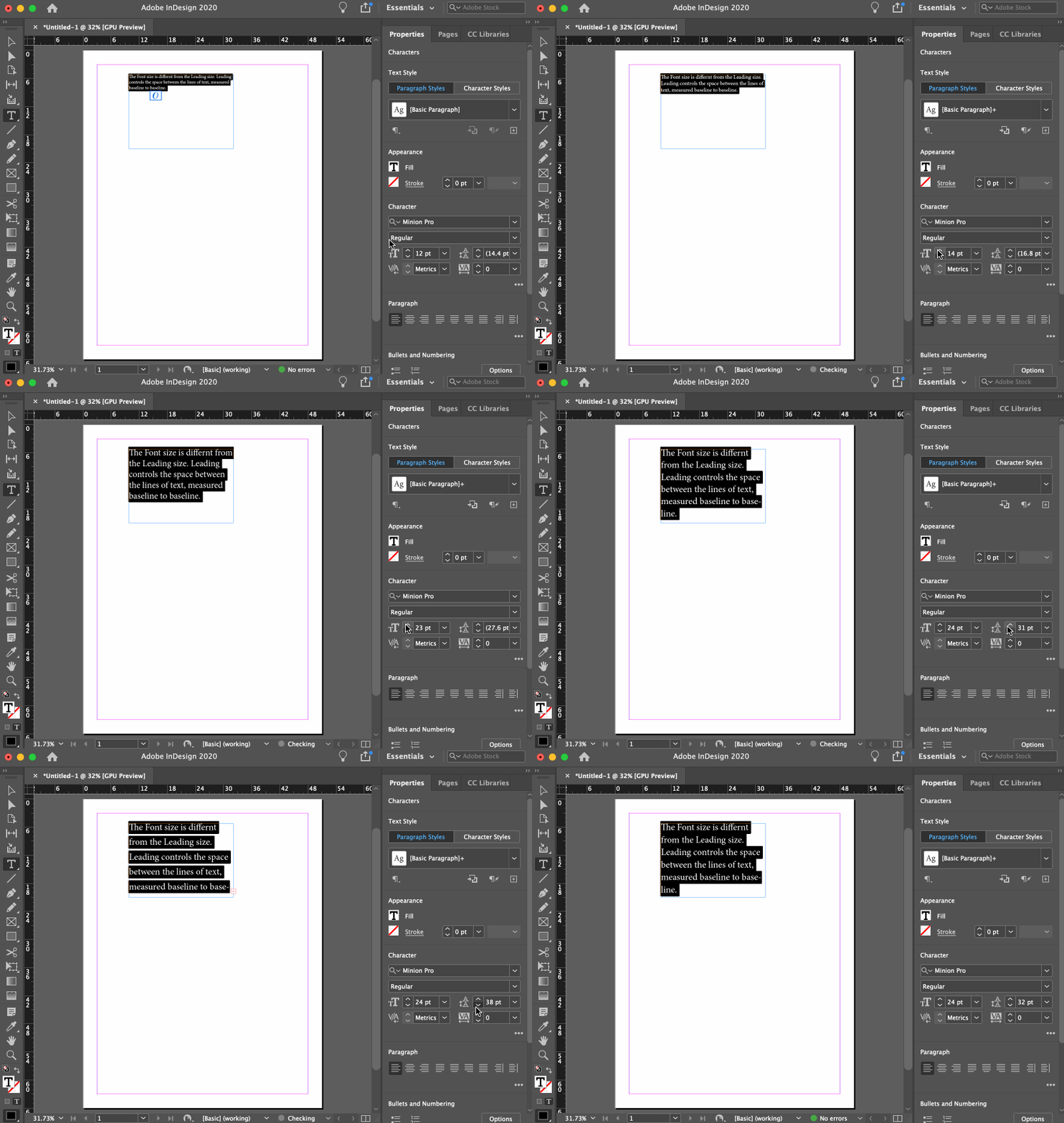
JMLevy has the correct answer for the first question—the leading values controls the vertical spacing between the lines of text. Here's a visual for you:


The Fill issue (which you didn't show us) is likely due to your display resolution. You can increase the resolution, or use a larger display, or switch to the Essentials Classic or Advanced workspace. Both of these workspaces will then display the same controls you are using at the top of your screen, (rather on on the right) which will give the list more space. 

~Barb 

3 replies

Barb Binder
Community Expert
Barb BinderCommunity ExpertCorrect answer
Community Expert
September 23, 2020

Ni Natasha:


JMLevy has the correct answer for the first question—the leading values controls the vertical spacing between the lines of text. Here's a visual for you:


The Fill issue (which you didn't show us) is likely due to your display resolution. You can increase the resolution, or use a larger display, or switch to the Essentials Classic or Advanced workspace. Both of these workspaces will then display the same controls you are using at the top of your screen, (rather on on the right) which will give the list more space. 

~Barb 

~Barb at Rocky Mountain Training
jmlevy
Community Expert
Community Expert
September 23, 2020

Hi, the icon you have circled is not the type size icon, but the leading one, so it is normal that the font size does not change. 

John Mensinger
Community Expert
Community Expert
September 23, 2020


"I've tried different documents, restarting my mac, uninstalling and reinstalling indesign and previous versions of indesign..."


Have you tried resetting preferences?