Participant
May 28, 2020
Answered

InDesign freezing and blank menus on macOS

  • May 28, 2020
  • 3 replies
  • 927 views

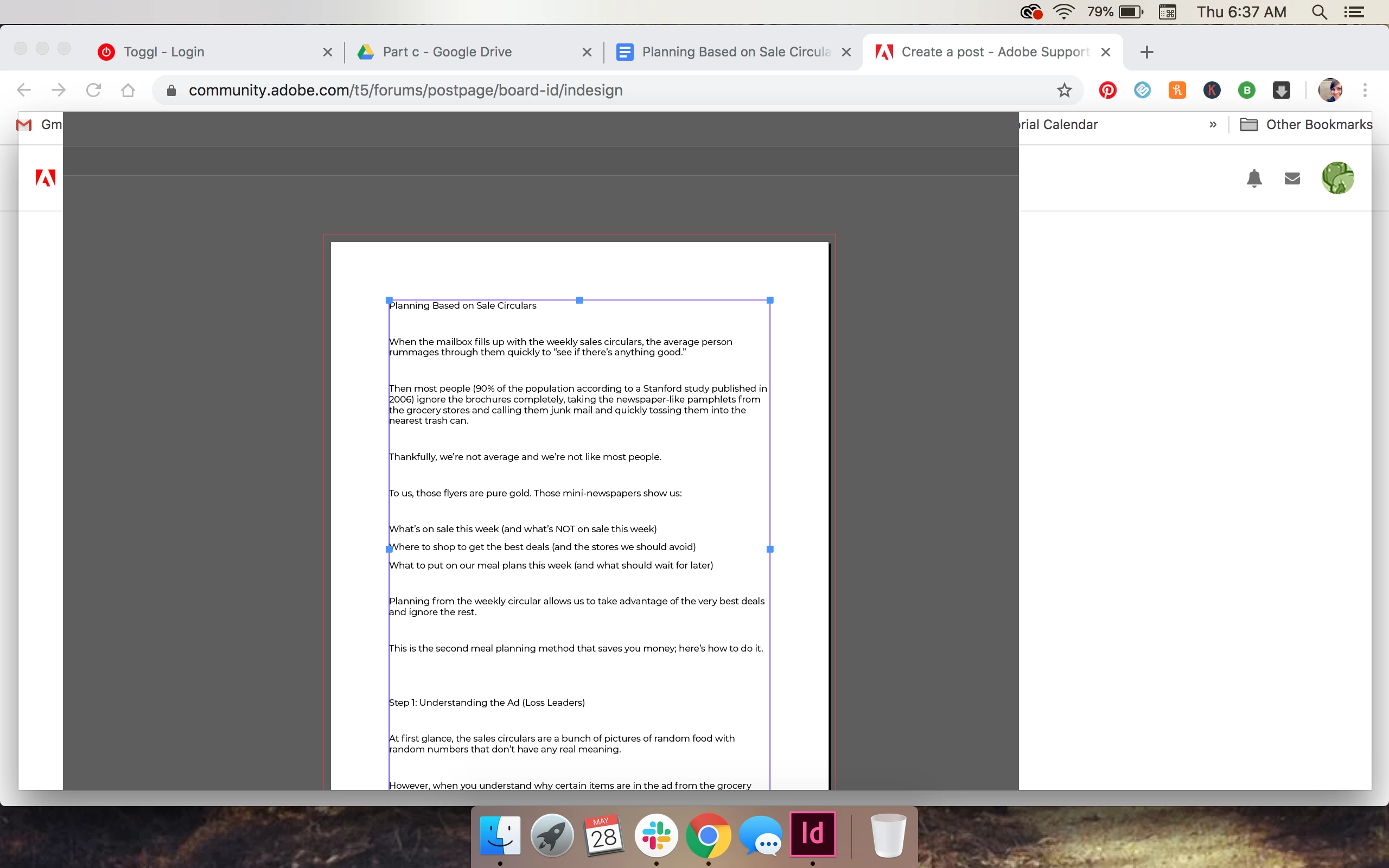
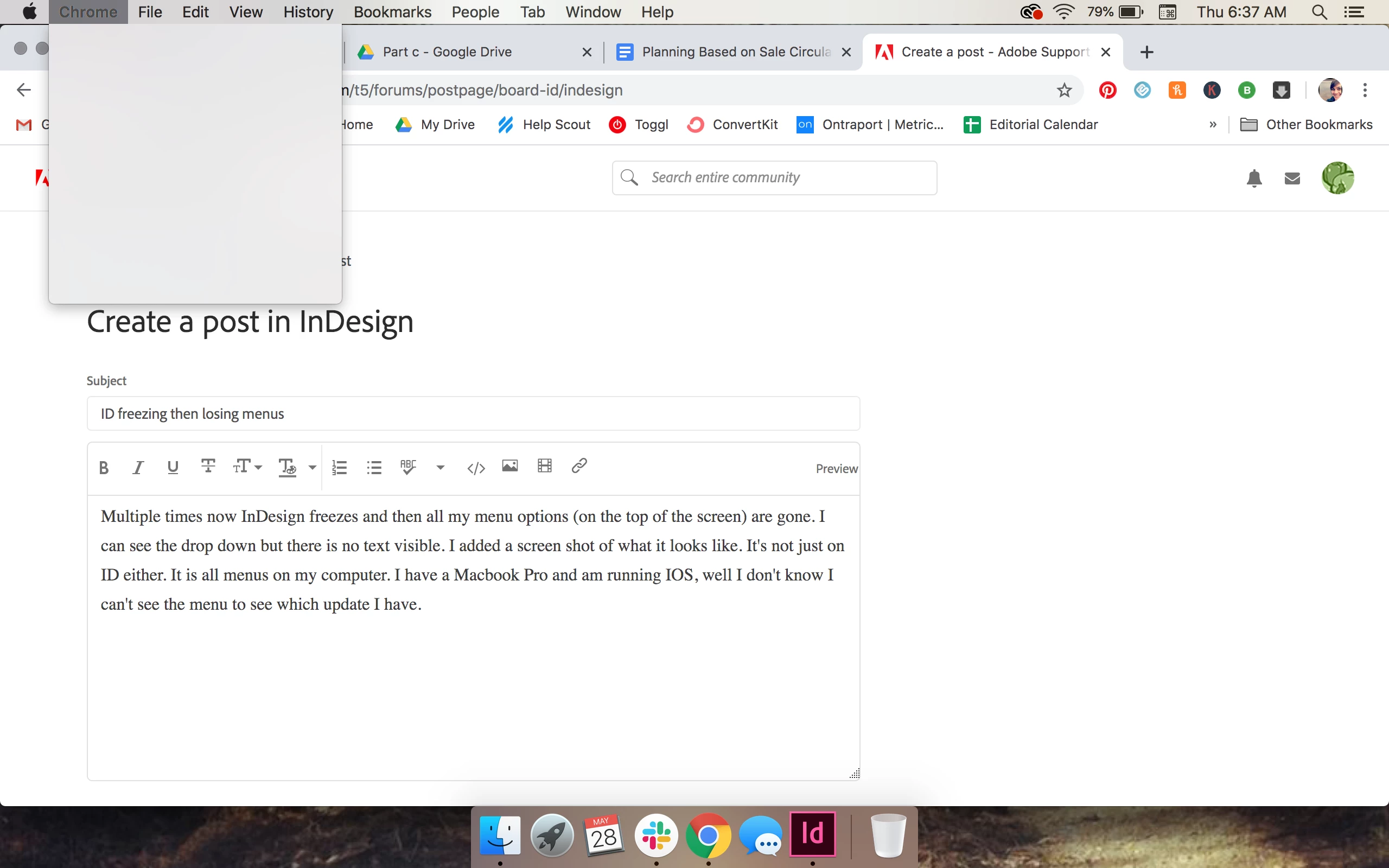
Multiple times now InDesign freezes and then all my menu options (on the top of the screen) are gone. I can see the drop down but there is no text visible. I added a screen shot of what it looks like. It's not just on ID either. It is all menus on my computer. I have a Macbook Pro and am running IOS, well I don't know I can't see the menu to see which update I have. 


And now when I try to open ID again, it does not pull up completely. Any ideas why? Am I missing an update? 
 

{Renamed by MOD}
This topic has been closed for replies.
Correct answer Srishti_Bali

Hi all,


I am sorry to hear about the trouble you are facing with InDesign. This has been reported by a few other users as well. Please try following these one by one and share your observations:

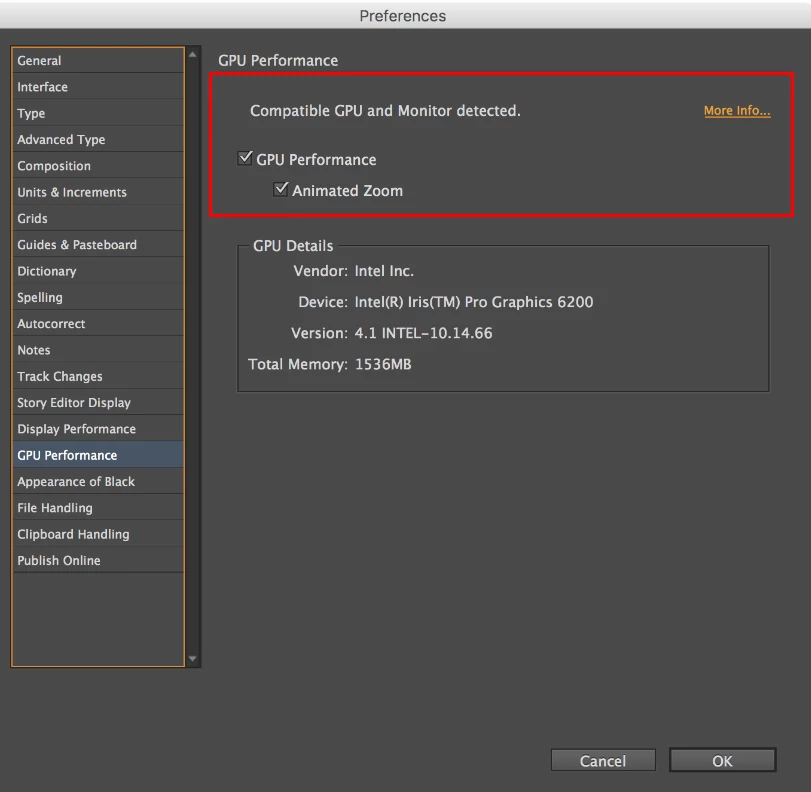
  • Try Turning of GPU performance from InDesign preferences.
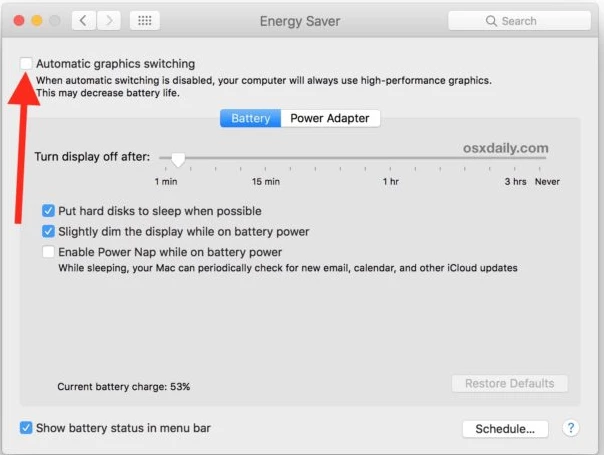
  • If that doesn't help, try turning off Automatic GPU Switching from System Preferences.
  • If that doesn't help either, Open Terminal Window. Type in the following, pressing the Enter key after each line:
    defaults delete -g NSRequiresAquaSystemAppearance
    killall Dock
    killall Finder
  • Restart machine.


Also, please check and confirm if you are getting this error on other apps as well?


Looking forward to your response!


Regards,

Srishti

3 replies

paulb6911828
Participant
July 14, 2022

I'm having the same issues. And I can't adjust preferences because the menu won't show.

Paul BiesPresidentMYSTIQUE BRAND COMMUNICATIONSDeveloping brands. Building equity. Measuring success.416-441-2666 Ext 14https://mystique.ca
Srishti_Bali
Srishti_BaliCorrect answer
Legend
June 8, 2020

Hi all,


I am sorry to hear about the trouble you are facing with InDesign. This has been reported by a few other users as well. Please try following these one by one and share your observations:

  • Try Turning of GPU performance from InDesign preferences.
  • If that doesn't help, try turning off Automatic GPU Switching from System Preferences.
  • If that doesn't help either, Open Terminal Window. Type in the following, pressing the Enter key after each line:
    defaults delete -g NSRequiresAquaSystemAppearance
    killall Dock
    killall Finder
  • Restart machine.


Also, please check and confirm if you are getting this error on other apps as well?


Looking forward to your response!


Regards,

Srishti

paulb6911828
Participant
July 14, 2022

Thanks, Sreihti
turning off Automatic GPU Switching from System Preferences worked!

Paul BiesPresidentMYSTIQUE BRAND COMMUNICATIONSDeveloping brands. Building equity. Measuring success.416-441-2666 Ext 14https://mystique.ca
Steve Werner
Community Expert
Community Expert
May 28, 2020

Start by giving us some more information: Please tell us what operating system (exactly) you're running. Please tell us (exactly) what InDesign version you're using. Did anything change in your set-up about the time when these problems began to occur? Have you tried uninstalling InDesign and reinstalling?