
Participating Frequently
September 18, 2017
Answered

Indesign ignoring Excel Formatting

  • September 18, 2017
  • 2 replies
  • 1857 views

Hi there!

Having a bit of a problem importing Excel files into Indesign. I need to link Indesign to Excel, as the table needs to update in line with the Excel document. In terms of functionality, it's working perfectly. My issue is with the number formatting.

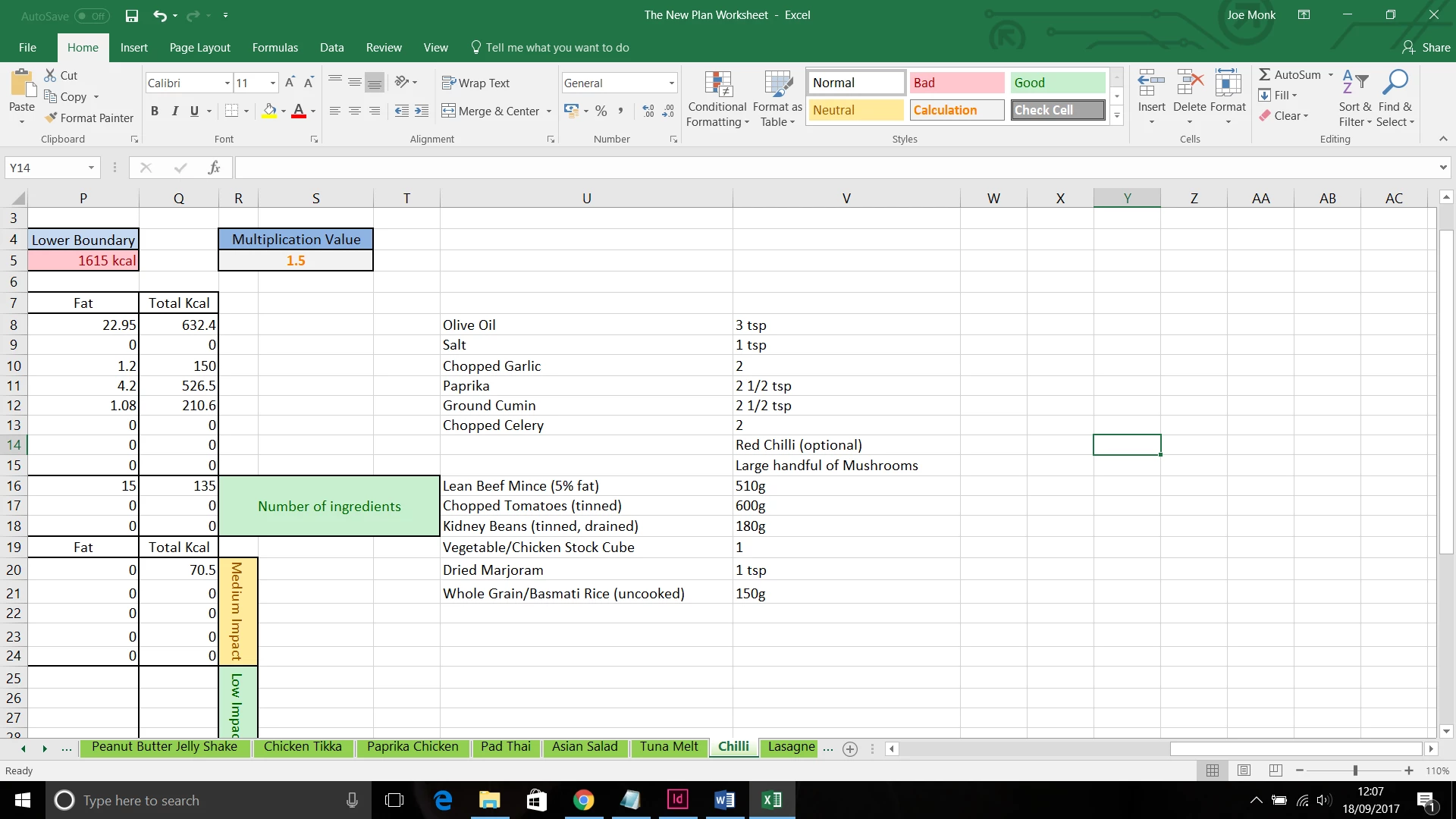
As you can see in the following screenshot, this is how my data is formatted in Excel. The spacing in column 'V' is exactly what I want to see in Indesign.
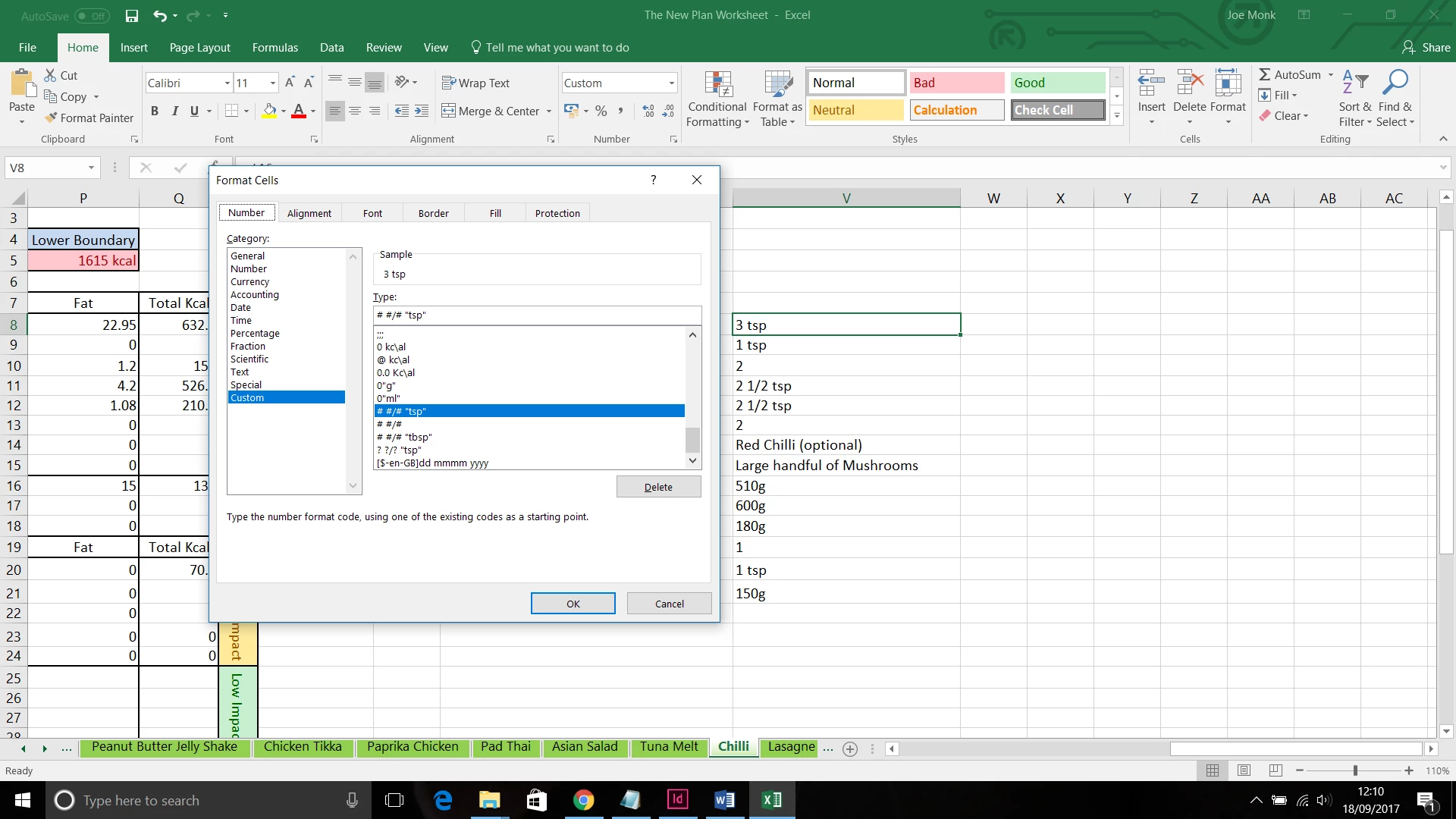
Here is the custom formatting I am using.
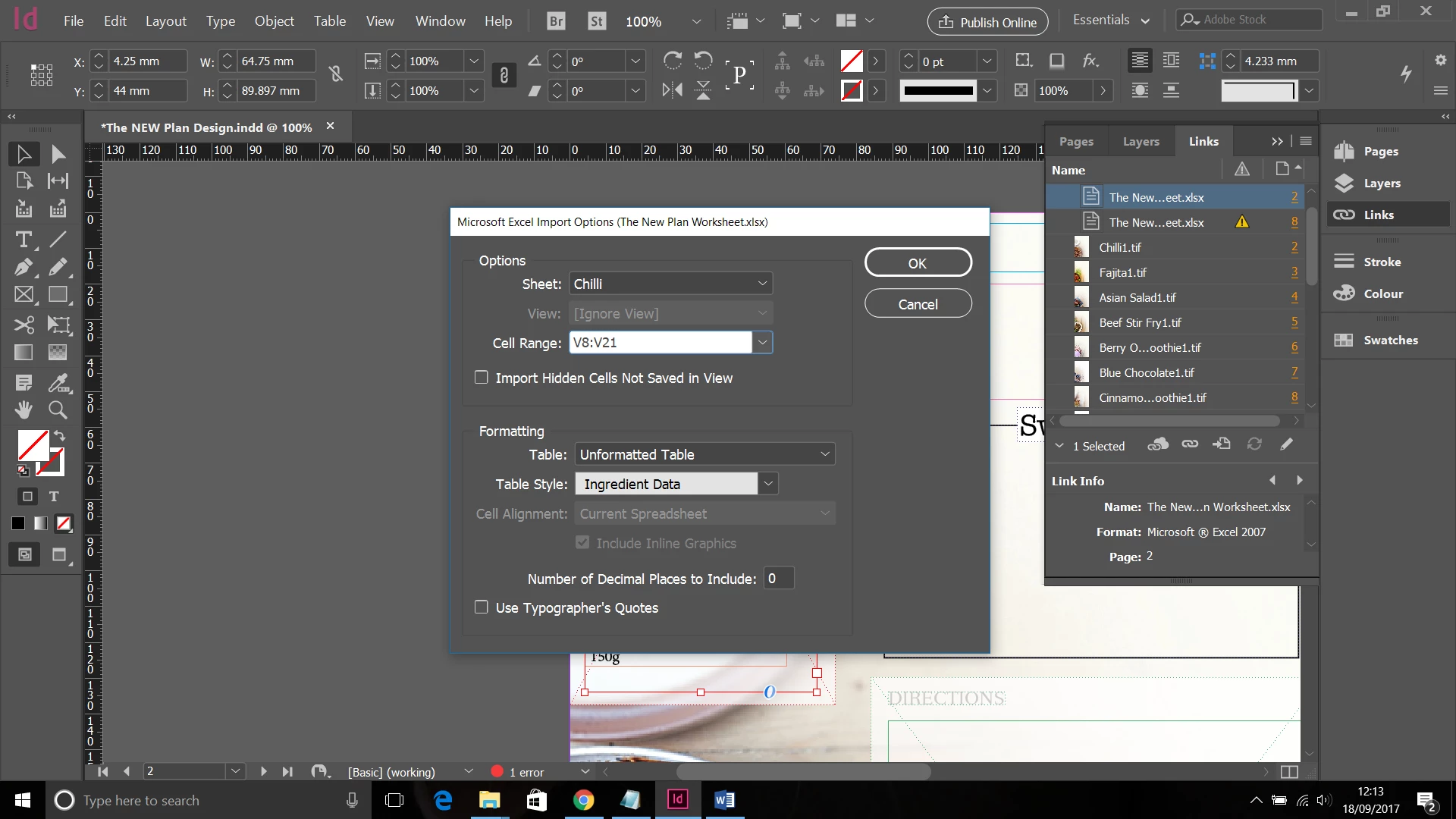
I then place this data into Indesign - using a custom created table.
It seems as though Indesign is detecting the # in my number format as fixed values, resulting in extra spacing.
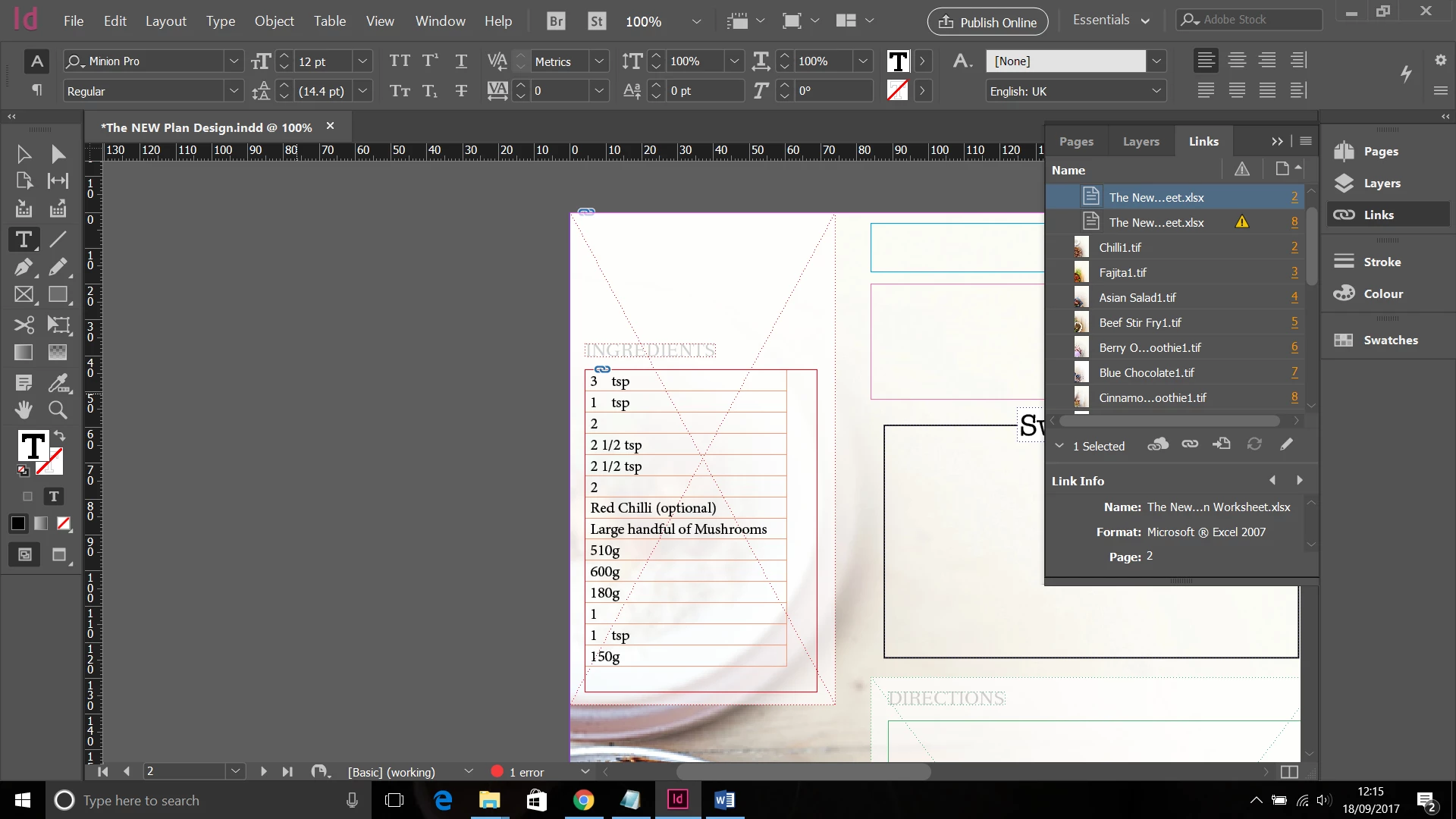
As you can see, if a fraction is included in the cell value. It looks perfectly fine. I have tried to import as a formatted table, but am getting the same issue.

I'm just trying to get the cells to appear exactly as they are in the excel document.

Any help would be much appreciated.

Thanks in advance.

This topic has been closed for replies.
Correct answer BobLevine

Are those actual spaces coming in? If so, you may need to clean this up with a find / change.

2 replies

vinny38
Legend
September 18, 2017

What's in your V8 cell?

BobLevine
Community Expert
Community Expert
September 18, 2017

Look at the original screen grabs.

vinny38
Legend
September 18, 2017

Well... I did look...

Still don't know the value of the cell. Not talking about the formatted one... (3 tsp)

Or did I miss something obvious?

BobLevine
Community Expert
Community Expert
September 18, 2017

I wouldn't eliminate the possibility of a bug here so you may well have to clean this up before you're done or find a different way to handle it in Excel. One way I've found to workaround some things like this is to save the Excel file as XLS instead of XLSX.

Try that first and let me know if it helps. If not, report it as a bug.

Participating Frequently
September 18, 2017

Thanks for the reply. Still getting the same problem saved as XLS, unfortunately.

BobLevine
Community Expert
BobLevineCommunity ExpertCorrect answer
Community Expert
September 18, 2017

Are those actual spaces coming in? If so, you may need to clean this up with a find / change.