
Participant
Jun 1, 2025 8:36 AM UTC
Question

InDesign images

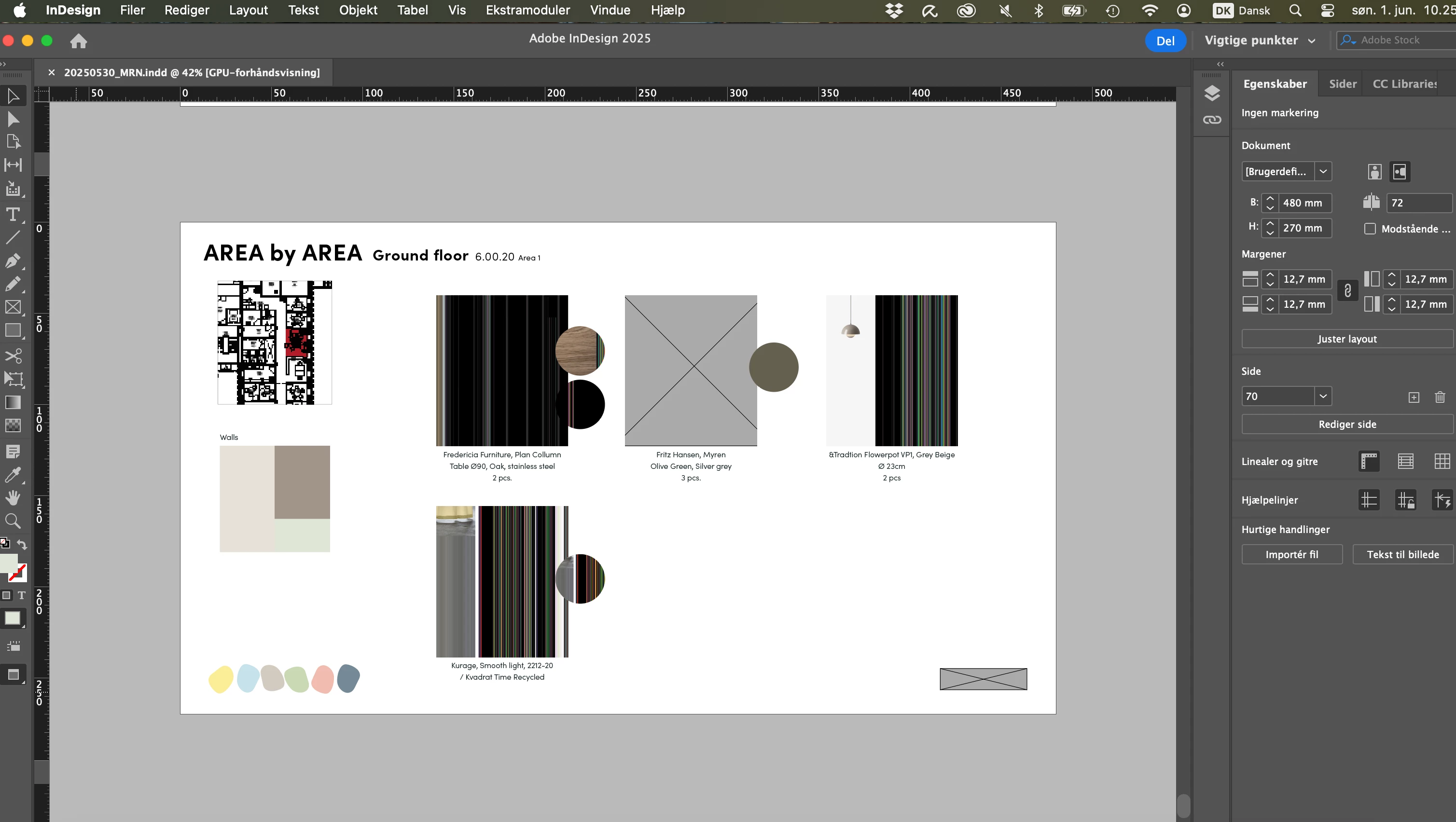
I have used indesign for many years but this has just come up - now I can't see photos, logo and sketches either striped or grey boxes. No errors in links, tried to re-link, tried to un-install InDesign, update and restart. Any one who have a solution?
5 replies

Brad @ Roaring Mouse
Community Expert
Community Expert
Jun 1, 2025 3:57 PM UTC

If you are on a Mac, and your images are stored on an external/remote drive, make sure your Adobe CC apps are listed in Full Disk access in your System Preferences > Security & Privacy. If not, add them all.

Translate
BobLevine
Community Expert
Community Expert
Jun 1, 2025 12:48 PM UTC

I agree with Eugene. That has all the looks of a bad GPU preview.

Translate
Bill Silbert
Community Expert
Community Expert
Jun 1, 2025 12:44 PM UTC

Try View>Display Performance>High Quality Display. Set this as a preference by doing it with no document open and then quitting the program This will lock it in as a preference.

Translate
Willi Adelberger
Community Expert
Community Expert
Jun 1, 2025 10:41 AM UTC

What preview quality has your setting?

Translate
Community Expert
Jun 1, 2025 9:09 AM UTC

Try turning off the GPU Performance in the InDesign settings.

Translate