
InDesign: Inserting a cross-reference with a full context paragraph number
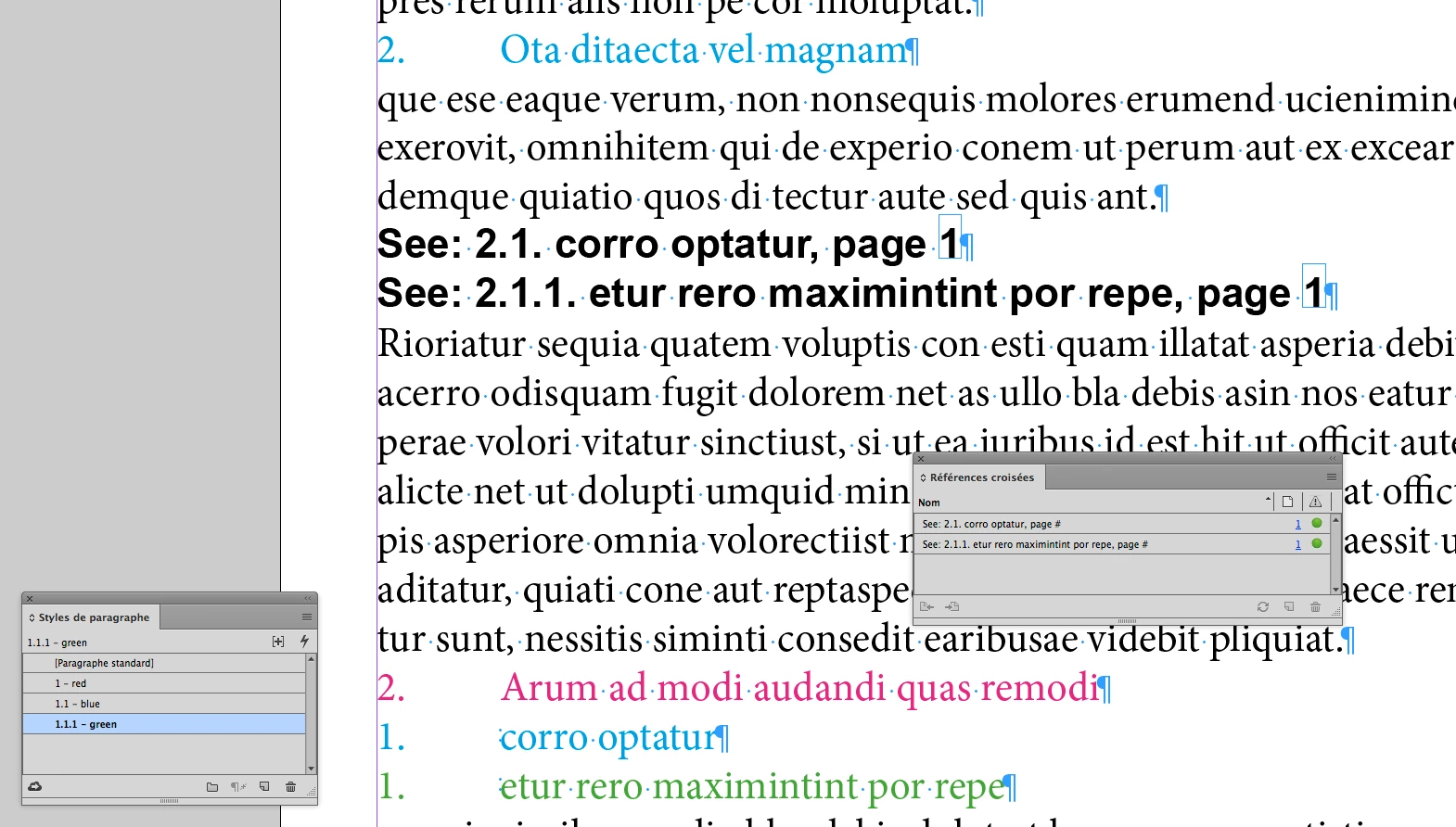
Is there a way to insert a cross-reference with a full context paragraph number? For example, if I want to fully reference the bolded item, in the outline below; it would like so "See 1.2.2. Heading 3 (Reference this line)". I can only find two routes to process cross-reference numbers. I can use a single paragraph number, which would appear as: "See 2. Heading 3 (Reference this line)". This causes a problem because I don't know which level and parent level(s) this referenced item 2 refers to.
- Heading 1
- Heading 2
- Heading 3
- Heading 3
- Heading 2
- Heading 3
- Heading 3 (Reference this line)
- Heading 3
- Heading 2
The other alternative is to fully list the numbered item level on each bullet, but I'm working with a long document (800+ pages) with nine tiers of a multi-level list. This wouldn't be ideal because my numbered items will take up too much real estate on the page and make it difficult for the reader to skim the document.
Example:
1. Heading 1
1.1. Heading 2
1.1.1. Heading 3
1.1.2. Heading 3
1.2. Heading 2
1.2.1. Heading 3
1.2.2. Heading 3 (Reference this line)
1.2.3. Heading 3
1.2.3.A. Heading 4
1.2.3.A.1. Heading
1.2.3.A.1.a. Heading 5
1.2.3.A.1.a.i. Heading 6
This desired method can be achieved in MS Word using the cross-reference function of Reference Type: Numbered Item | Insert Reference to: Paragraph number (full context)

Any help with this would be greatly appreciated. Thanks!!
- Chris P.
 AdChoices