InDesign Interactive document - Bookmarks not showing in destinations - HELP NEEDED
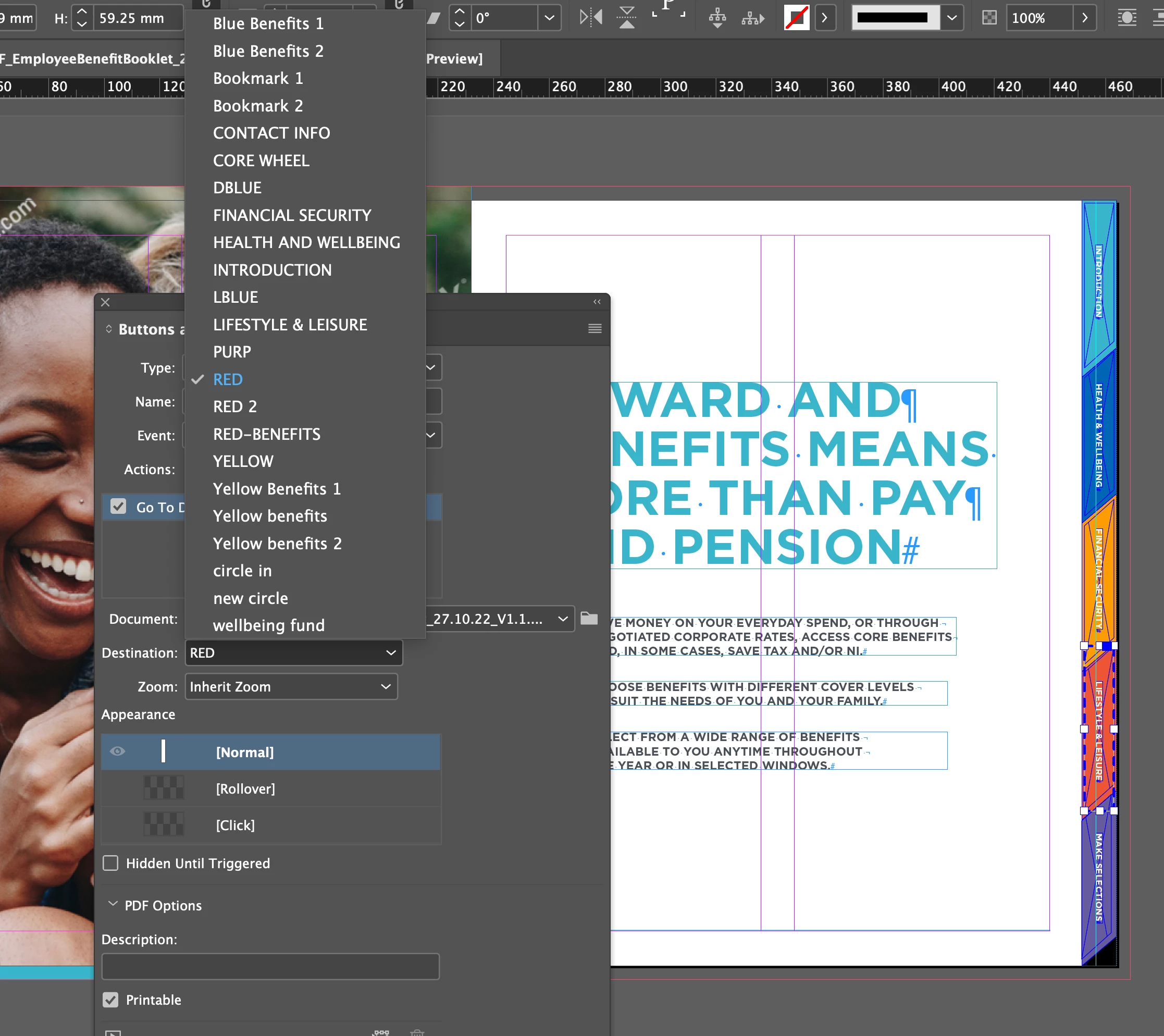
Hey I have a problem, I have an InDesign document with interactivity. I didn't create the document to begin with, I'm just updating the document. I know interactivity very well but for some reason I'm flabbergasted with an issue. So there are many buttons that link to destinations using buttons and forms. When I'm trying to edit the destination of a button, it's normally simple by going on the buttons and forms panel, then changing the destination to something else. From my understanding when you create bookmarks they show up in the destinations but on the bookmarks panel there is only 5 bookmarks but on destination there is 23 destinations which includes the 5 bookmarks.
So my question is where the hell are the other 18 destinations coming from? They are not in bookmarks, I have checked hyperlinked pages and there is no hyperlinks either, there is no section markers. (Please see attached images). I'm sooo confused and annoyed I cant figure it out.
Any help will be much appreciated.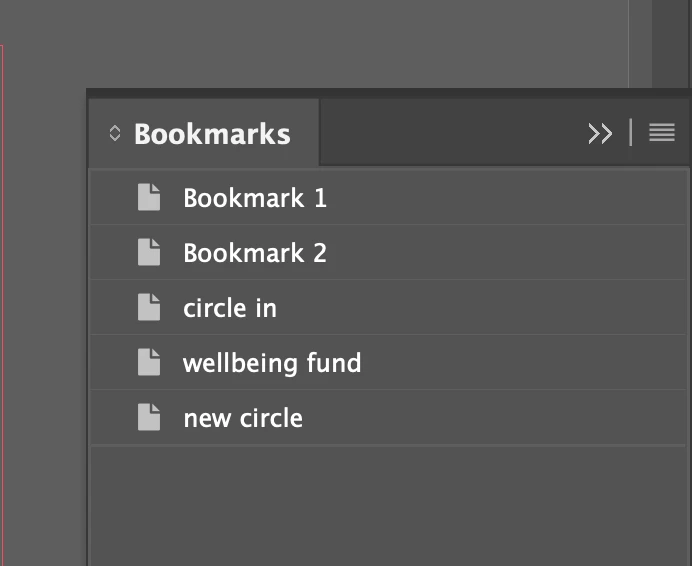
 AdChoices