Known Participant
March 23, 2026
Answered

InDesign is leaving anomolies/shadows from illustrator figure updates

  • March 23, 2026
  • 7 replies
  • 99 views

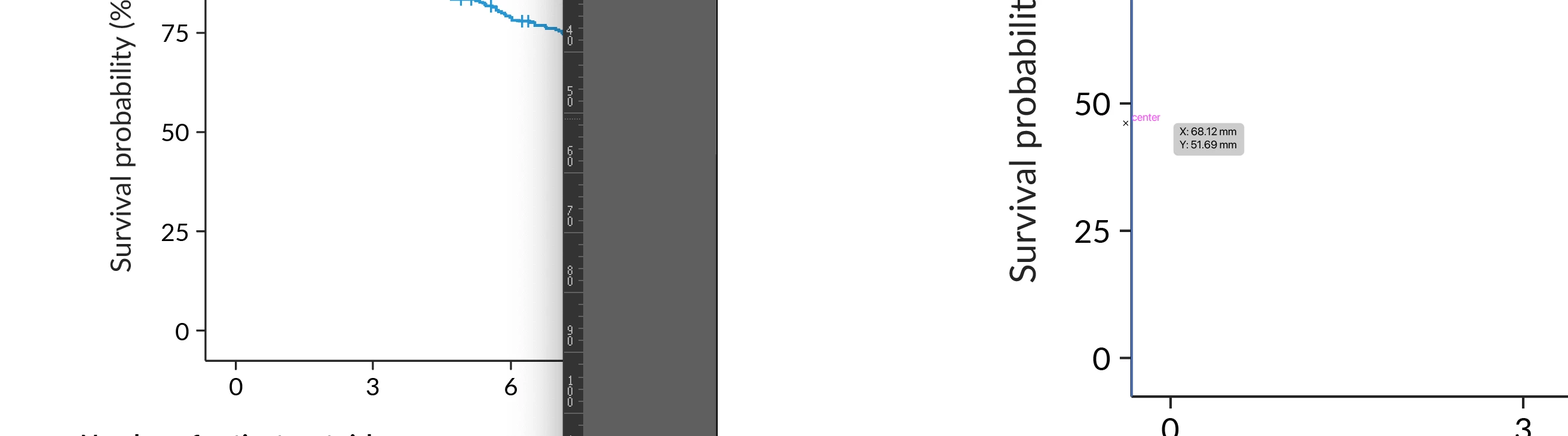
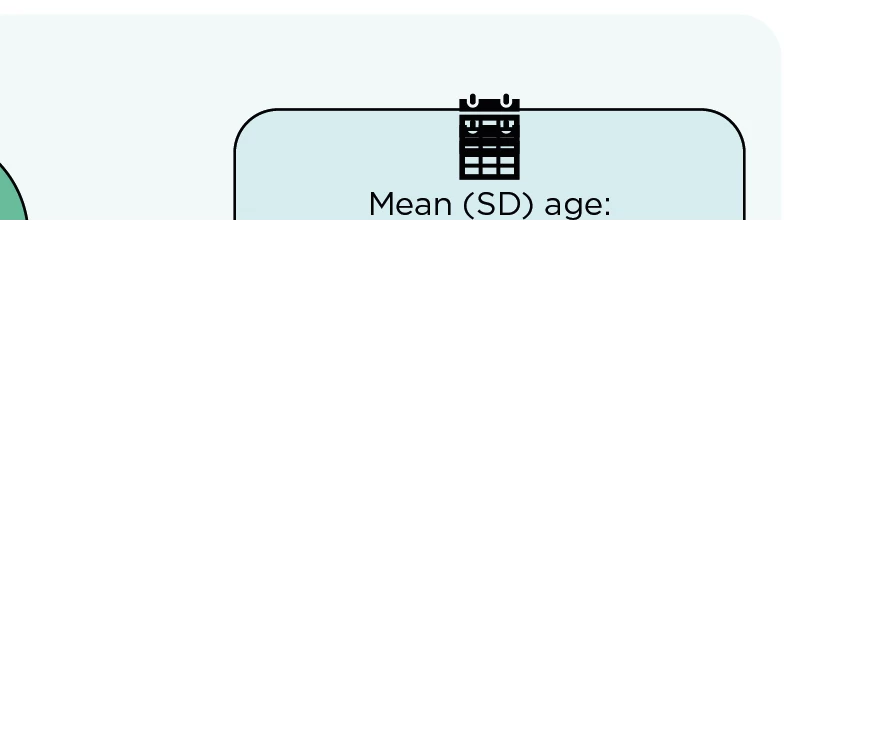
Hello! Opening illustrator files from InDesign, working on them, saving them and going back to InDesign. The links are all updated, but sometimes it’s leaving anomolies, like double shadows of the figure in. Friends are having the same problem, one had the cursor x/y measurements from the illustrator file appear in InDesign - which wouldn’t even have saved into the file? Anyone else had this problem?

Pictures - show the x/y (illustrator on the left - inDesign on the right) and the double calendar which is most definitely not there in the illustrator file!


    Correct answer Abhishek Rao

    Hi ​@Jzee , ​@Alison Mackey,


    Thank you for your patience while we checked this with the product team.

    The team has confirmed that this issue has been identified and addressed in the latest Illustrator release (v30.3). Files created or saved using this version should no longer show these rendering anomalies when placed in InDesign. However, older Illustrator files may still exhibit the issue until they are re-saved using the latest version.

    Could you please try updating to Illustrator 30.3, open your affected AI files, save them again, and then place or relink them in InDesign to see if the issue is resolved?

    For reference, this behavior was also being tracked here:
    https://illustrator.uservoice.com/forums/601447-illustrator-desktop-bugs/suggestions/51032623-file-links-breaking
     

    Please let me know how it goes after trying this, and I’ll be happy to assist further if needed.


    Looking forward to your update.

    Abhishek


    <marking the response as correct for better visibility on the thread>

    7 replies

    JzeeAuthor
    Known Participant
    April 4, 2026

    @Abhishek Rao - sorry all updated and I’ve had another blip

    Mike Witherell
    Community Expert
    Community Expert
    March 30, 2026

    With latest updates and Save in Background turned off, I’m seeing layer anomalies, too.

    Mike Witherell
    Participant
    March 23, 2026

    I have been having this problem too, only in the most recent updates. Illustrator files placed in InDesign (File > Place) keep showing up with artifacts/objects in different positions from previous saves. It’s maddening. I have been using this same workflow for years with no issues.

    leo.r
    Community Expert
    Community Expert
    March 23, 2026

    @Alison Mackey Did you try to disable Save in Background in Illustrator: Preferences > File Handling?

    JzeeAuthor
    Known Participant
    March 23, 2026

    Hopefully Adobe will fix this glitch soon! I’m hoping for a bug update :-) Sorry it’s happening to you, glad it’s not just me!


    Mike Witherell
    Community Expert
    Community Expert
    March 23, 2026

    And in addition to what Bob said, your friend is also File > Place-ing the Illustrator file into InDesign? Not drag n drop? Not copy n paste? Not taking a screenshot?

    Mike Witherell
    JzeeAuthor
    Known Participant
    March 23, 2026

    We are all linking the illustrator file in place in InDesign - not dragging and dropping etc. So illustrator file linked, make the changes, save the illustrator file - go back to indesign. It’s just done it on another job. Screenshot with one man in illustrator, go to indesign - links are all update to date - double man appears….


    leo.r
    Community Expert
    Community Expert
    March 23, 2026

    Disable Save in Background in Illustrator; Preferences > File Handling. Will it solve the issue?

    JzeeAuthor
    Known Participant
    March 23, 2026

    Will try this!

    JzeeAuthor
    Known Participant
    March 23, 2026

    Sorry Bob! I mean there is an illustrator file linked into InDesign - but I’m doing the editing in Illustrator, saving it and it’s updating in InDesign. It’s saying it’s linked ok, but it’s leaving the funny images in InDesign. Am I making sense?! 

    BobLevine
    Community Expert
    Community Expert
    March 23, 2026

    Ah, okay.

    Then let’s back up a bit. Are InDesign and Illustrator fully updated? What operating system and is it fully updated? Are you saving the Ilustrator file with its default settings for the PDF portion?

    If you export a PDF of this from InDesign does it look okay or does it export this way? We need to eliminate screen anomolies.

    JzeeAuthor
    Known Participant
    March 23, 2026

    Sequoia 15.7.3, yes all adobe fully updated. Illustrator files being saved with default ai settings - I’ve not changed any. If the anomolies are appearing in indesign, they export to pdf too. It’s doing it on a number of different files - so not just one file. And other team members have been having odd anomolies too with that latest version of indesign - not sure what system they are running. I can update to Tahoe if needed

    BobLevine
    Community Expert
    Community Expert
    March 23, 2026

    Why are you opening Illustrator files in InDesign? While technically possible, InDesign is only reading the PDF portion of the file and if you’re expecting perfection in this, you’re going to be very disappointed.