




Answered
InDesign Javascript to replace hex text with actual hex colored letter - ChatGPT letting me down
Hello all.
I have an issue where I have strings of hex codes that I have to change into a square that will be in the actual hex code itself. For the moment I'm changing them to the letter X (but will change the X later to a square using a font such as wingdings)
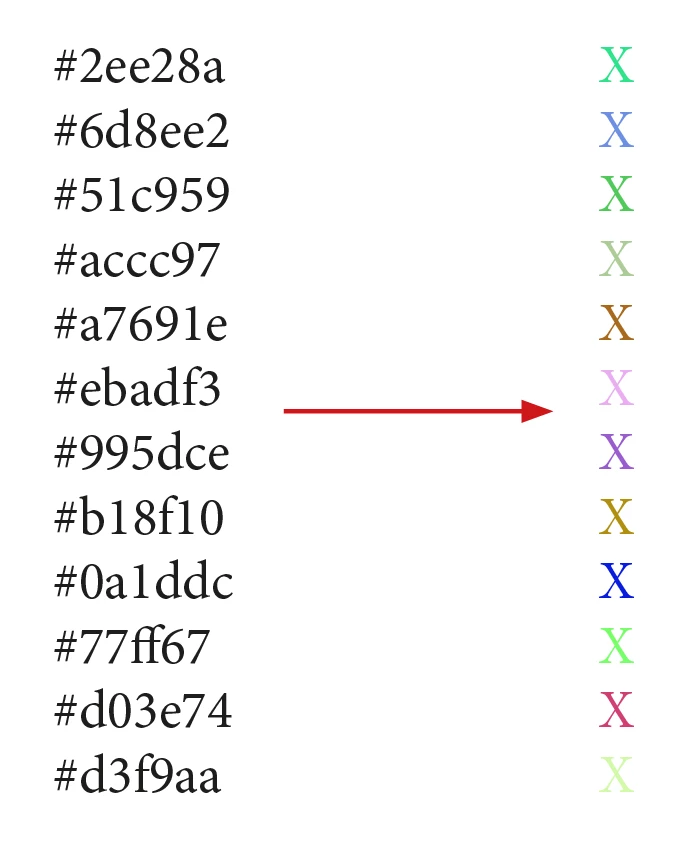
I've been experimenting with ChatGPT to write code recently, and it's very much a hit and miss affair. It has generated a script that is close, but when I run my script, here is what I get:
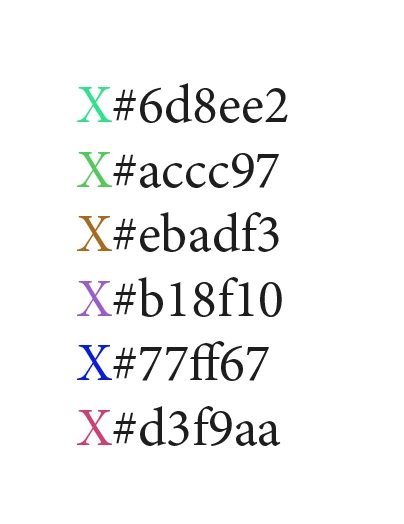
In short, it looks like it is skipping lines and concatenating two lines together. I've had a look over the code and it has me stumped. Can anyone else have a look over this code and see what I'm missing? It is driving me spare!
// Adobe InDesign ExtendScript

// Function to convert hexadecimal color code to RGB
function hexToRgb(hex) {
    // Remove the hash if it exists
    hex = hex.replace(/^#/, '');

    // Parse the hexadecimal code
    var bigint = parseInt(hex, 16);

    // Extract RGB values
    var r = (bigint >> 16) & 255;
    var g = (bigint >> 😎 & 255;
    var b = bigint & 255;

    // Return the RGB values
    return [r, g, b];
}

// Main function to find and replace hexadecimal color codes
function findReplaceHexColors() {
    // Reference to the active document
    var doc = app.activeDocument;

    // Loop through all stories in the document
    for (var i = 0; i < doc.stories.length; i++) {
        var story = doc.stories[i];

        // Loop through all paragraphs in the story
        for (var j = 0; j < story.paragraphs.length; j++) {
            var paragraph = story.paragraphs[j];

            // Regular expression to find hexadecimal color codes
            var hexRegex = /#(?:[0-9a-fA-F]{3}){1,2}\b/g;

            // Array to store matches
            var matches = paragraph.contents.match(hexRegex);

            // Check if matches were found
            if (matches) {
                // Loop through matches
                for (var k = 0; k < matches.length; k++) {
                    // Get the current match
                    var hexColor = matches[k];

                    // Convert hexadecimal color code to RGB
                    var rgbColor = hexToRgb(hexColor);

                    // Create a character range for the current match
                    var charRange = paragraph.characters.itemByRange(
                        paragraph.contents.indexOf(hexColor),
                        paragraph.contents.indexOf(hexColor) + hexColor.length
                    );

                    // Create a text range for the character range
                    var textRange = charRange.texts[0];

                    // Change the content to 'X'
                    textRange.contents = 'X';

                    // Apply the color to the character range
                    charRange.fillColor = doc.colors.add({
                        model: ColorModel.process,
                        space: ColorSpace.rgb,
                        colorValue: rgbColor
                    });
                }
            }
        }
    }
}

// Call the main function
findReplaceHexColors();

 AdChoices