Inspiring
May 27, 2020
Answered

InDesign JS Script to Flip Single Characters INSIDE a Text Frame

  • May 27, 2020
  • 4 replies
  • 3420 views

hi there, anyone knows how to flip a single/few characters inside a Text Frame using js script in InDesign?

Thanks in advance.

Correct answer Laubender

eboda_snaft said:

"…Could you please elaborate how to "use anchored text frames that are flipped." …"


Hi,

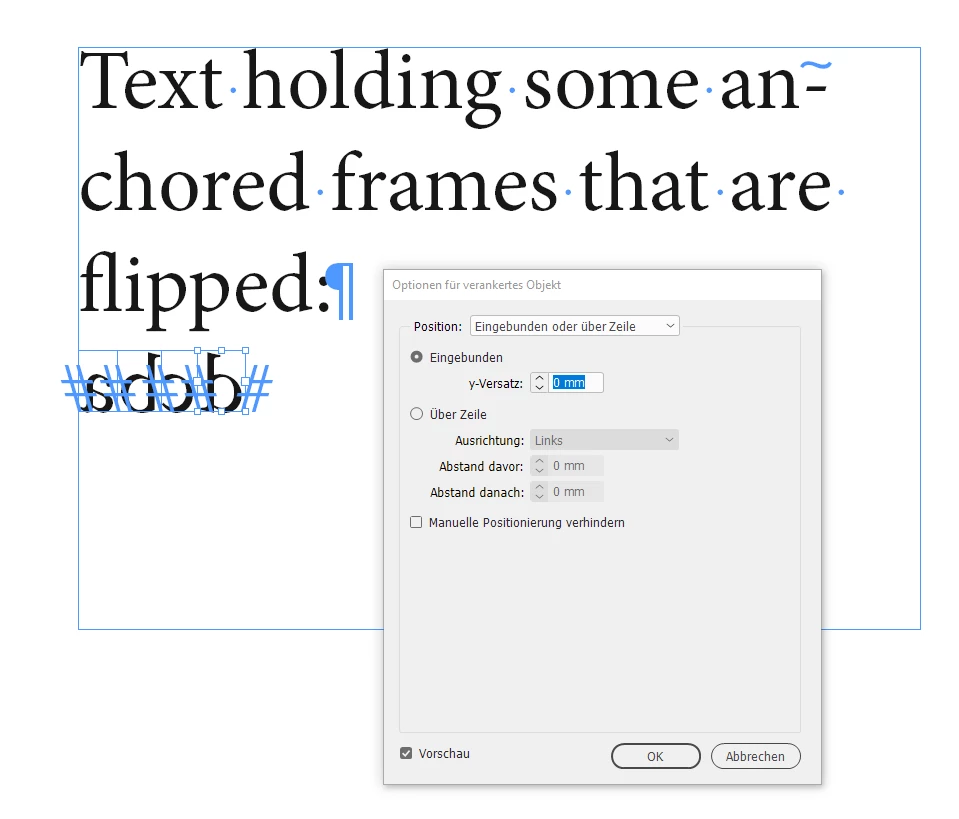
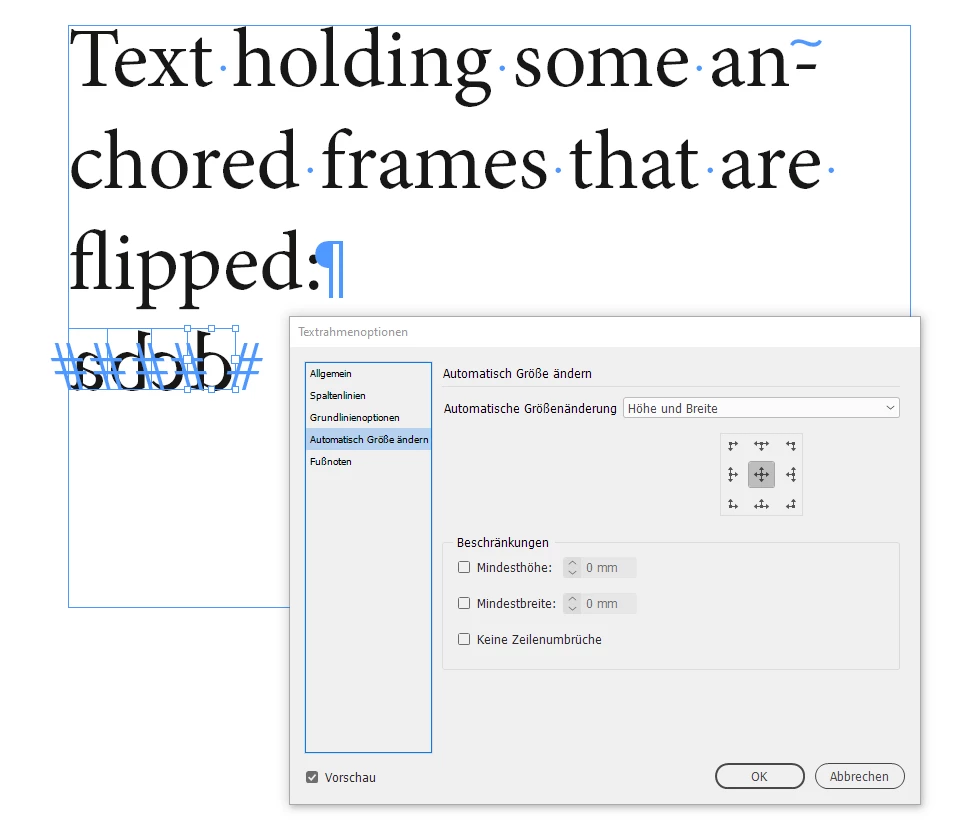
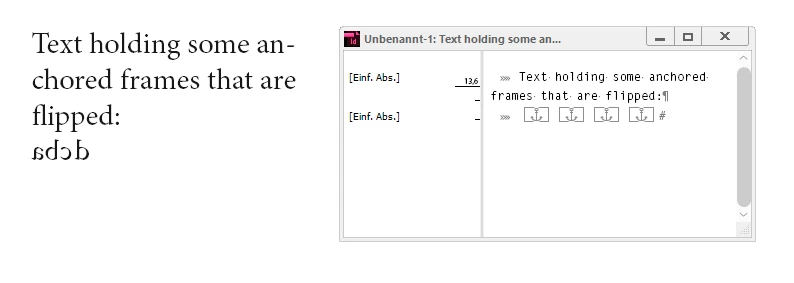
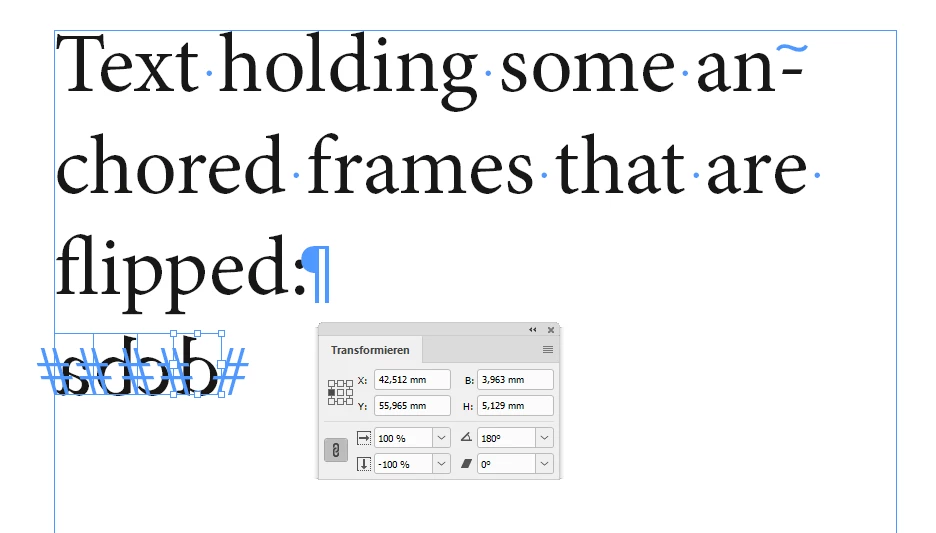
see the screenshots from my German InDesign below:


Regards,
Uwe Laubender

( ACP )

4 replies

LaubenderCommunity ExpertCorrect answer
Community Expert
May 29, 2020

eboda_snaft said:

"…Could you please elaborate how to "use anchored text frames that are flipped." …"


Hi,

see the screenshots from my German InDesign below:


Regards,
Uwe Laubender

( ACP )

Community Expert
May 29, 2020

Hi Ten A,

actually the other composers can rotate characters.

But not very "orderly". Maybe a feature that wasn't fully developed.

If you want to be sure that everything works as expected you need the Japanese Paragraph Composer.


But that leads us away from eboda_snaf's problem.

Already suggested two solutions:

[1] Use a new or special font where the glyph shapes are flipped.

[2] Use anchored text frames that are flipped.


Any other solution is welcome, but currently I cannot see one…


Regards,
Uwe Laubender

( ACP )


Keith_Gilbert
Inspiring
May 27, 2020

As Uwe said, there doesn't seem to be a property for flipping a text character in a frame. But, closely related to this (just in case it is useful to you), you can ROTATE a character in a text frame by switching to the Japanese Paragraph Composer and using the characterRotation property:

app.selection[0].composer = "$ID/HL Composer J";
app.selection[0]..characterRotation = 180;

See also https://indesignsecrets.com/free-script-to-rotate-selected-characters.php for a script a wrote that uses this feature.

Inspiring
May 29, 2020

Thanks for your help...
i've tried but i cannot use rotation for this, it is not the same as flip effect.

Community Expert
May 27, 2020

Hi eboda_snaf,

there is no property for this. So it cannot be done.

However, there is a workaround:


You could create a font with flipped character glyphs and assign the font to the text.

See into the IndyFont script by Jongware and Marc Autret that could assist for creating the font:

http://www.indiscripts.com/category/projects/IndyFont


The other workaround would be:
Use anchored text frames that are flipped.


Regards,
Uwe Laubender

( ACP )

Inspiring
May 29, 2020

Could you please elaborate how to "use anchored text frames that are flipped."

Thank you