



InDesign kerning and tracking converted to white space when exporting to PDF
We're working in a catalog that needs these kind of notation for product references:
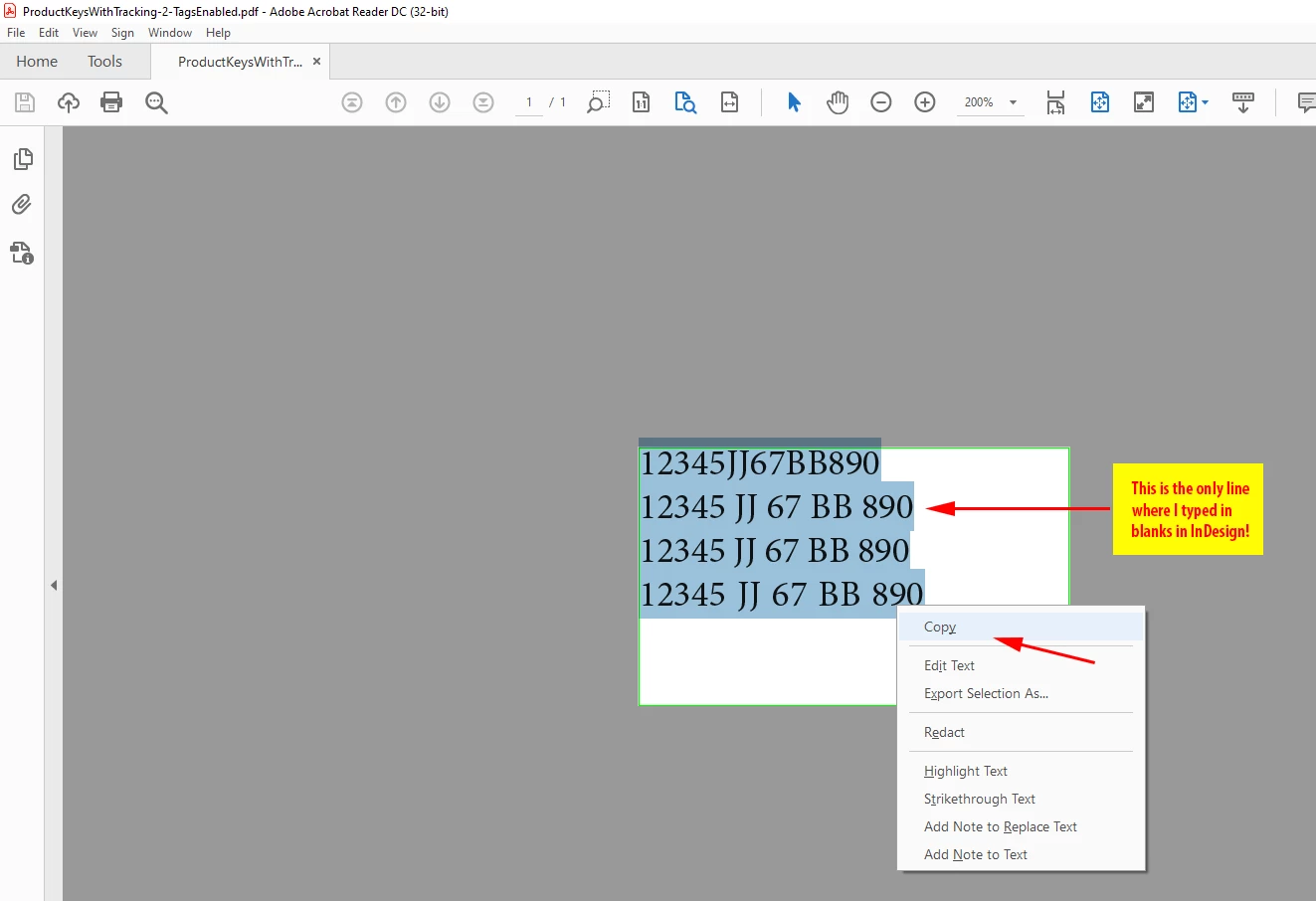
12345 JJ 67 BB 890
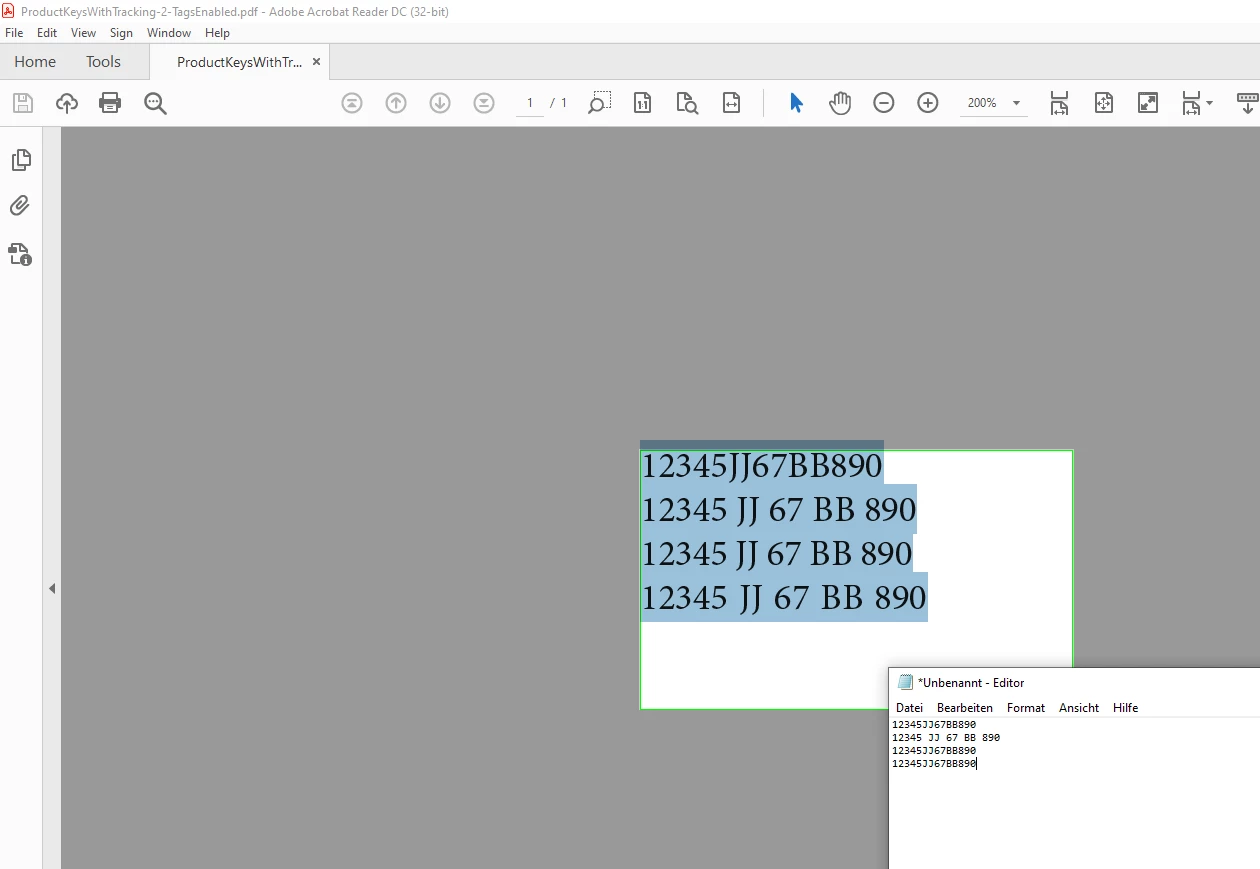
We represent a product code inserting "fake" white space by using a GREP style that changes the tranking values of the character before the white space, and sets it to 500. This way, if you select a code in InDesign and paste it in, say, a web browser, it pastes the code WITHOUT white spaces, like this:
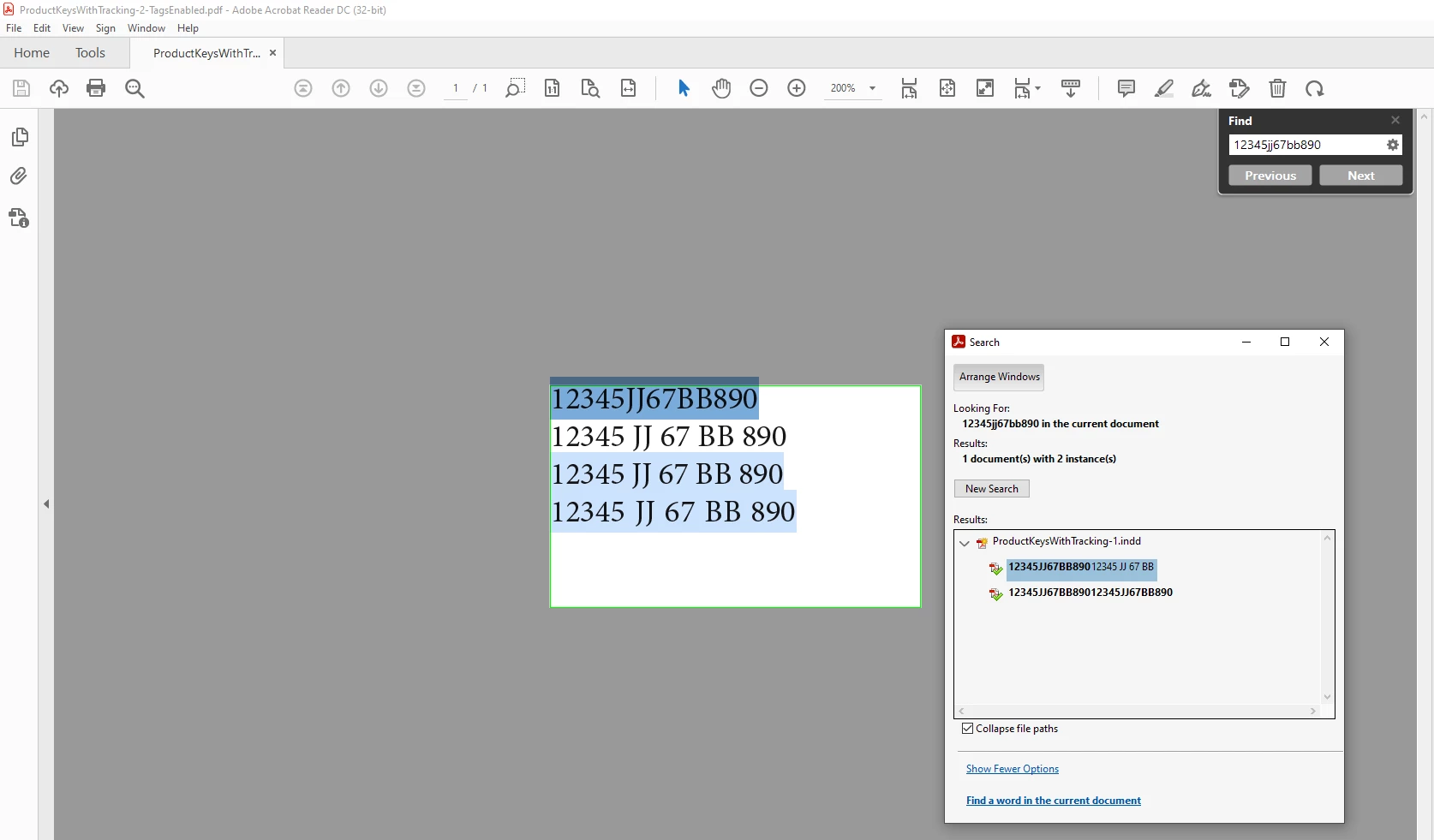
12345JJ67BB890
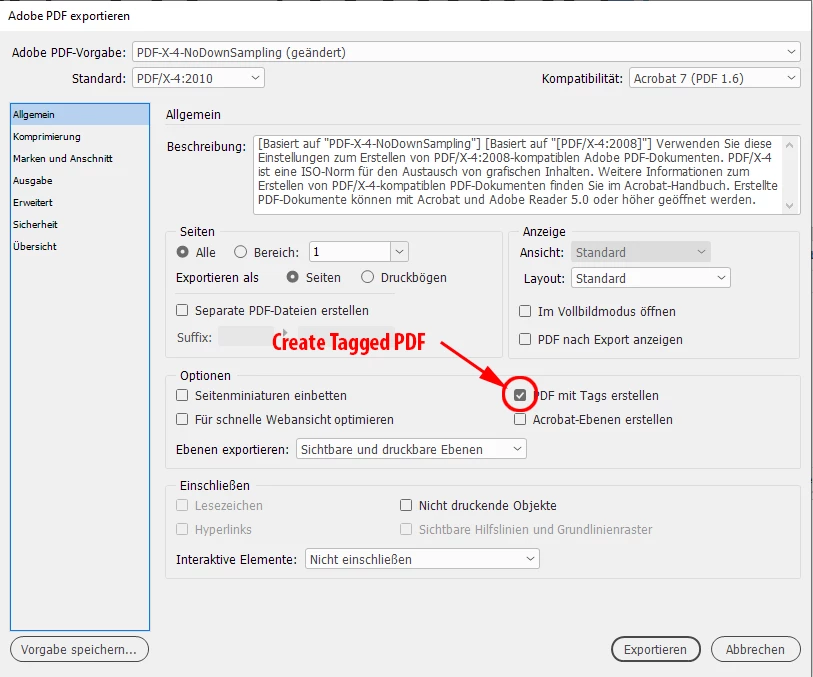
BUT if you export the document to PDF, the "fake" white space is converted to a "real" white space! So, if you try to search a code by typing "12345JJ67BB890" in the search field of Acrobat, it finds nothing. Becasue it really has a code with white spaces. You need to type it like this: "12345 JJ 67 BB 890". The same hapens if you want to copy a code from the PDF and search for it in the company product page: it finds nothing.
The question is: how can we "avoid" the creation of a white space when using tranking values upon PDF creation? Or maybe it's a defect of the rendering process (I understand a PDF is a PostScript file, and that PostScript is so old that it need a real white space to asign a width value...) that adds a real white space in order to represent it in a PDF viewer?
 AdChoices