

InDesign Latest Version Adds Unwanted Span Tags in Tagged PDF Bullet Lists (Accessibility Issue)
Hi there. Since updating to this version I’ve been having an accessibility issue and wondered if I should be rolling back to a prior version? It now adds unnecessary "span" tags to my PDF documents exported from InDesign, which is interfering with their accessibility and requires too much manual processing to correct.
The steps I'm following are:
1. Create a bullet list in inDesign using paragraph styles.
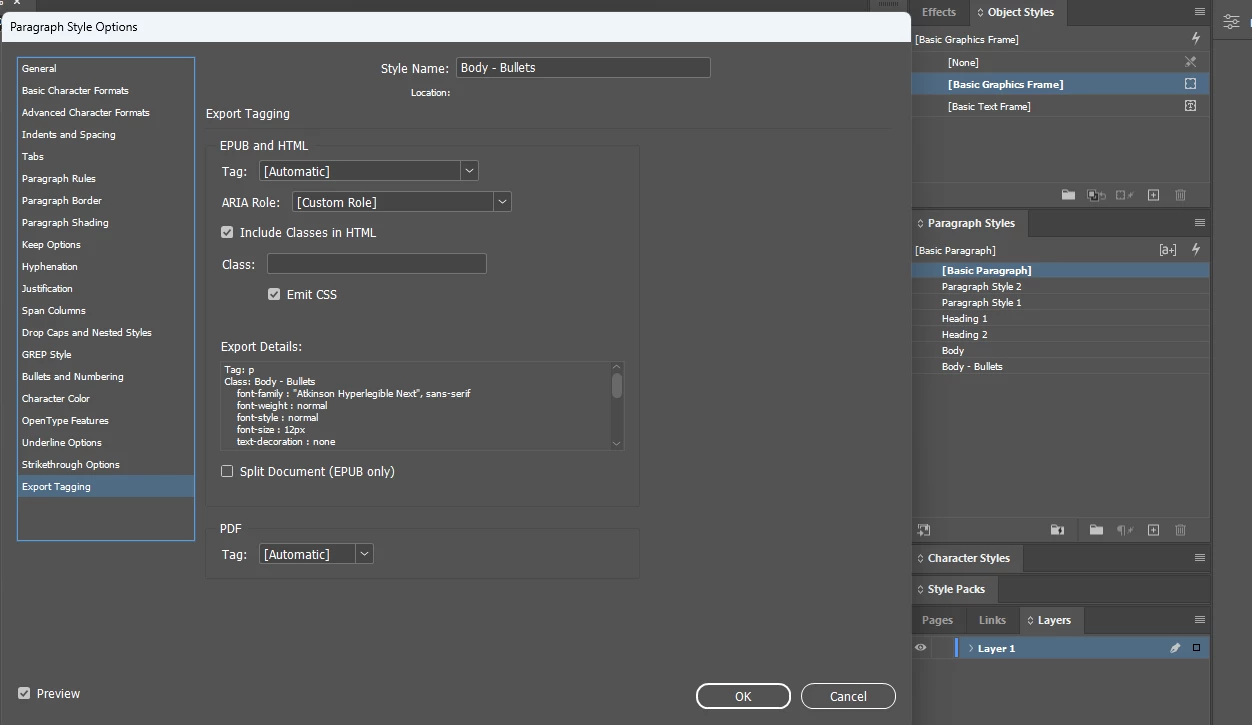
2. Ensure the export tag for that paragraph style is set to "automatic".
2. Export to PDF, selecting "Create a Tagged PDF".
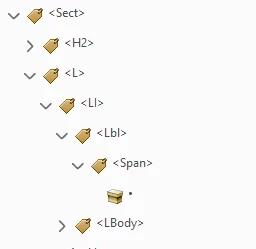
3. When opening the PDF in Adobe Acrobat Pro, the nesting order for bullet lists should be: List > List Item > Label and List Item Body.
4. However, after the update it's now adding "span" tags under every "label" folder.
"Span" is an inline-level tag used for styling or formatting, it's not meant for structural elements like list labels. This is laborious to have to fix manually, even more so given I generally make a second, text only version of all my PDFs.
Grateful for your advice!


 AdChoices