

Participant
October 11, 2024
質問

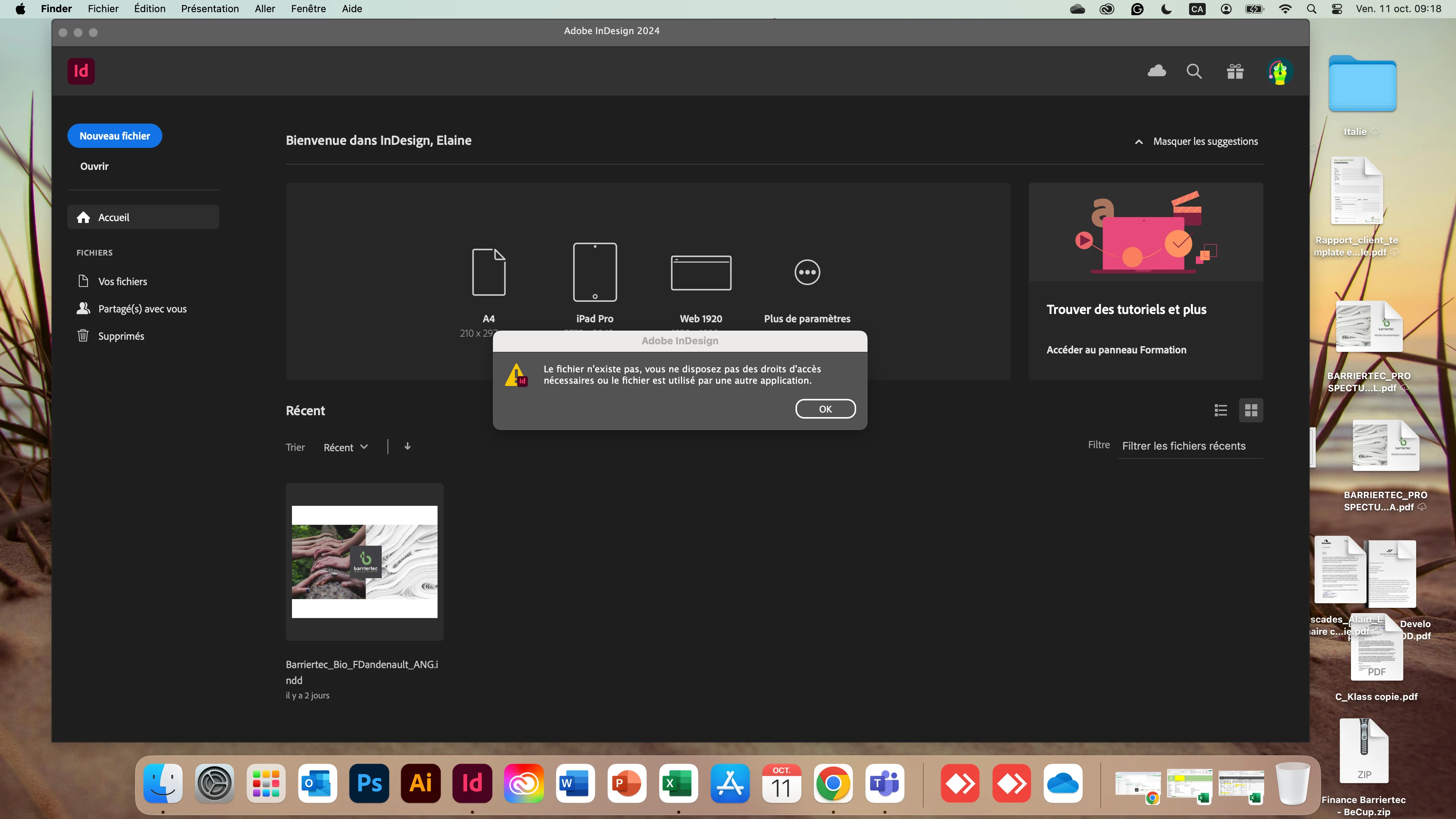
Indesign, le message suivant: le fichier n'existe pas , vous ne disposez pas des droits d'accès...

  • October 11, 2024
  • 返信数 4.
  • 574 ビュー

Je cherche mon dossier, avez-vous un outil pour m'aider

このトピックへの返信は締め切られました。

返信数 4

JR Boulay
Community Expert
Community Expert
October 14, 2024

Le fichier a été déplacé ou renommé : CMD-F pour le rechercher.

Acrobate du PDF, InDesigner et Photoshopographe
jmlevy
Community Expert
Community Expert
October 12, 2024

Si tu ne sais pas où tu as enregistré ton fichier, utilise l'outil de recherche de ton Mac.

Community Expert
October 12, 2024

The InDesign Recent Files only shows the most recent files that were used in InDesign it captures an image of the document and displays it.

If you move the file then InDesign cannot find it - so you get an error message.


If you want to find your file - search for it using your Finder and check your Trash 


You should really know where you stored your files or moved them after using them.

Do you have Time Machine setup? Or any other backup systems?

Abhishek Rao
Community Manager
Community Manager
October 11, 2024

Hi @elaine_1977,


I’m sorry to hear that you're experiencing issues accessing your file in InDesign. I understand how frustrating this can be.


Could you please let us know which version of InDesign you are using and the details of your operating system? Additionally, is this problem occurring with just one specific file, or have you noticed it with multiple files?


In the meantime, I recommend checking out this article: [Troubleshoot File Issues in InDesign](https://adobe.ly/4eXH4fe). It provides useful steps for troubleshooting file access issues.


Let us know how it goes, and we’ll do our best to assist you further!


Thanks,  
Abhishek Rao

elaine_1977作成者
Participant
October 11, 2024

Indesign 2024, just one file, 

leo.r
Community Expert
Community Expert
October 11, 2024

And where is the file stored? On your local drive or a cloud service?


Also, here are some discussions of the same error, which may help: 


https://community.adobe.com/t5/indesign-discussions/help-either-the-file-does-not-exist-you-do-not-have-permission-or-the-file-may-be-in-use/m-p/4127295?search-action-id=612258160260&search-result-uid=4127295


https://community.adobe.com/t5/creative-cloud-services-discussions/cc-libraries-file-does-not-exist-do-not-have-permission-etc/m-p/8060017?search-action-id=612258160260&search-result-uid=8060017


https://community.adobe.com/t5/indesign-discussions/deleting-files-in-indesign/m-p/10890810?search-action-id=612258160260&search-result-uid=10890810


You can also search the forum for this topic, here's one link to search results:

https://community.adobe.com/t5/forums/searchpage/tab/message?advanced=false&allow_punctuation=false&q=InDesign%20the%20file%20does%20not%20exist


P.S. It's unlikely to be related to your problem, but: your Mac has 8 GB of RAM. While it's officially supported, 8 GB is barely enough to keep InDesign afloat. I know you'd need to get a new Mac to increase the memory so it's easier said than done, but just something to keep in mind...