marisolm13157330
Participating Frequently
December 11, 2018
Answered

InDesign looks weird!! What did I press???

  • December 11, 2018
  • 5 replies
  • 1121 views

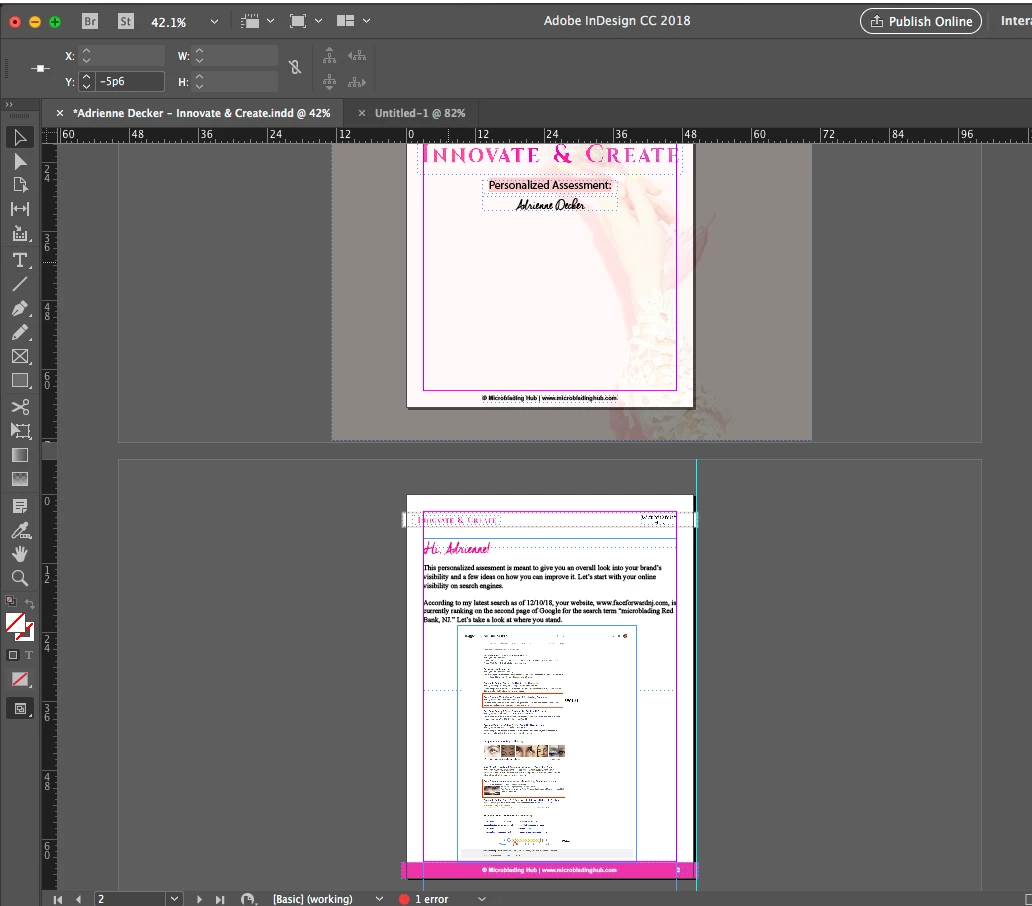
Help!! I was trying to indent the stupid bullet points (I hate that whenever I go to use them, they start right underneath the previous line, instead of being automatically indented as they are in Word. If anyone has a fix for this, I'd very much appreciate it), and I moved something and now my whole document looks .... weird. I don't like it. How can I get it back so I don't see all the edges of images I've purposely left out of the page, etc?
    This topic has been closed for replies.
    Correct answer SJRiegel

    With nothing selected, type a w.

    For indented bullets, you can use automatic bullets, which will indent the way you are expecting, or set the indent in the tabs pallet or the paragraph settings.

    5 replies

    jane-e
    Community Expert
    Community Expert
    December 11, 2018

    Also, the notification in your status bar that you have one error is the missing typeface for the words “Personalized Assessment” that was mentioned previously. You will get a green circle when that is fixed.

    Barb Binder
    Community Expert
    Community Expert
    December 11, 2018

    I'm not clear on what happened here. We can help with understanding bullets, but we don't know what the page is supposed to look like, so it's hard to say what to do next.

    I would:

    1. Save the file under a new name, first.
    2. Try Edit > Undo
    3. It could be a refresh issue (zoom out and back in) or a
    4. Recomposition problem (tap  Command-Option-/ (slash) or Win: Ctrl-Alt-slash)
    5. Or the file could be corrupt: see Troubleshoot damaged InDesign documents

    If all of that fails, open the older version of the file.

    ~Barb

    ~Barb at Rocky Mountain Training
    Barb Binder
    Community Expert
    Community Expert
    December 11, 2018

    Ah, after looking again, I think the first two answers are correct—you inadvertently changed your screen mode. Let us know and we can mark the first one as correct.

    ~Barb

    ~Barb at Rocky Mountain Training
    Derek Cross
    Community Expert
    Community Expert
    December 11, 2018

    Which version of InDesign and OS?

    The line of type with the pink background (Personalized Assessment) means you don't have that font installed. Either install it or choose another font.

    vinny38
    Legend
    December 11, 2018

    What exactly is weird to you?

    Does hitting the W key reverts back to what you want?

    About the bullet thing: set up a proper paragraph style

    SJRiegelCorrect answer
    Legend
    December 11, 2018

    With nothing selected, type a w.

    For indented bullets, you can use automatic bullets, which will indent the way you are expecting, or set the indent in the tabs pallet or the paragraph settings.