jillm70239499
Participant
November 6, 2018
Answered

InDesign Missing Fonts

  • November 6, 2018
  • 1 reply
  • 618 views

Hi,

I wonder if you guys can help. I’m currently trying to use
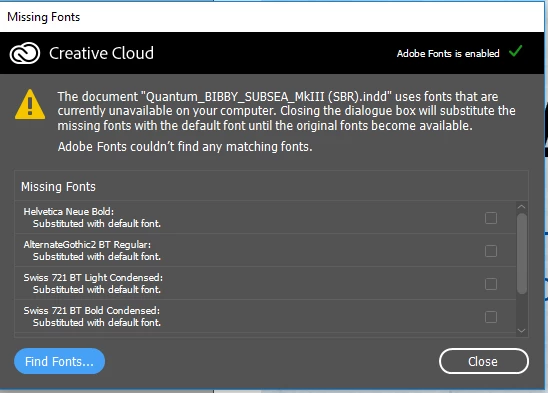
Adobe InDesign. When I load up a specific document it tells me that I have
missing fonts. However when I manually install the missing fonts it says that I
already have it installed on my machine. So when I go to manually change the
fonts it show the required fonts that are missing as being installed.

I have another user experiencing the exact same issue. Any
knowledge of a way to solve this issue would be greatly appreciated.

I have attached a screenshot of the errors I’m getting.
This topic has been closed for replies.
Correct answer hammer0909

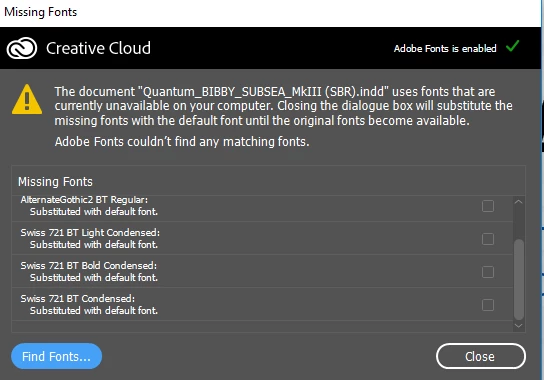
It sounds like you might be installing different versions of the fonts than what the InDesign document is looking for. I'd start by creating a new document and then adding some text and see if the fonts that you installed are actually available in InDesign. If they are, I'd open the problem document and click on that blue Find Fonts button in the lower-left corner of the Missing Fonts dialog box, you'll get more information. I'd try selecting one of the missing fonts and see if you can replace it with the version that you are installing. There's an option to replace all and to update any styles that use that font. Be advised though that the appearance could possibly change after replacing fonts.

1 reply

hammer0909
Community Expert
hammer0909Community ExpertCorrect answer
Community Expert
November 6, 2018

It sounds like you might be installing different versions of the fonts than what the InDesign document is looking for. I'd start by creating a new document and then adding some text and see if the fonts that you installed are actually available in InDesign. If they are, I'd open the problem document and click on that blue Find Fonts button in the lower-left corner of the Missing Fonts dialog box, you'll get more information. I'd try selecting one of the missing fonts and see if you can replace it with the version that you are installing. There's an option to replace all and to update any styles that use that font. Be advised though that the appearance could possibly change after replacing fonts.