
viliusp51472399
Participant
July 2, 2026
Question

InDesign not finding a font that should be accessible from Adobe Fonts

  • July 2, 2026
  • 2 replies
  • 22 views

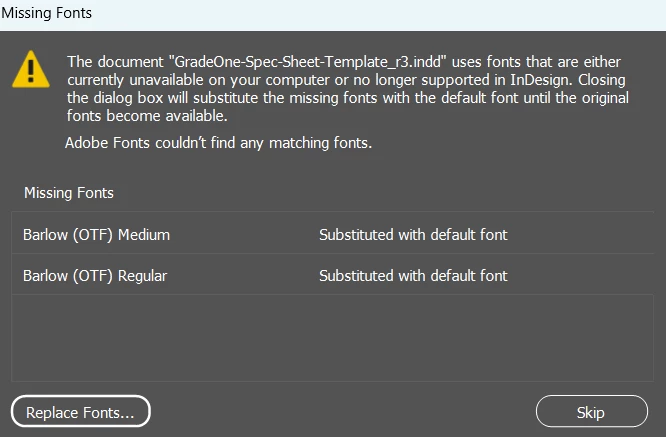
I am having a problem with a file I received from another designer. Specifically, she used the Barlow font family from Adobe Fonts for some of the text treatments, however, even when I activate all the available font families she linked to on Adobe Fonts, some of the font variations are being found but two of the font variations are not being found. See below image. Given that these fonts should be the same ones from Adobe Fonts, how do I resolve the issue? Is it possible that this issue is related to the operating system (I am on a Windows PC)?
 

    2 replies

    rob day
    Community Expert
    Community Expert
    July 2, 2026

    Hi ​@viliusp51472399 , Barlow is a Google font and the version supplied by Google is installed on your system. The Adobe Font Barlow has a different version number, which you can check in Find/Replace Font. Try replacing the missing Barlow (OTF) version with the activated Adobe version;


    Henry_Collins
    Participating Frequently
    July 2, 2026
     

    If the missing styles are part of the same Adobe Fonts family, it's usually a sync or version mismatch rather than a Windows issue. Try deactivating and reactivating the Barlow family in Adobe Fonts, then restart both the Creative Cloud app and InDesign. If that doesn't help, ask the original designer which exact Barlow variant they used, as they may have a local font version that's different from the Adobe Fonts version.