

InDesign not linking the "Links" folder on Sharepoint
I have searched and haven't found this exact issue... so sorry if this is a duplicate post!
I have all my packaged InDesign files saved on Sharepoint - so links, fonts and native files are all together.
When I open the InDesign native file to make an edit through file viewer on sharepoint... all or most of my links will be missing, even thought it's packaged and all links are saved in that folder. So I'll manually have to relink each individual link (if i relink all to folder they don't fix- i have to do one by one). Then I'll go to export a PDF for Print... and this error message will come up.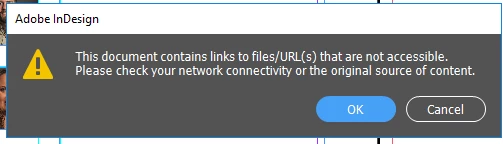
The only way i have been able to export PDFs now is to download the entire packaged folder to my local drive on my computer, open the file, and export the PDF then re-upload to Sharepoint. Frustrating.
Is this a normal thing?
I'm not savvy in this sharepoint stuff at all, yet. Maybe I need to be saving these Sharepoint files to my local drive rather than on demand? Currently all the folders appear with the cloud next to them, rather than the check mark. 
I'd rather not have them on local drive, as there are hundreds of files out there. But this linking issue is really starting to drive me nuts. And this issue just started, it hasn't ever done this before and we've been running this for almost 8 months or so. I work for a university, and our internet is really secure...so maybe it has something to do with a firewall? I've tried contacting our IT, and they just aren't real handy sometimes. 🙂
Currently, I have my OneDrive settings like this: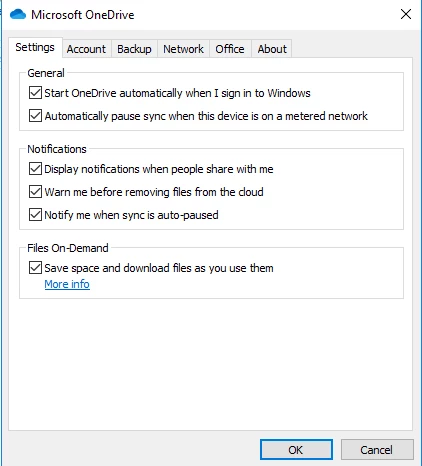
Thanks for any input. I appreacite you taking the time!
 AdChoices