
Participant
March 23, 2024
Question

InDesign not showing links with Sonoma OS

  • March 23, 2024
  • 3 replies
  • 379 views

Need some help with InDesign issues... See screen capture. Links show they are good ( green - No errors) and selected image does not display broken icon... As you can see images are not showing. I cannot package or burn pdf because the links are broken... I have to do each link to relink. Path is not recognized. This doc has 1200 links. I have 4 others about the same and another with 16500... This is a huge problem
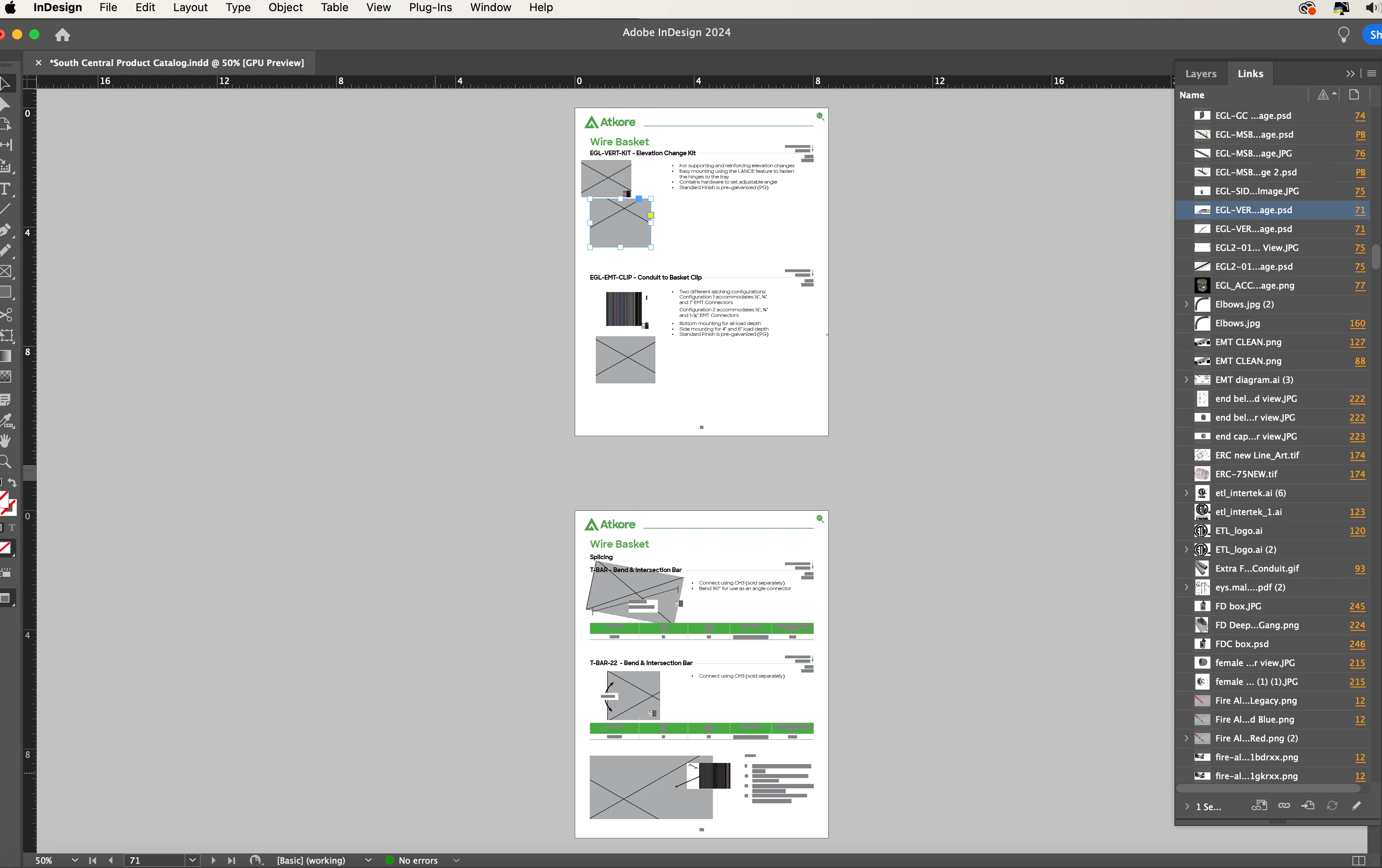
 

This topic has been closed for replies.

3 replies

Conrad_C
Community Expert
Community Expert
March 23, 2024
quote

I have to do each link to relink. Path is not recognized.

By @defaultpqmw2khq9jua


If the consistent error is the path is not recognized, then that is what to focus on: Things that might cause a path to not be recognized or accessible. For example:

  • What type of storage are the linked images stored on? Inside the Mac? On direct attached storage (DAS) such as a USB external hard drive? Network attached storage (NAS)? Cloud synced folder (Dropbox, OneDrive, iCloud Drive…)? Something else? 
  • If the originals are on a cloud synced folder, is the service set to keep originals only in the cloud, or also on the computer? (For example, if the files are on iCloud Drive, is the Optimize Mac Storage option enabled or disabled?) 
  • Are there any reserved characters (such as the characters / or \ or : ) in any volume name, folder name, or file name in the path? 
  • Does InDesign have macOS permission to access the folder where the images are stored? (System Settings / Privacy & Security / Files and Folders) 
  • Does InDesign have macOS permission for Full Disk Access? (System Settings / Privacy & Security / Full Disk Access) 
Participant
March 23, 2024

Thank you for the input... Checked on everything permission are there.  Showing now as I step through the doc. Damaged files... I'm opening and resaving, not seeing anything wrong... very strange

jmlevy
Community Expert
Community Expert
March 23, 2024

Wiuld it be possible that display performances are set up to “fast display”? (View menu)

Participant
March 23, 2024

No sir, It's set to High Quality Display... It has something to do with links not communicating with the source... The source is available but its being not read correctly


Participant
March 23, 2024

OS is Sanoma 14.4 and InDesign 2024