marie-christinel69982569
Participant
January 28, 2026
Question

Indesign package (with MAC OS Tahoe)

  • January 28, 2026
  • 3 replies
  • 65 views

Hello! 

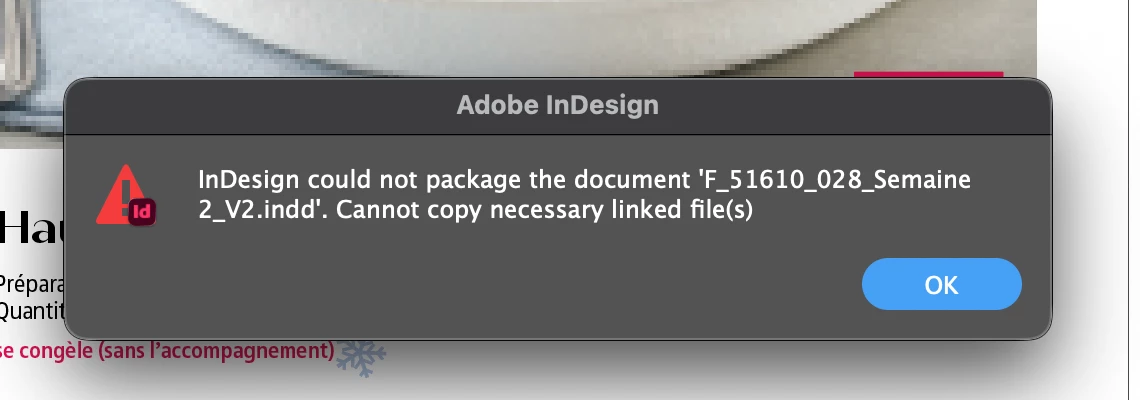
I am on MAC OS TAHOE and when i package, my link folder is empty, and i have an error message - 

i mean, i REALLY have to package with all the links… 

What do i do to resolve this issue! 

Thanks! 
 

    3 replies

    Participant
    February 27, 2026

    So the resident networking genius at my job finally figured it out.

    Open Terminal. Enter (without quotation marks) “sudo nano /etc/nsmb.conf”

    This will create a server configuration in the /etc folder.

    Open the file with TextEdit and enter (without quotes):

    “[default]
    streams=no
    unix extensions=no”

    Save. Make sure the extension is .conf

    Disconnect from the server in question.

    Restart. Reconnect to the server.

    Karl6C19
    Participant
    February 25, 2026

    Received the same message...the workaround suggested below works (thank you ​@Graphics_SRF ), but WHY is this happening? Any ideas?

    Graphics_SRF
    Participant
    January 28, 2026

    The issue is that your linked files are on a server.

    The only work-around right now, is to copy the linked files to your desktop, and then relink them in InDesign to your desktop. That way you can package the project. Extremely inconvenient, but until Adobe or Apple have a fix, that’s what you have to do.

    If you don’t remember where your files are (linked), right click on the file in the Links panel of InDesign and select Reveal In Finder.

    Karl6C19
    Participant
    February 25, 2026

    hi, thanks for the workaround. When you say above, “until Adobe or Apple have a fix..” that suggests you think it’s a software problem..is that right? Could it be related to a recent update? 

    Participant
    February 25, 2026

    I’ve spent hours on the phone with Adobe support, Apple support and our IT department. Each one is stating that this is not an issue on their side and to get support from the others.

    Extremely frustrating and no fix yet (over a month in).

    All I know is that I had no issue when I was on Sequoia. As soon as I updated to Tahoe, the problem started.
