Participant
October 25, 2024
Answered

InDesign Packaging Issue: Filetype Added to Folder Name When Using Native Filename

  • October 25, 2024
  • 3 replies
  • 640 views

Hi Hive-mind,


Some background: We use version numbers with two decimal places in artwork filenames. For instance, "Sample_v0.01.indd". When packaging these files, the Create Package Folder cuts off the version number.
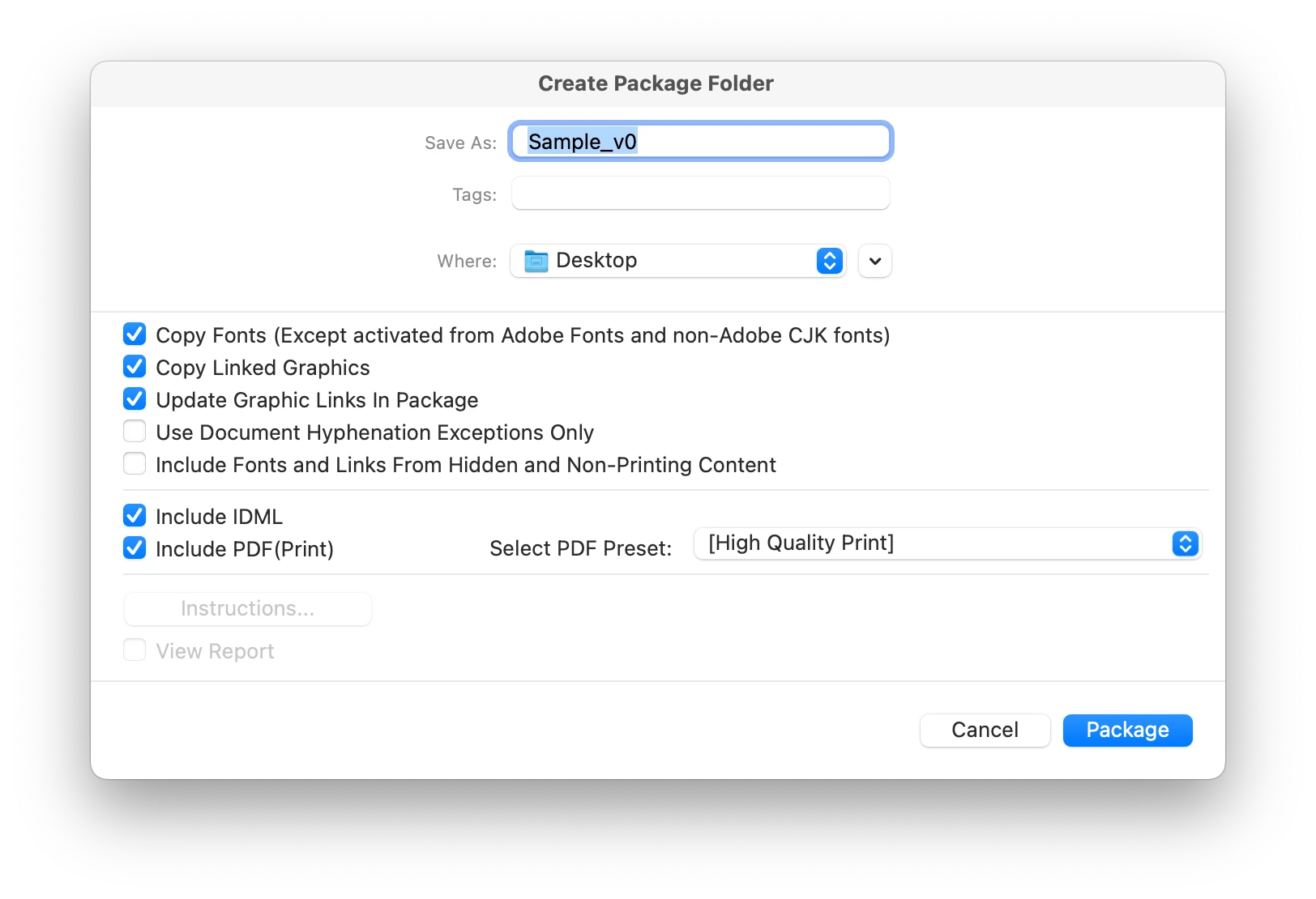
 

It used to be that I could package a file in InDesign and simply click on the filename in the Create Package Folder and it would create a packaged folder with that name, including the decimal number. It even used to know to add the suffix "Folder". 


Now when I do that, the folder is also named with the filetype (.indd), doesn't add the suffix, "Folder", and gives the following error. 
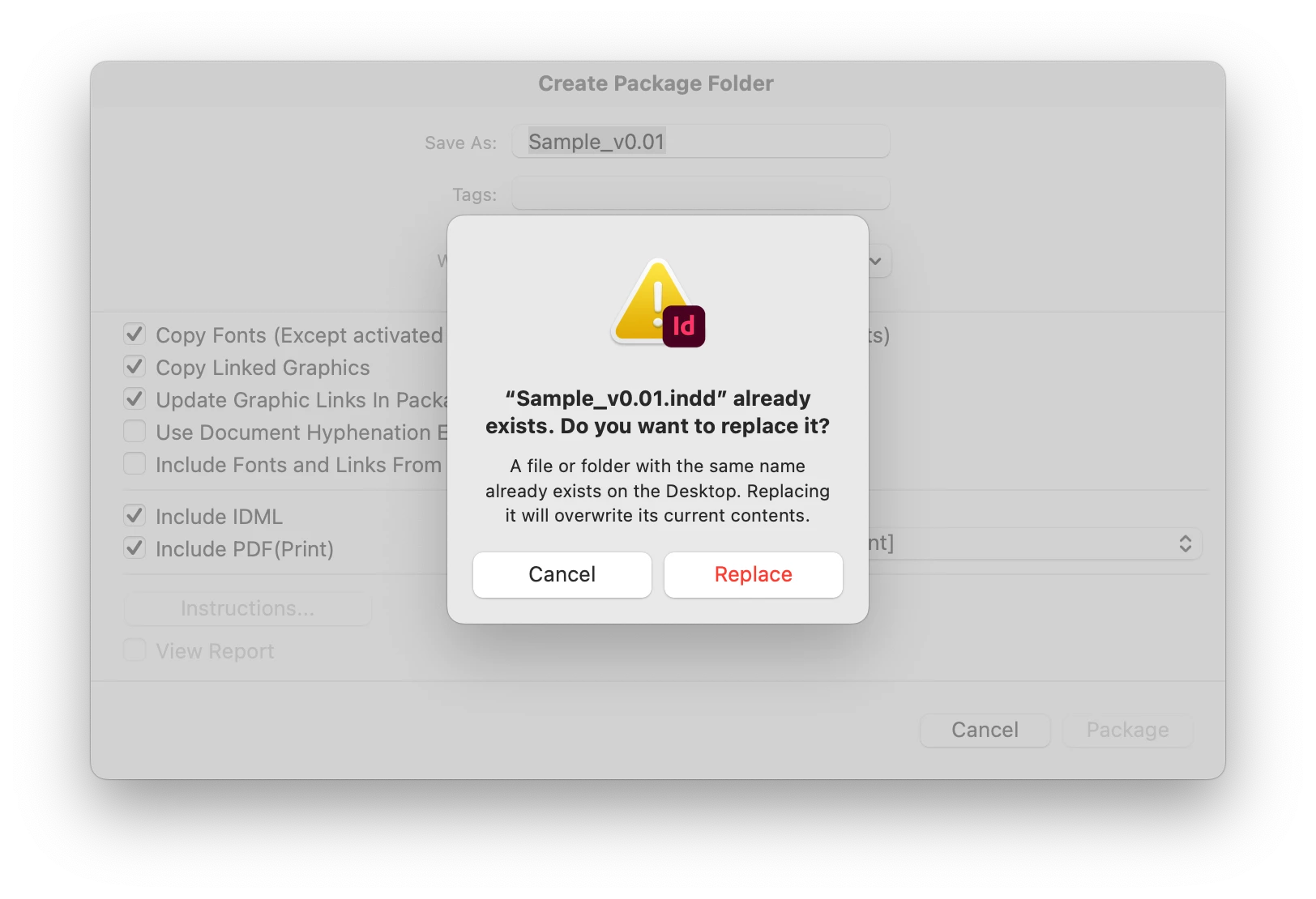
Even if I edit the name, it will still add the filetype:
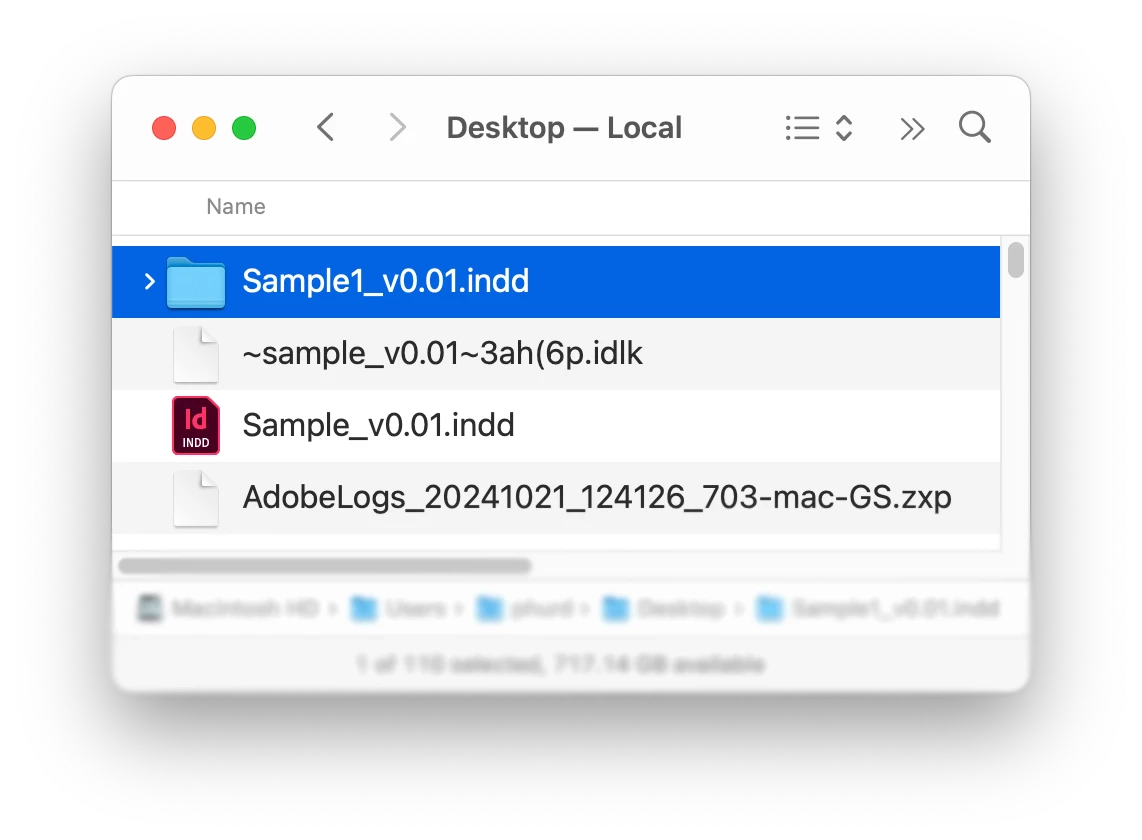
Yes, I can type the same filename in the field. That works, but some of the files have long names, and it's a PIA. Not sure if there's a fix, or if it has to do with the combination of MacOS version/InDesign version. Also, these are all local files, no server-based files. 


MacOS: Sequoia 15.0.1

InDesign: CC 20.0


<Title renamed by MOD>

This topic has been closed for replies.
Correct answer leo.r

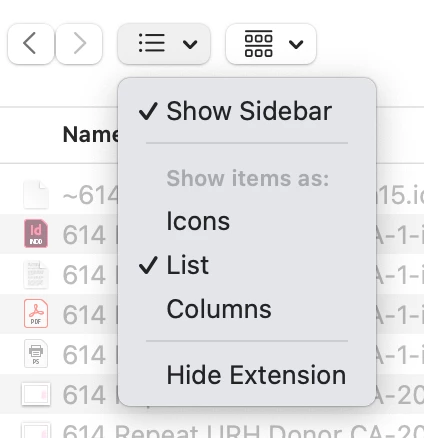
First, I wonder if you have "Hide Extension" checked by any chance? Make sure to uncheck it then as this option (which shouldn't even exist, if you ask me) can cause the confusion of adding the .indd extension to the folder name.


But regardless, as others have already mentioned, the problem is that your file has a dot (period) in its name. Or, to put it more accurately, that InDesign doesn't process such names in an intelligent way: InDesign just purges everything after the first encountered dot as it considers this a file extension.


This bug has already been submitted, you can upvote here:

https://indesign.uservoice.com/forums/601180-adobe-indesign-bugs/suggestions/40678546-package-file-name-period

3 replies

Mike Witherell
Community Expert
Community Expert
October 25, 2024

None of us can change a basic behavior of the OS and file-naming. You might try things that I sometimes do:

filename-v1.indd (just count up with whole numbers from version 1)

or

filename-2025-10-25.indd ( I do a Save-As everyday while I work on developing a publication)


Although no one asked, but I prefer Hyphens to Underscores in filenames, and this ever since I discovered that websites Google better with hyphens than underscores for asset naming.

Mike Witherell
leo.r
Community Expert
leo.rCommunity ExpertCorrect answer
Community Expert
October 25, 2024

First, I wonder if you have "Hide Extension" checked by any chance? Make sure to uncheck it then as this option (which shouldn't even exist, if you ask me) can cause the confusion of adding the .indd extension to the folder name.


But regardless, as others have already mentioned, the problem is that your file has a dot (period) in its name. Or, to put it more accurately, that InDesign doesn't process such names in an intelligent way: InDesign just purges everything after the first encountered dot as it considers this a file extension.


This bug has already been submitted, you can upvote here:

https://indesign.uservoice.com/forums/601180-adobe-indesign-bugs/suggestions/40678546-package-file-name-period

leo.r
Community Expert
Community Expert
October 25, 2024
quote

Or, to put it more accurately, that InDesign doesn't process such names in an intelligent way: InDesign just purges everything after the first encountered dot as it considers this a file extension.


By @leo.r


Actually, I now recall that this issue was discussed several months ago here and on a prerelease forum.


To be yet more accurate, the problem is not that InDesign purges everything after the first period. The problem is that to obtain a "clean" name, InDesign calls a function that removes the file extension twice (instead of calling it once only). As a result of which, InDesign removes the part of the name after the last period, as that's how this kind of function operates.

BobLevine
Community Expert
Community Expert
October 25, 2024

Could be any of the above but it's also why I never use decimals in a file name.

Robert at ID-Tasker
Legend
October 25, 2024

@phhurd


As @BobLevine suggested - don't use "." as a separator - use "-" or "_".