Yes, I have version 20.4.1
I tried going to Preferences > GPU and this appeared.
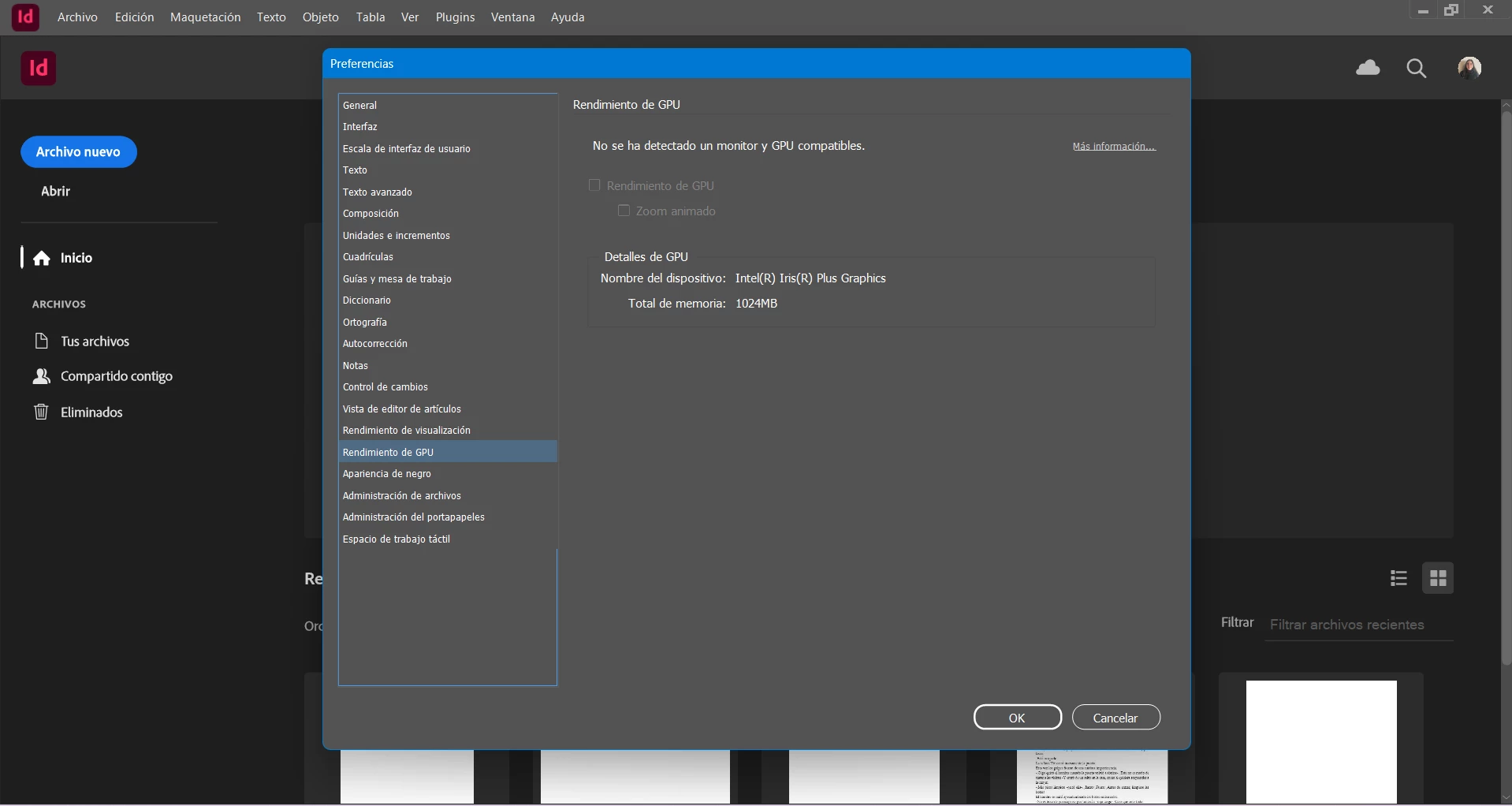
I have it formatted in Spanish, but it says "No compatible monitor or GPU
detected."
I don't know what else to do.
Best regards.
Hi @Agustina_Raffo,
Thank you so much for sharing the extra details and the screenshot, that really helps. I see that your system shows "No compatible monitor or GPU detected". If your screen resolution is below 2K, GPU performance is not supported on Windows (you can refer to the article: GPU Performance in Adobe InDesign). In this case, InDesign uses CPU preview only, and the flickering could be related to your graphics drivers or display settings.
Since you're on Windows 11 and using InDesign version 20.4.1, I recommend first checking for any pending Windows updates and updating your graphics drivers directly from the manufacturer's website (Intel, AMD, or NVIDIA depending on your system). After updating, restart your computer and check if the issue persists.
Please also test if this happens on a new blank document to confirm if it’s file-specific.
Additionally, let me know what happens if you test this in safe mode and in a new local admin user account. We'll work through this together!
Looking forward to your update.
Abhishek



 AdChoices