Inspiring
October 2, 2024
Answered

indesign paragraph shading – shortcut not possible

  • October 2, 2024
  • 4 replies
  • 418 views

Hi, i have to change a lot of paragraph shades all day,  but it's not possible to assign this to a shortcut to fasten up workflow. There is no paragraph shading in the menu to select for the shortcut.

This topic is closed to new replies. Start a new post to keep the conversation going.
Correct answer waldemarker

You were very clear: I just suggested you to create a paragraph style including your paragraph shading options and add shortcut to be able to quickly access to the pargraph shading options.

Anyway, you can also add directly a shortcut to the paragraph border and shading window by customizing your shortcuts set:
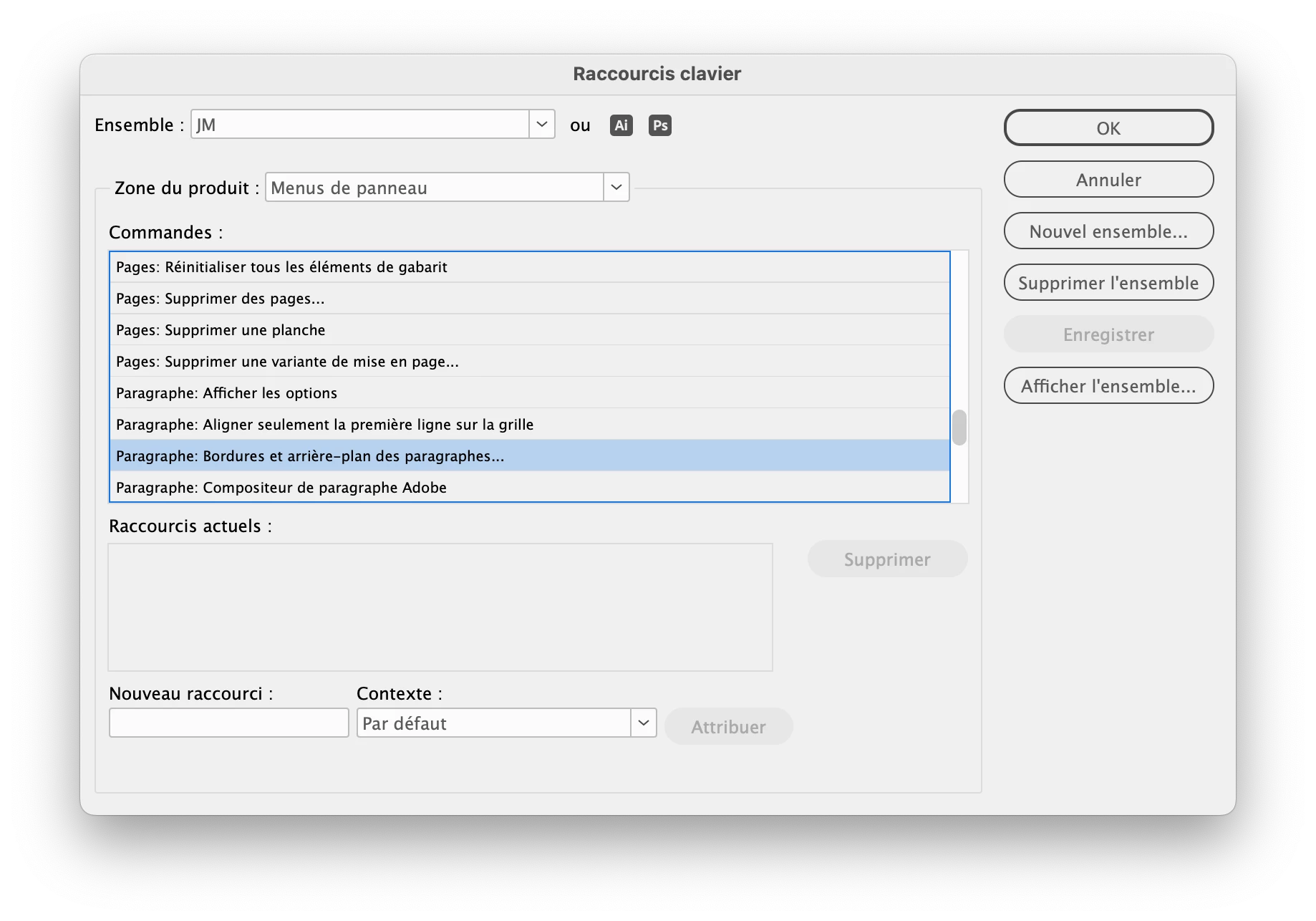

Hi, thank you. I would need to make a paragraph style for every new document, this is not a fine idea. 


Now I discovered the problem, it was the 'translation' of the main menu of the paragraph options, 'Bedienfeldoptionen' was not really logic for me. So I could assign a shortkey directly. 

 

4 replies

jmlevy
Community Expert
Community Expert
October 2, 2024

Create a paragraph style and assign a shortcut to this paragraph style.

Inspiring
October 2, 2024

Maybe it's not clear, I need a shortcut to open the paragraph shading window to edit, not to assign a predefined paragraph shading style

jmlevy
Community Expert
Community Expert
October 2, 2024

You were very clear: I just suggested you to create a paragraph style including your paragraph shading options and add shortcut to be able to quickly access to the pargraph shading options.

Anyway, you can also add directly a shortcut to the paragraph border and shading window by customizing your shortcuts set:

