Mirjam Pi
Participant
November 13, 2022
Answered

Indesign paragraph spaceing while using initals looks different in different documents

  • November 13, 2022
  • 3 replies
  • 283 views

Hi everyone,

I've currently the issue, that my paragraph style looks different in different documents, even after importing the paragraph format and checking out the distances. 
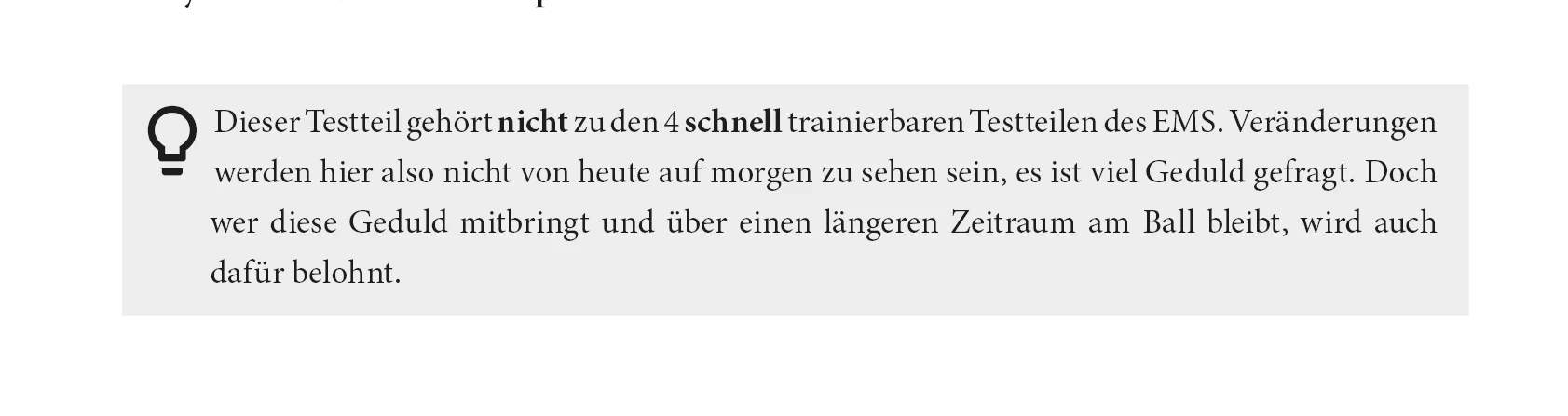
This is how it should look:

This is how it looks in the other document: 
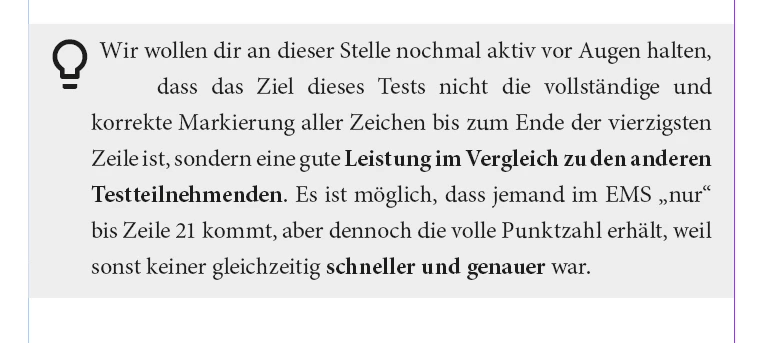

Does anyone have an idea how to take out the gap in the second line? Changing the distance on the left and taking back the first row doesn't solve the problem. 
I would be really thankful for a solution!
And sorry for some spelling/wording issues, I am using InDesign in German an its sometimes hard to translate the exact Adobe wording. 
Have a nice day!
 

This topic has been closed for replies.
Correct answer Barb Binder

Hi @Mirjam Pi:


This issue as I see it is that you are trying to combine a drop cap with a hanging indent and InDesign is pushing that second line to the right to make way for the drop cap. Both features work well on their own, but not together. (Not clear why it would work in one file, and not the other though.)


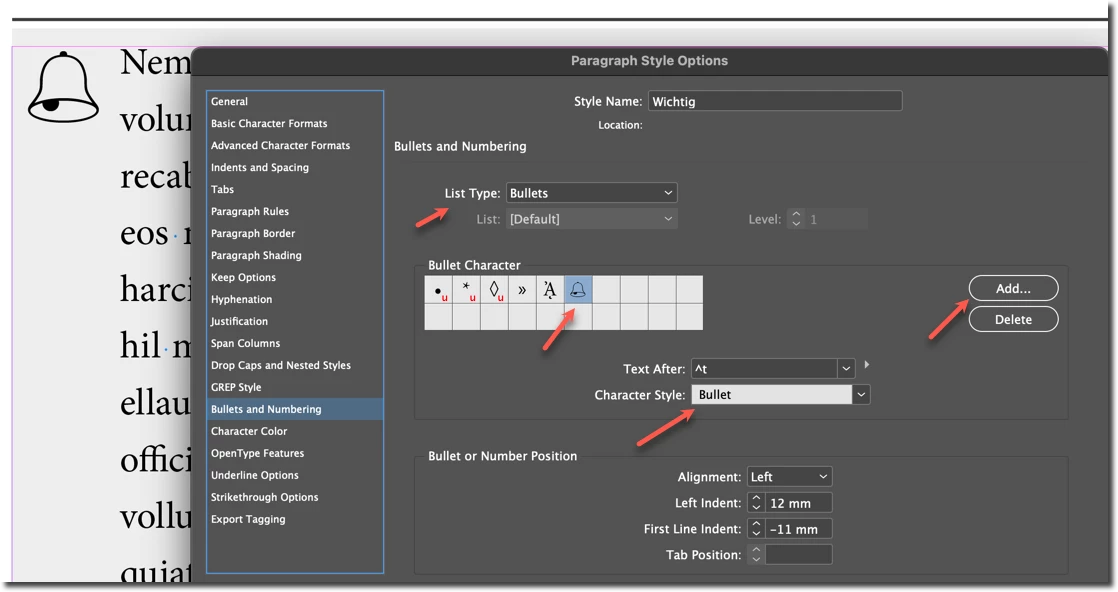
If you increase the number of lines the bulb drops, the pattern continues. How about setting this up as bullet with a character style to change the font, increase the size, and push it down with a baseline shift?


~Barb


3 replies

Barb Binder
Community Expert
Community Expert
November 13, 2022

We are always happy to help, @Mirjam Pi.


~Barb

~Barb at Rocky Mountain Training
Barb Binder
Community Expert
Barb BinderCommunity ExpertCorrect answer
Community Expert
November 13, 2022

Hi @Mirjam Pi:


This issue as I see it is that you are trying to combine a drop cap with a hanging indent and InDesign is pushing that second line to the right to make way for the drop cap. Both features work well on their own, but not together. (Not clear why it would work in one file, and not the other though.)


If you increase the number of lines the bulb drops, the pattern continues. How about setting this up as bullet with a character style to change the font, increase the size, and push it down with a baseline shift?


~Barb


~Barb at Rocky Mountain Training
Mirjam Pi
Mirjam PiAuthor
Participant
November 13, 2022

Okay, perfect, that solution worked. Thanks a lot for your help!

Peter Spier
Community Expert
Community Expert
November 13, 2022

We'll need to know the version of InDesign, including the updates, if any, applied, as well as your OS.

I think we're also going to need to see the actual paragraph style defintion, and a sample file would help a lot.

Mirjam Pi
Mirjam PiAuthor
Participant
November 13, 2022

Hi, 
thanks a lot!

My Indesign Version is v18.0, It looks on my Windows Computer (Win 11 Pro) and on my Macboook (Ventura) the Same. 
Attached a sample Indesign File. 
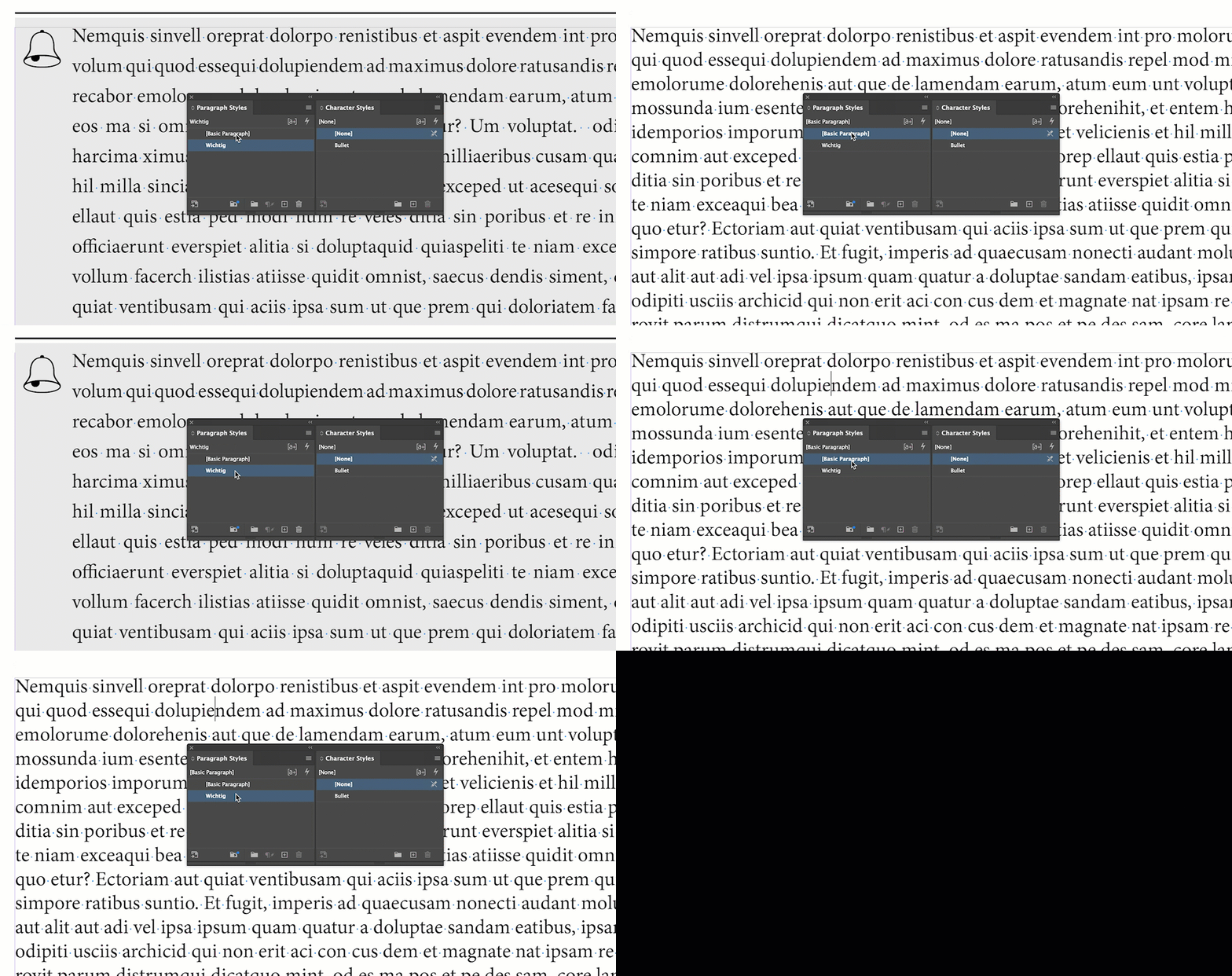
And here some Sceenshots.