Inspiring
May 17, 2025
Answered

InDesign Parent pages items repeat if pages are added or removed

  • May 17, 2025
  • 3 replies
  • 1839 views

It seems like master pages are only good for storing elements; placing them in place in a document seems to cause a lot of problems. How does one avoid parent page items repeating when pages are added or removed? If I have an edited parent item on page 20, then remove page 18, the original item reappears on the new page 19. Or if I add pages before the occurence of the parent item, it will reappear. Folios often duplicate themselves, too. It seems as if a new master page is occurring, often "overprinting." 

As opposed to placing the master page initially from the master page menu, does dragging the master item from a library avoid this problem? Or copying and pasting in place the master items from the master page? 
 

Correct answer rob day

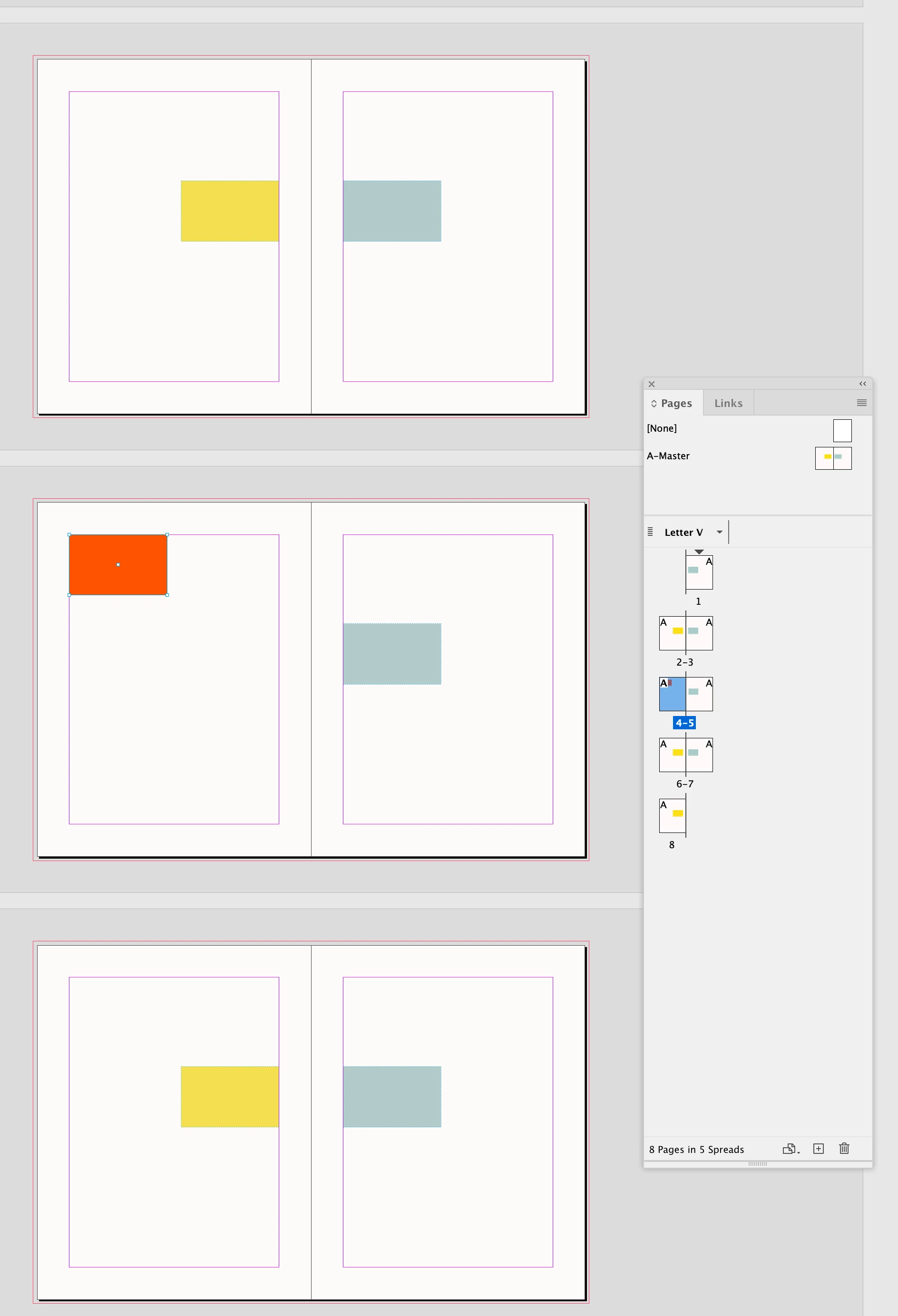
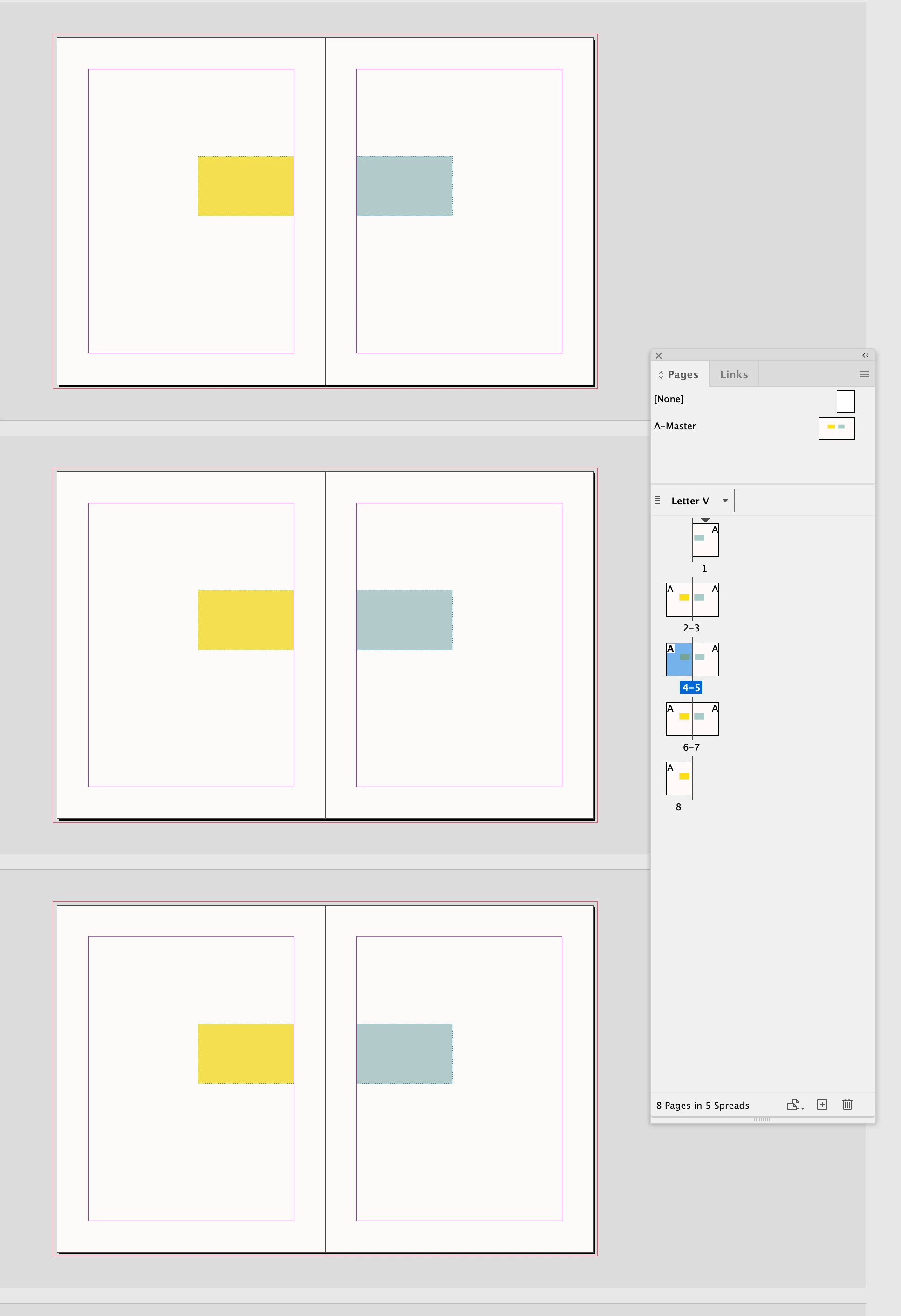
Hi @Grundoon Groundhog , Also, a released parentpage item keeps the unchanged properties of its parent. So here I have released the parent item on page 4, moved its X,Y position and changed its fill color:


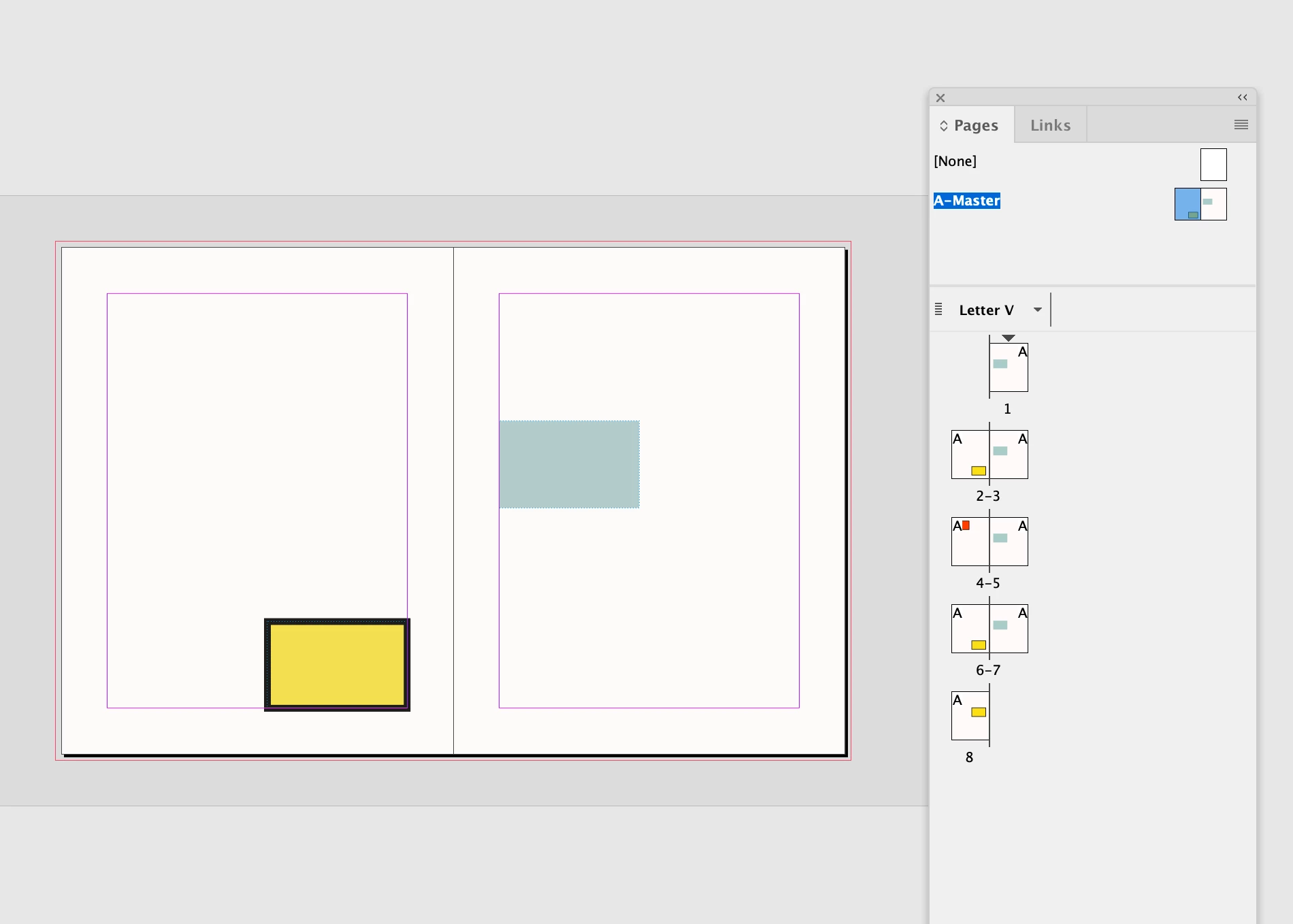
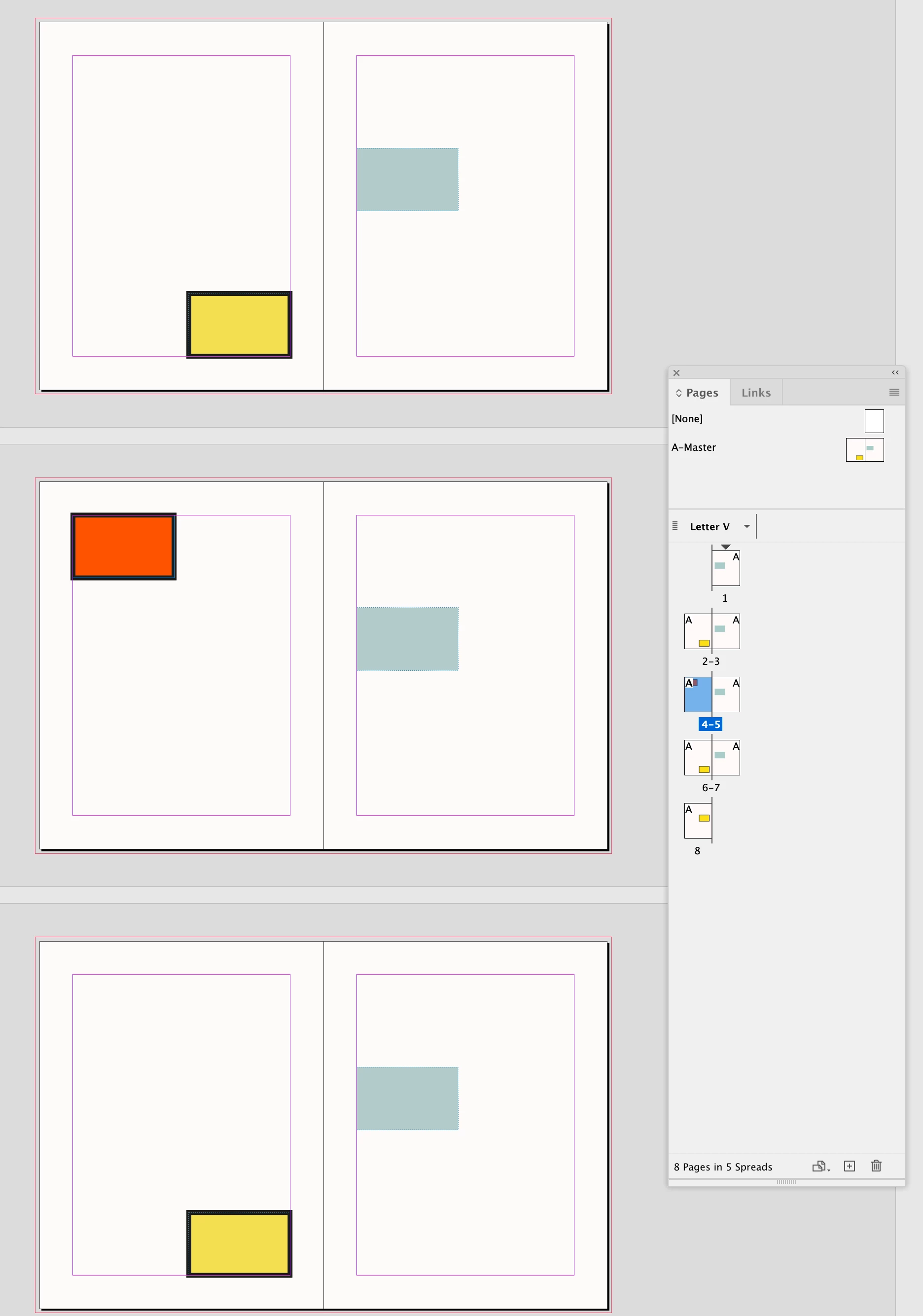
The released parentpage item still responds to changes from the parentpage to properties that have not been overridden on the page. If I change the Stroke and X,Y position on the parent, only the stroke gets updated on the released page item (I did not override its stroke):


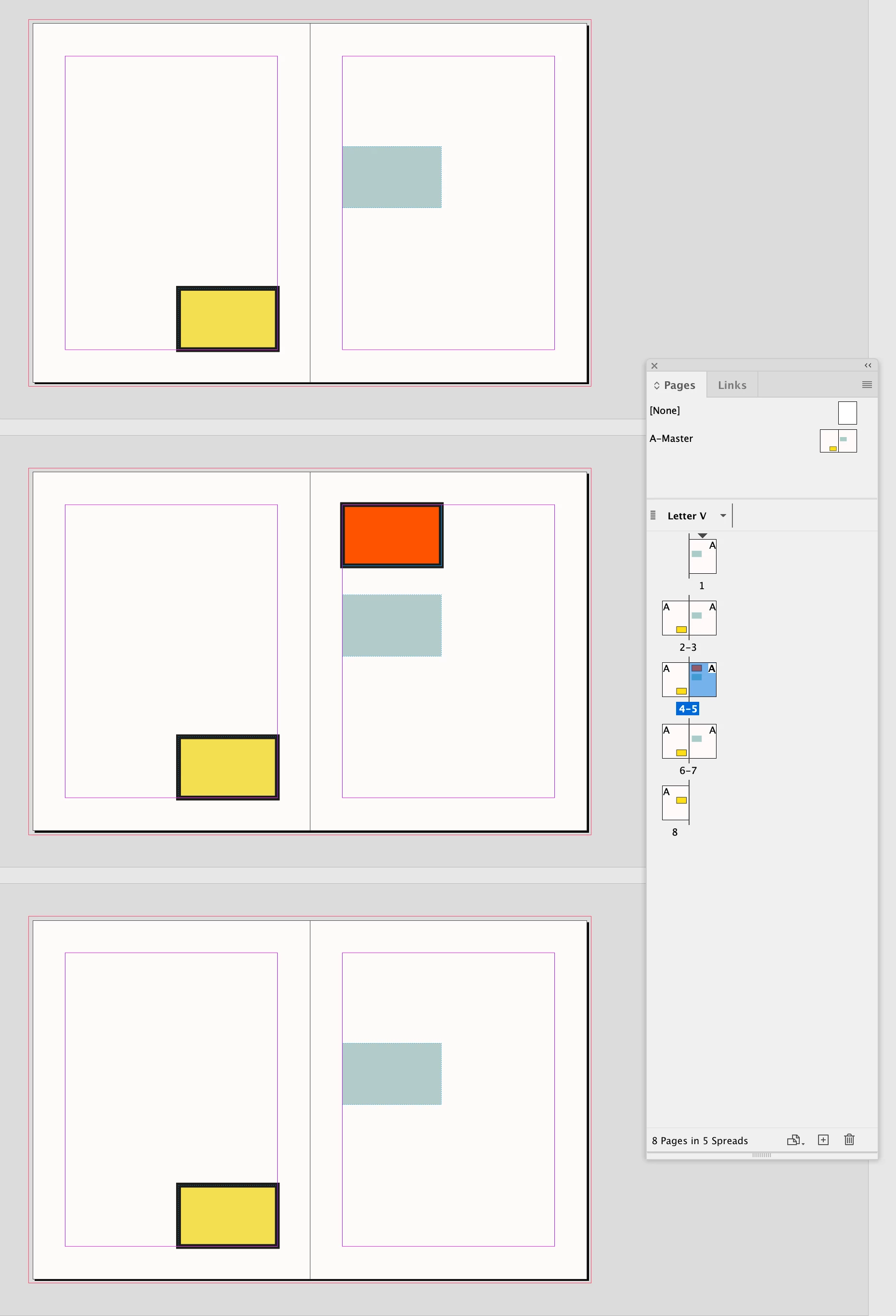
When you relese a parentpage item and swap left and right pages, the result may be unexpected because you have moved the released page item’s position relative to the parent spread. Here I've effectively overridden the X,Y position of the released page item relative to the parentspread.


3 replies

rob day
Community Expert
rob dayCommunity ExpertCorrect answer
Community Expert
May 17, 2025

Hi @Grundoon Groundhog , Also, a released parentpage item keeps the unchanged properties of its parent. So here I have released the parent item on page 4, moved its X,Y position and changed its fill color:


The released parentpage item still responds to changes from the parentpage to properties that have not been overridden on the page. If I change the Stroke and X,Y position on the parent, only the stroke gets updated on the released page item (I did not override its stroke):


When you relese a parentpage item and swap left and right pages, the result may be unexpected because you have moved the released page item’s position relative to the parent spread. Here I've effectively overridden the X,Y position of the released page item relative to the parentspread.


tonks_the_auror
Community Expert
Community Expert
May 17, 2025

>>Also, a released parentpage item keeps the unchanged properties of its parent. <<


Wow, I didn't know that! Thanks, @rob day !


Inspiring
May 18, 2025

Thanks. I think copying and pasting the parent page item rather than simply placing an entire parent page will solve the problem of repeating items/parent pages.

tonks_the_auror
Community Expert
Community Expert
May 17, 2025

I'm trying to figure out how to explain this.

When you edit a parent page item, it becomes a live element on the page. Then when you add or remove pages, the pages are renumbered, and the newly renumbered page shows the default parent item as well as your edited item because it's now a page element.


This is just how it works, and there isn't really any elegant way around it.

What we do is set up parent pages:

A - Blank

B - Header and Footer

C - Footer Only


Then if we add/remove pages, we can assign a different parent page.

So in the example above, after I removed page 18, I would assign the "C-Footer Only" parent page to page 20.

I really hope this makes sense.


Willi Adelberger
Community Expert
Community Expert
May 17, 2025

I gave you the anser above:

  1. Never override master/parent page items on the page. If you override such an item and reapply the master/parent the overridden items remain on the page.
  2. If you want to have pages without a specific item or an item additional create a new master based on the first master. THis is what you did wrong. Your master are independent, but if the masters/parent have a common structure, they should have a child-parent-relationship, so all changes of the top-most prent inherit thise changes to the children-parent. Apply the parents to the pages.


It is is hiow it works and an it should work. Follow my advices.

If you have once started with Quark Xpress you have to relearn here as Quark is very poor in the master page functionality.

Willi Adelberger
Community Expert
Community Expert
May 17, 2025

Pafge heades on the masger ahould nwevwre written manually, use text variables, in the best case based on a paragraraph style. So you will have always the correct header if you delete or insert pages.

Willi Adelberger
Community Expert
Community Expert
May 17, 2025

Master/Parent page items are supposed to appear on every page where they are applied. If you want to to have pages without specific items, don't remove them on the pages. Ctreate a new master/parent based on the first master/parent, remove it there and apply the new one to the pages. 

Don't forget to rename your masters/parents with descriptive names and letters. 

Inspiring
May 17, 2025

No, they are appearing on pages where they were not applied. The master page items are "duplicated" when the page numbering shifts due to additions or deletions.


Page 5 is 2 column opener. Pages 6- 9 are two column pages. Pages are added before page 5, so it is now page 6. What is now page 7 also carries the 2 column opener elements from the master page. They were not applied but appeared after pages were added. The same thing might happen if the original page 4 was deleted. The 2 column page retains its elements but acquires those of the 2 column opener as well. And it's a master page that has to be overrifen to get rid of the unwanted elements. 


I have many master pages with descriptive names, and insert them as I need to.