

InDesign Pasteboard Issue
Hi, I use objects in my pasteboard/workspace frequently for color grabbing/keeping notes of things I need to change in the file. My dog slammed my keyboard and somehow changed a setting so the .jpgs I bring into the pasteboard are now transparent (checked the transparency, they're all at 100%).
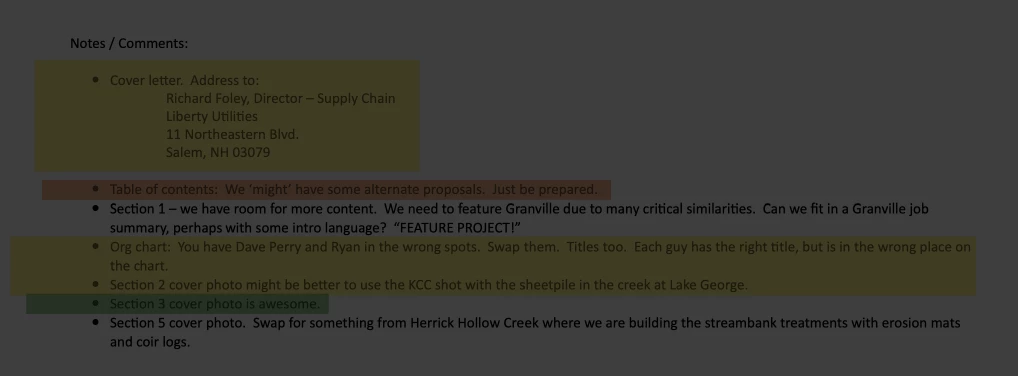
For example, I brought a screenshot of an email into the pasteboard to track changes. Before she slammed the keyboard, the white background from the email showed up. Now, there is no white background- it is grey to match the workspace and very hard on the eyes to read black text with no white background from the image screenshot.
HELP? Image of what it looks like now attached; I need it to have the solid color behind it.
Thank you!
-Working Remotely With Rambunxious Dogs


 AdChoices