


Question
Indesign PDF export (Press quality preset) didn't convert RGB images to CMYK with crop marks
I try to export PDF in Indesign using (Press quality preset) hoping it will convert RGB images to CMYK in the output and it works fine, but not when I also include crop marks. Wonder does anyone know why is that's the case?
The export settings (Press Quality preset) surely has no problem, I followed the steps here
https://creativepro.com/import-rgb-images-indesign-convert-cmyk-export/
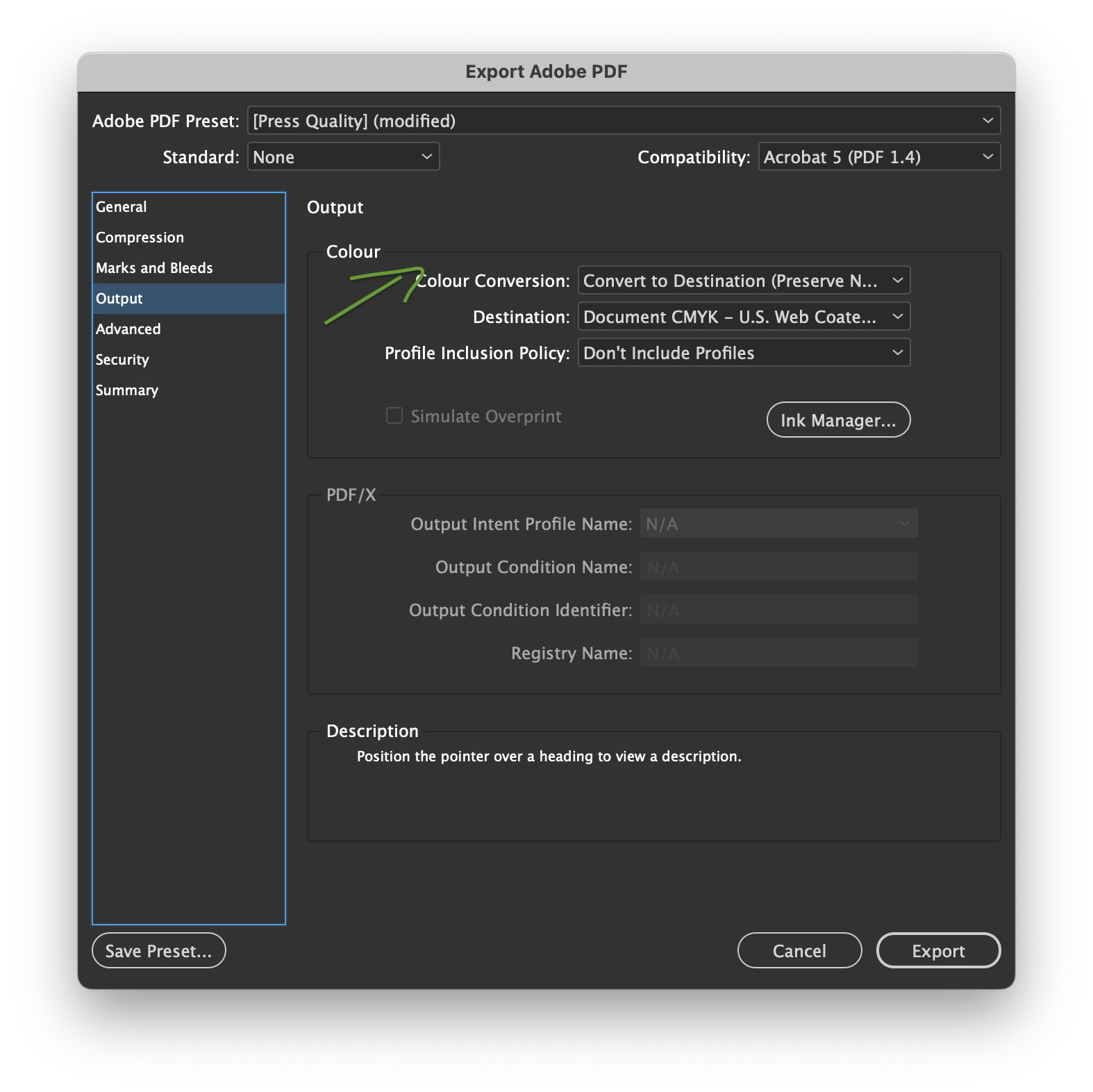
the export setting is to convert all images in the InDesign document from RGB to CMYK
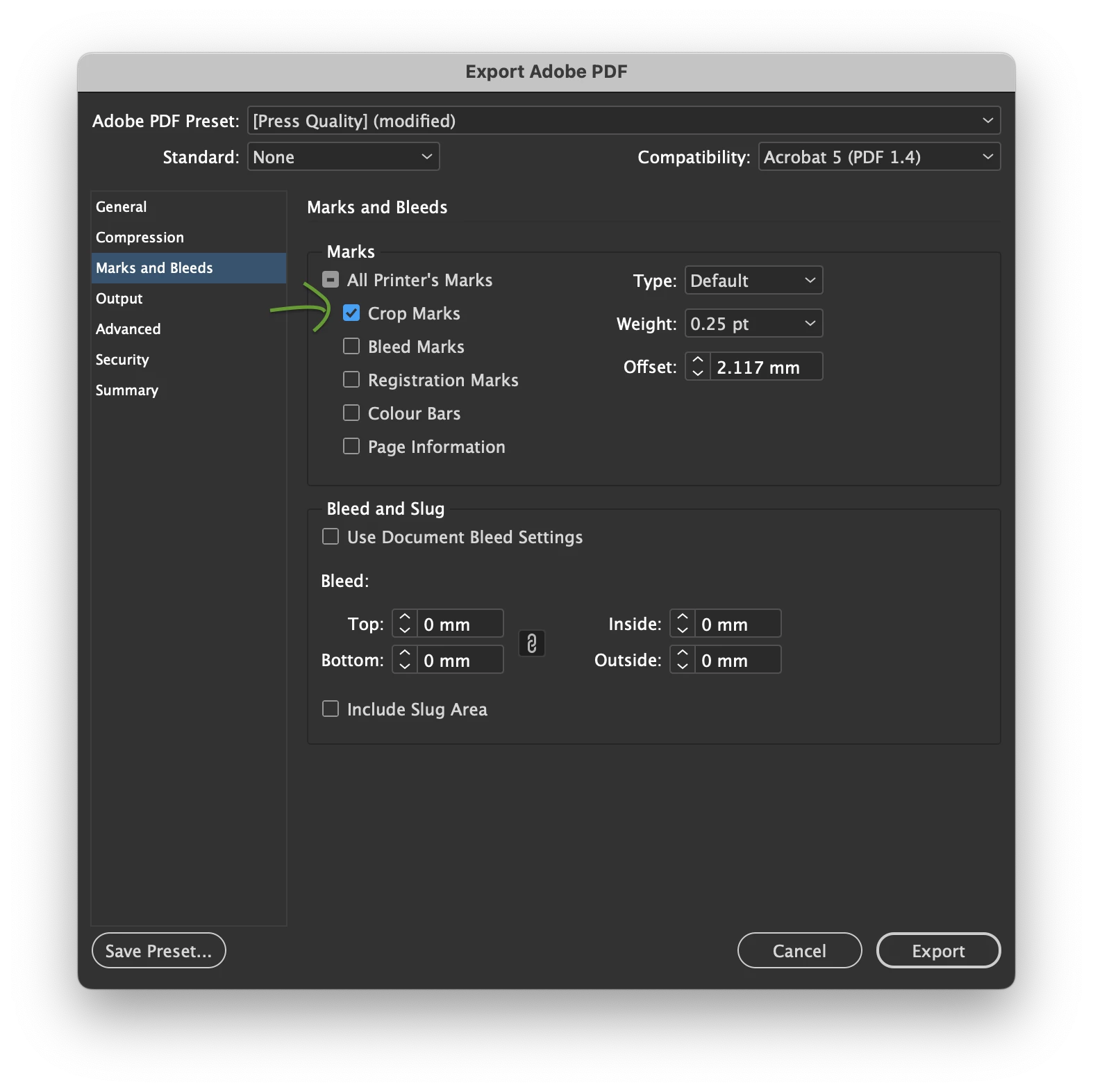 Adding crop marks fail to export CMYK conversion.
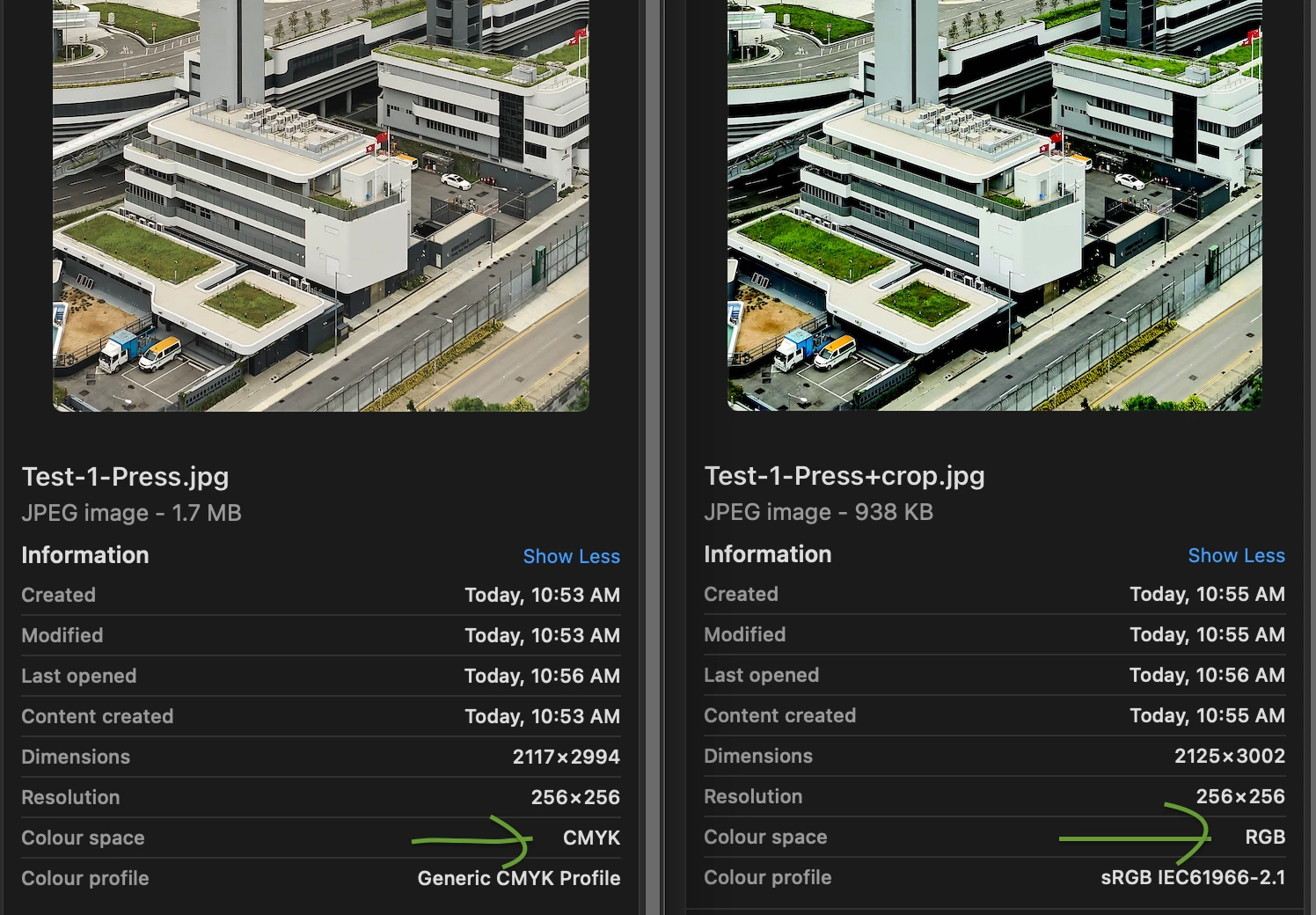
With the same export settings, I get PDFs with 2 different colour space when crop makrs is/isn't added.
CMYK coversion perfomed - no crop marks (left), CMYK conversion did not performed - added crop marks (right)
 AdChoices