


Participant
September 24, 2026
Question

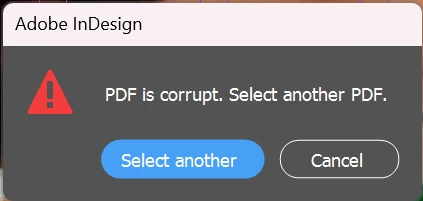
InDesign: "PDF is corrupt. Select another PDF." when importing PDF comments into INDD (~750 comments)

  • September 24, 2026
  • 4 replies
  • 45 views

Hello,

I'm unable to import PDF comments into an InDesign document. Every time I try, InDesign shows the error "PDF is corrupt. Select another PDF." 


Environment

  • InDesign version: 21.0 
  • Acrobat / Reader version: 2026.002.21931
  • OS: Windows 11

What I'm trying to do
Import the review comments (about 750) from a PDF into the original INDD file, using File > Import PDF Comments.

What I've already tested

  • Exporting the PDF in different ways: PDF/X-4:2008, PDF/X-3:2002, and PDF with tags. None of them loaded the comments into the INDD
  • Importing the comments partially, split into 2 parts. Splitting further isn't feasible given the number of comments
  •   I also tested with a new PDF containing only a few comments (2–3), and the same error appears. So this doesn't seem related to the number of comments.  

Result
The same error appears in every case, and no comments are imported.

Expected result
The comments should be imported and appear in the Comments panel of the INDD.

Has anyone run into this, or is there a known limit or workaround for large numbers of comments? Any help is appreciated.

Thank you!

    4 replies

    Abhishek Rao
    Community Manager
    Community Manager
    September 24, 2026

    Hi ​@Festive_neighborf631,


    Thanks for the details. I tested the same workflow in InDesign 21.6 with a newly created document and PDF comments, but I wasn't able to reproduce the error.

    This may therefore be specific to the affected document or PDF. Could you please try exporting a fresh PDF from the affected INDD, add just one Sticky Note using Acrobat desktop, and without making any further changes to the INDD, try File > Import PDF Comments again?

    If that also fails, please export the INDD as IDML, reopen the IDML, save it as a new INDD, and repeat the same test.

    If the issue persists, please share the affected INDD and reviewed PDF with us so I can test the exact files. You can upload them to any cloud-sharing platform and share a downloadable link here, or send the link via DM if the files are confidential.


    Thanks!
    Abhishek

    BobLevine
    Community Expert
    Community Expert
    September 24, 2026

    First things first. Update InDesign to 21.6

    Participant
    September 24, 2026

    Hi, thanks for your reply! I updated InDesign to version 21.6, but the problem is still exactly the same.
    :/

    J E L
    Community Expert
    Community Expert
    September 24, 2026

    ​@Festive_neighborf631, are you sure that the file name of the PDF with the comments is EXACTLY the same file name as the InDesign document where you want to import the comments? If not, you can change either document (the .pdf or the .indd file) to match the other one and try again. I suggest using “save as” to create a copy if you change file names. Also, be sure that the PDF with the comments is saved to your computer locally and you are not trying to import comments from an Acrobat-shared PDF on the cloud. Check to be sure you can add a new comment into the PDF as a test. If you can’t add comments, then the PDF comments in that particular file may be corrupt to begin with, and it doesn’t have anything to do with the InDesign importing feature. You can test this with a separate PDF to make sure. Finally, keep in mind that 750 comments is a very large amount of comments, and if you used PDF cloud-sharing, the comments may have become unstable at one point. Let us know how it goes!