
pounia
Participant
November 19, 2018
Answered

Indesign preferences - Clipboard handling

  • November 19, 2018
  • 4 replies
  • 7365 views

Hello

I am a professional layouter (is that word correct ?)(doing magazine lay-out).

I always have to copy-paste various stuff from word-processors.

Very often, I need to go to Preferences / Clipboard handling , and in "When pasting text ..." switch from "all informations" to "text only".

I use the Command-K shortcut to get to preferences panel, but still, it 's a real pain : I have to manually access the clipboard handling tab , then click on the right option, then back there to  undo it, and then back again to re-do it again etc.

I 'd need a keyboard SHORTCUT. Is that possible ?
    This topic has been closed for replies.
    Correct answer Eric Dumas

    Hi,

    if it is an option you have to change for every document you create, you can change that option after starting the app, but before you open any document or create a new one.

    From there on, that option will be selected for every new document.

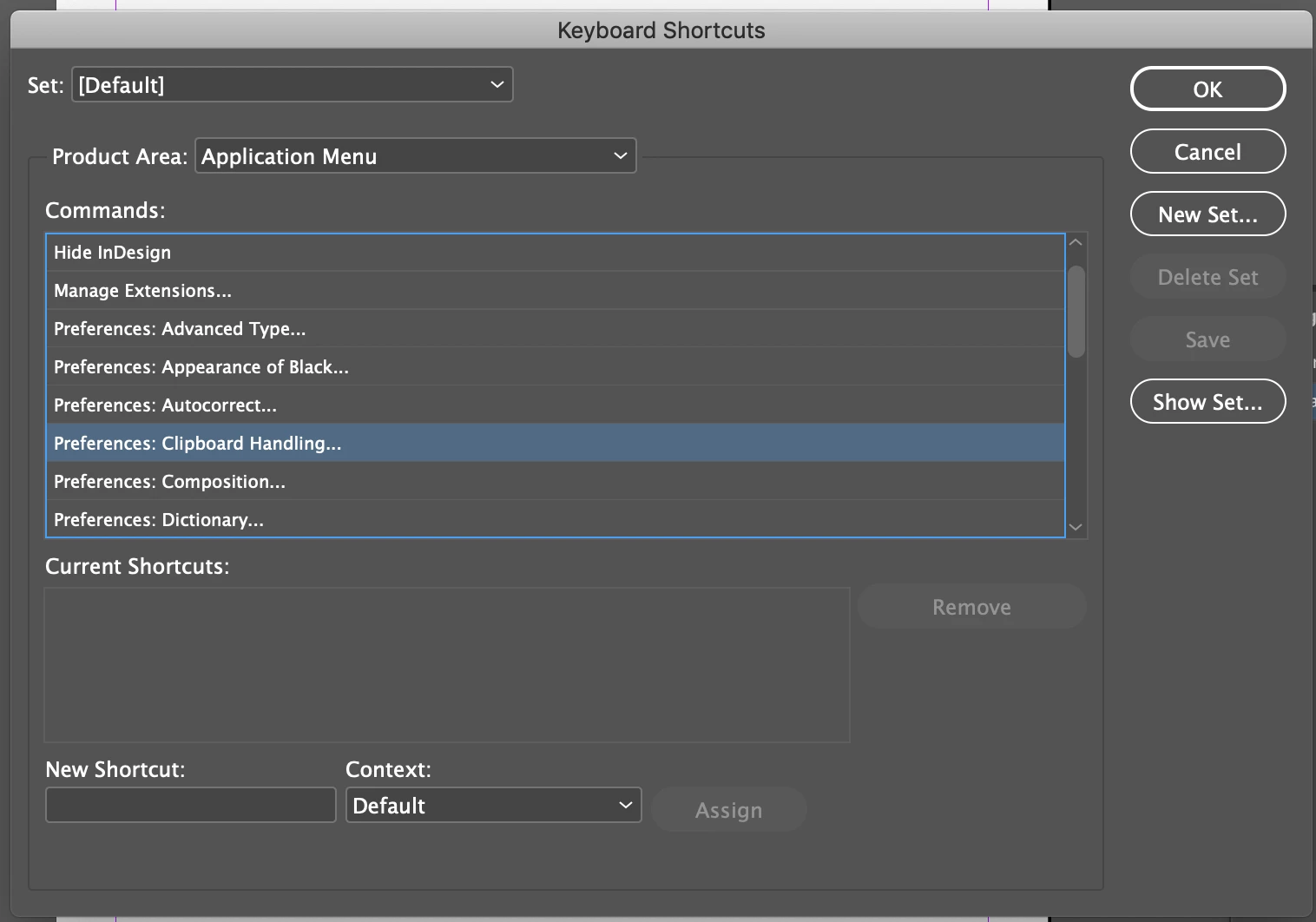
    As for shortcut, you can create a new one from Edit > Keyboard Shortcuts... that will open the Preferences Panel straight at Clipboard Handling for a slightly quicker change (see screenshot). As far as I know you can't change that preference with a shortcut, but maybe a script will do that.

    4 replies

    Participant
    November 13, 2019

    where i can get this setting in photoshop?

    Barb Binder
    Community Expert
    Community Expert
    November 19, 2018

    Hi pounia:

    Out of curiosity, what information are you trying to exclude? Edit > Paste without Formatting (Ctr Sh v or Cmd Sh v) will exclude styles and color swatches when pasting.

    ~Barb

    ~Barb at Rocky Mountain Training
    BobLevine
    Community Expert
    Community Expert
    November 19, 2018

    Check the scripting forum. Someone might be able to help you there.

    Steve Werner
    Community Expert
    Community Expert
    November 19, 2018

    Here's a link to the Scripting forum:

    InDesign Scripting

    Eric Dumas
    Community Expert
    Eric DumasCommunity ExpertCorrect answer
    Community Expert
    November 19, 2018

    Hi,

    if it is an option you have to change for every document you create, you can change that option after starting the app, but before you open any document or create a new one.

    From there on, that option will be selected for every new document.

    As for shortcut, you can create a new one from Edit > Keyboard Shortcuts... that will open the Preferences Panel straight at Clipboard Handling for a slightly quicker change (see screenshot). As far as I know you can't change that preference with a shortcut, but maybe a script will do that.