Participant
January 15, 2025
Answered

Indesign presentation mode issue with external monitors

  • January 15, 2025
  • 2 replies
  • 416 views

Hello, I'm working with Indesign 20.0.1 on a Macbook Pro 14" 2024 and Sequoia 15.1.1.

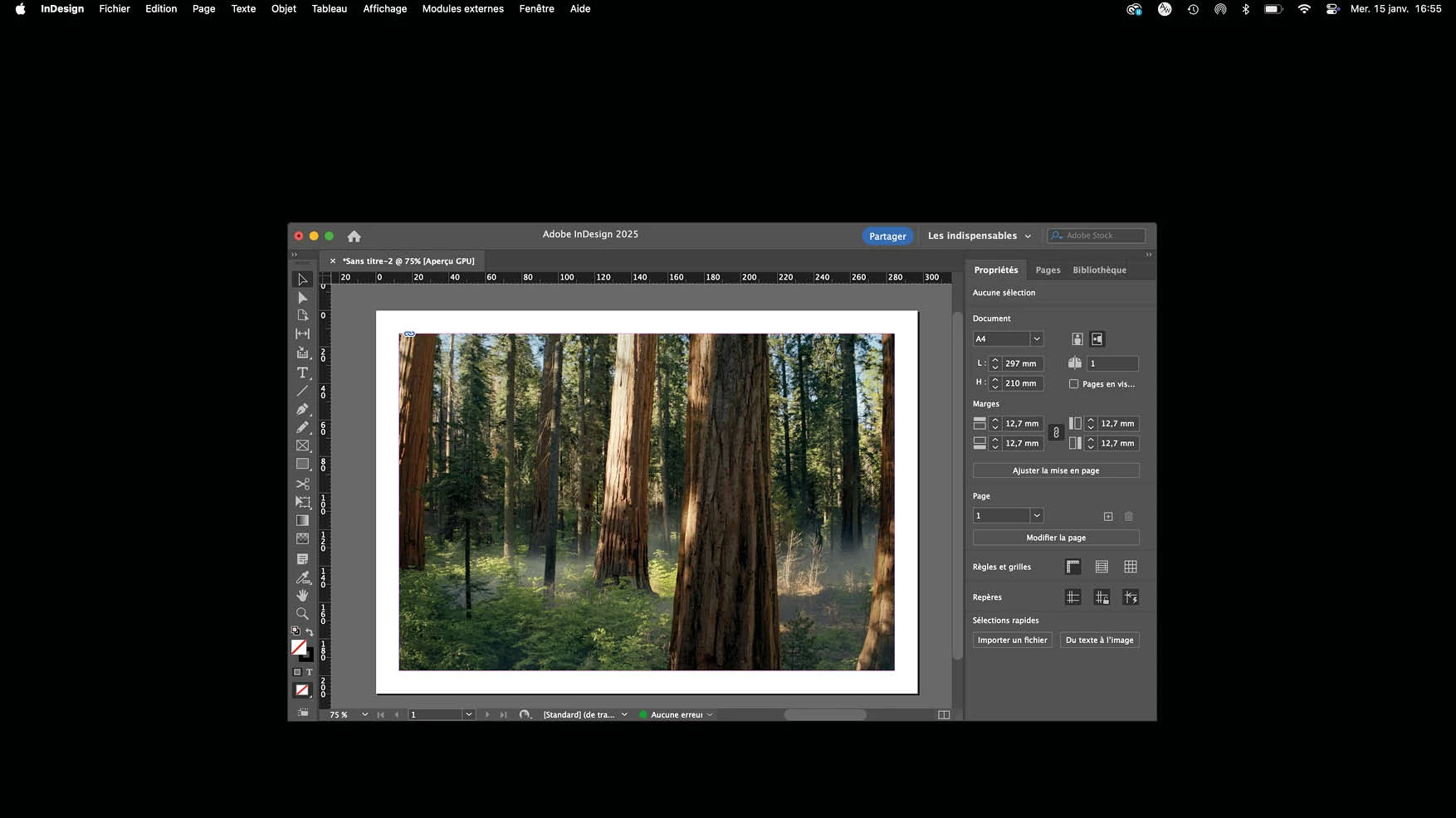
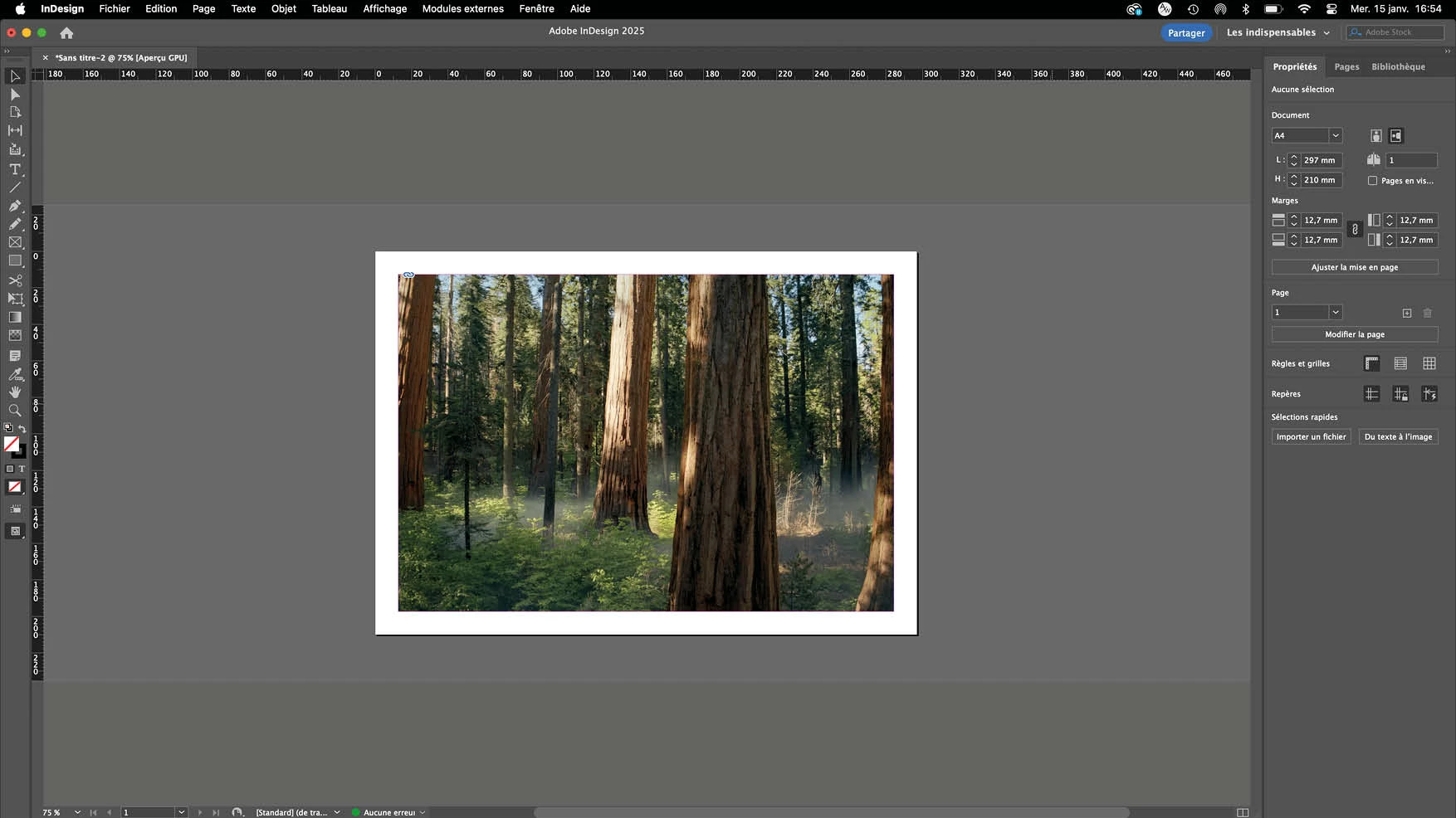
Please find bellow fullscreen shots that describe the problem.

01 : I'm working with a 3840x2160 HDMI external monitor.

02 : I'm often using the shortcut Shift+W to see the current page in presentation mode.

03 : When I'm pressing again the shortcut to exit fullscreen, Indesign's window is reduced,

and I have to extend it to fit again the screen (shot 01).

It also happens on my old Macbook Pro laptop.

This is wasting time in my workflow, does anyone work with the same setup and an external monitor to see if this happens too.
Thanks!!!



Correct answer Abhishek Rao

Hi @latonnelab,


Thanks for sharing the details and screenshots!

Would you mind going through the following UserVoice link and confirm if this describes the same issue you’ve been experiencing?
https://adobe.ly/429y1om

If it does, I recommend upvoting the UserVoice post and adding your comments there. This issue was logged as a bug, and the product team has already fixed it. The fix is available in the latest PreRelease build of InDesign (20.1.0.28), which you can access via the Creative Cloud Desktop application under the Pre-release tab.

For details on how to join the Adobe Pre-release program, you can refer to this blog:
https://adobe.ly/3PCYzqz


Let us know if this helps or if you need further assistance!


Best,
Abhishek

2 replies

Community Expert
January 15, 2025

Hi @latonnelab ,

hm, I think that's a known bug that should be fixed in the next point update of InDesign 2025 soon.


Regards,
Uwe Laubender
( Adobe Community Expert )

kglad
Community Expert
Community Expert
January 15, 2025

in the future, to find the best place to post your message, use the list here, https://community.adobe.com/

p.s. i don't think the adobe website, and forums in particular, are easy to navigate, so don't spend a lot of time searching that forum list. do your best and we'll move the post (like this one has already been moved) if it helps you get responses.


<"moved from cc desktop bugs">
Participant
January 15, 2025

ok thank you !

Abhishek Rao
Community Manager
Abhishek RaoCommunity ManagerCorrect answer
Community Manager
January 15, 2025

Hi @latonnelab,


Thanks for sharing the details and screenshots!

Would you mind going through the following UserVoice link and confirm if this describes the same issue you’ve been experiencing?
https://adobe.ly/429y1om

If it does, I recommend upvoting the UserVoice post and adding your comments there. This issue was logged as a bug, and the product team has already fixed it. The fix is available in the latest PreRelease build of InDesign (20.1.0.28), which you can access via the Creative Cloud Desktop application under the Pre-release tab.

For details on how to join the Adobe Pre-release program, you can refer to this blog:
https://adobe.ly/3PCYzqz


Let us know if this helps or if you need further assistance!


Best,
Abhishek