Participant
November 25, 2020
Question

InDesign Print Issue

  • November 25, 2020
  • 2 replies
  • 132 views

I am having trouble printing files and saving them as a PDF. Normally my workaround would be to export it as a PDF but for this assignment, I need specific print settings.

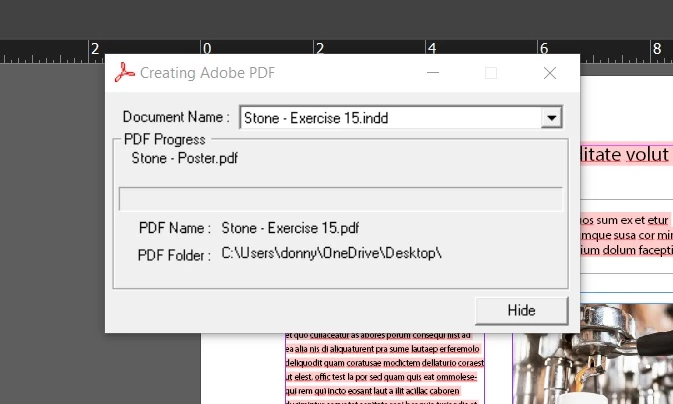
So I go File>Print>Set up my file correctly, then click Print. I choose my save destination then get to this window. It never proceeds further than this point. I've noticed this also happens in other adobe software. I would really appreciate any help. 
This topic has been closed for replies.

2 replies

jmlevy
Community Expert
Community Expert
November 26, 2020

I don't know if it is relative, but your screen shot shows that you have missing fonts in your documrnt.

Community Expert
November 26, 2020

Hi Donald,

what are your specific print settings that should be stored in a PDF?

Maybe we could solve your issie with a different workflow.


Cannot tell what happens to you. Never seen this "Creating Adobe PDF" dialog on my Windows 10 machine with whatever InDesign version I installed. If I must "print to PDF" I am using a different workflow. First I print to PostScript with a special PPD ( PostScript Printer Description ) file that I installed before, then I convert the printed PostScript file to PDF using Acrobat Distiller.


Regards,
Uwe Laubender

( ACP )