Participant
September 26, 2022
Question

Indesign printing problem

  • September 26, 2022
  • 3 replies
  • 208 views

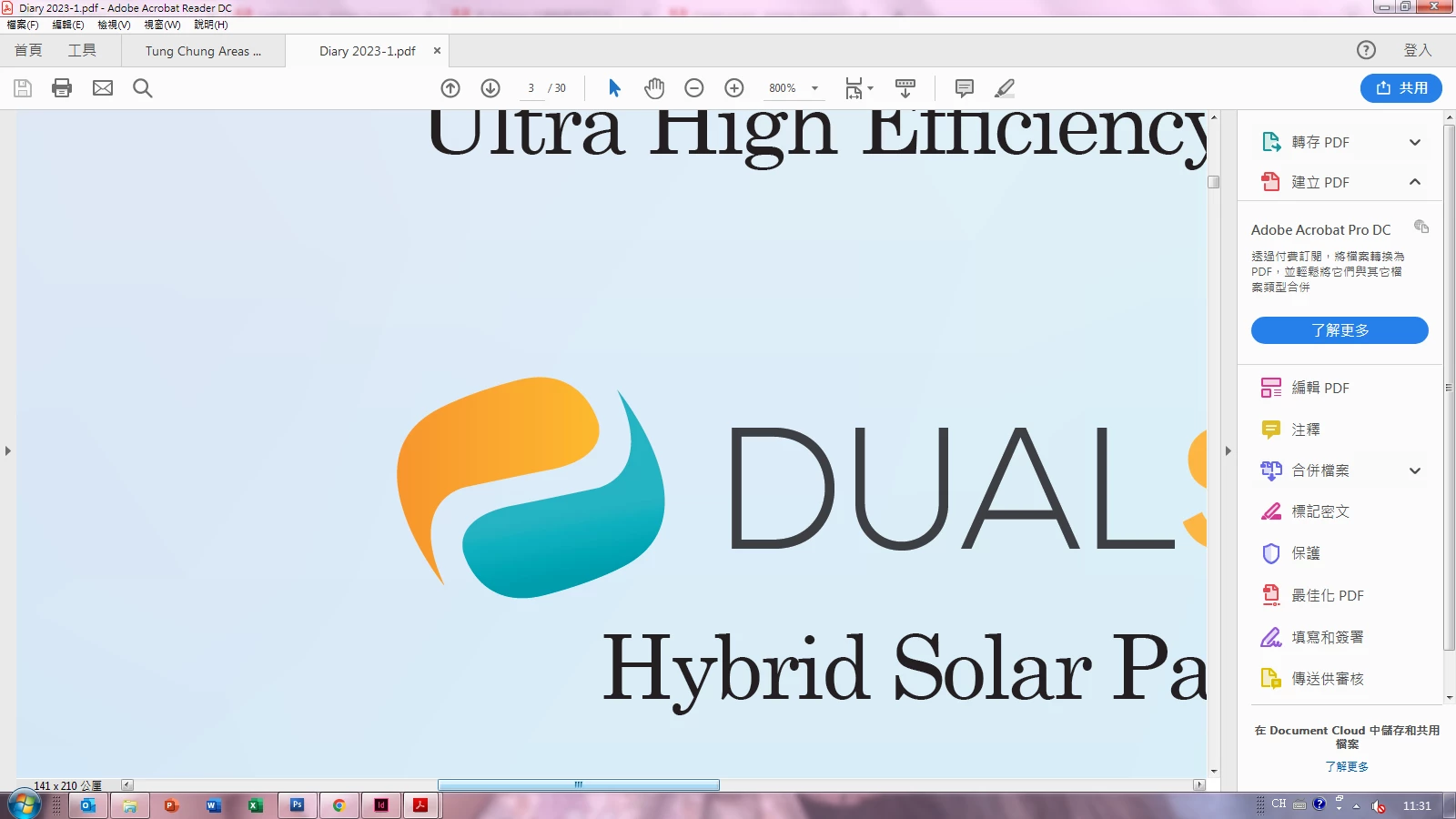
How i can print out the orange & green path as below, I can see the shape in the pdf, but 2 layer in square printed out like the B/W photo

 

This topic has been closed for replies.

3 replies

Community Expert
September 30, 2022

Hi@Cookie26288234ujuz ,

would it print as expected if you print from Acrobat Pro DC or Adobe Reader?

FWIW: You could see if you are able to print as pixel image from there.


My assumption: you are trying to print straight from InDesign.


Regards,
Uwe Laubender

( Adobe Community Expert )

Eric Dumas
Community Expert
Community Expert
September 26, 2022

Hi,

If I understand correctly, you designed the 2 shapes (orange and green ones), it looks OK in the pdf soft proof. But when you print it, the shapes are replaced by squares overlapping. Is that it?

  • Can you tell us if you print from InDesign or PDF?
  • Did you flatten the shapes in InDesign?
  • Are the shapes an illustrator or InDesign element?
  • Can you share the settings for your pdf export, especially if you print from pdf
Participant
September 26, 2022

Yes, the shapes replaced by squares overlapping, and i checked those shapes layer are stated "placed image", I think the shapes are not the illustrator & InDesign element, 

Peter Spier
Community Expert
Community Expert
September 26, 2022

Is the link for the "placed image" showing as OK in the links panel?

Michael Bullo
Community Expert
Community Expert
September 26, 2022

I don't understand. Could you please explain the problem in more detail?
