Known Participant
January 18, 2018
Answered

InDesign Problem Colours

  • January 18, 2018
  • 3 replies
  • 809 views

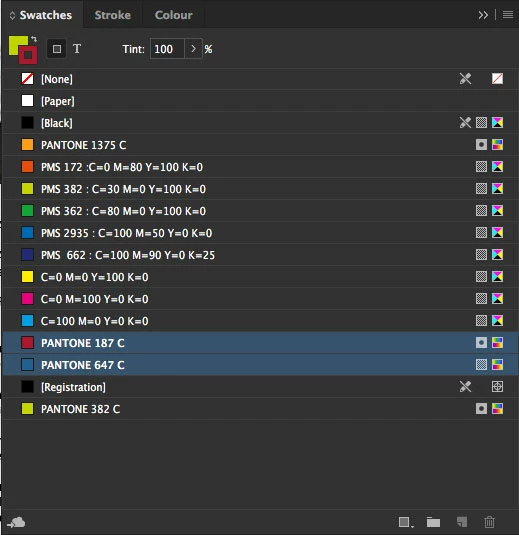
I have a couple of colours in my swatch palette that I am unable to delete - please see the attached screen grab. When I select the individual colours the trash bin cannot be activated.

Any advice would be much appreciated.

This topic has been closed for replies.
Correct answer rob day

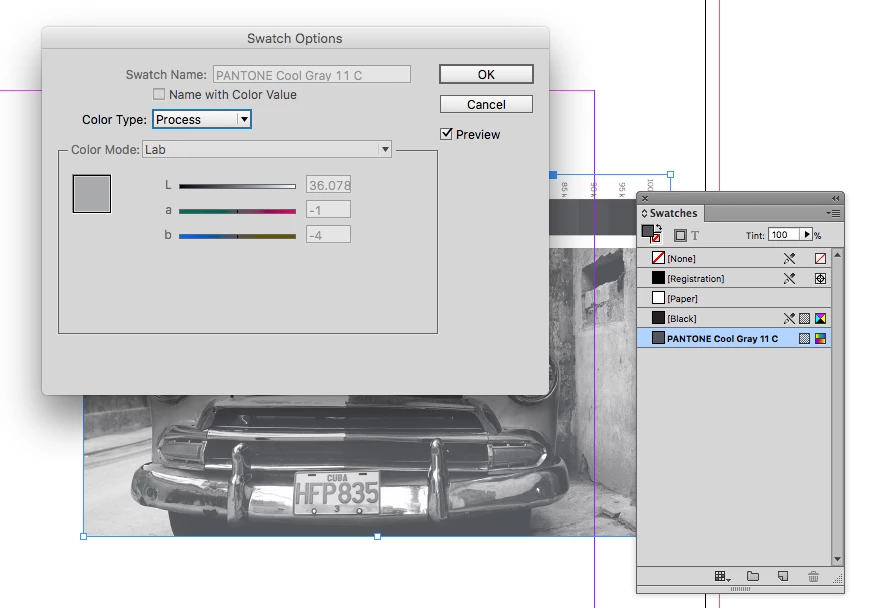
It is possible to set a Spot color to Process when the spot color comes in via a placed image—you can convert spots to process by editing the swatch or you can use ink manager. Here you can see I've converted the spot to process, but the trash icon is still grayed out because the color is used by the image.
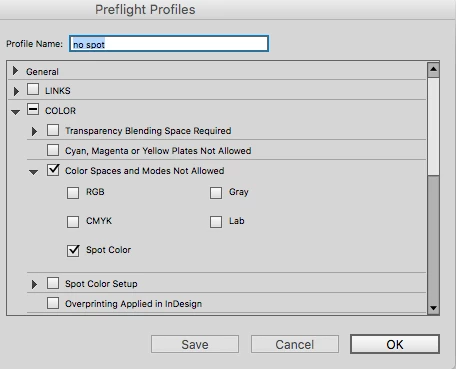
It's not always obvious what placed images use a spot, so you can use Preflight to find palced art using the color. Set the problem swatch back to spot and make a preflight profile that doesn't allow Spot Color:
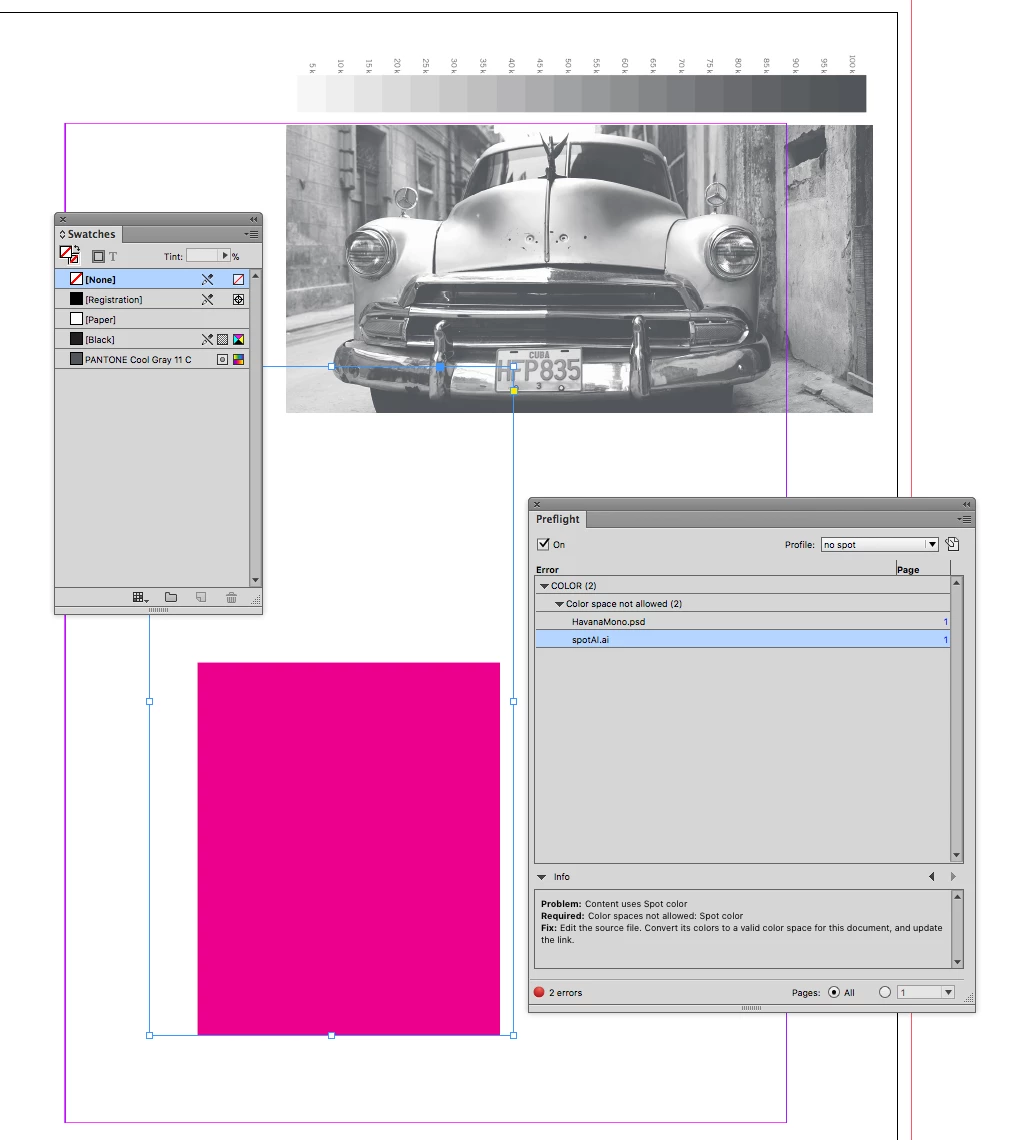
Here I have an AI file that contains the spot color set to 0% tint so the spot color usage isn't obvious:

3 replies

Frans v.d. Geest
Community Expert
Community Expert
January 18, 2018

If they are used in a placed image, graphic etc. you, of course, can not delete them. If that is not the case, go the IDML route. By the way, I see one is still a spot, the other is converted to proces (the dot is not there after the name) so I guess it is not used by a placed image...

Known Participant
January 18, 2018

Thanks for this Frans, some good advice.

Community Expert
January 18, 2018

See also into this thread here:

Substituting spot colors in InDesign

Regards,
Uwe

Community Expert
January 18, 2018

Hi,

were the colors "imported" after you placed some Illustrator or EPS files?

Regards,
Uwe

Known Participant
January 18, 2018

I suspect you might be right, will check and confirm.

Thanks for your help

Willi Adelberger
Community Expert
Community Expert
January 18, 2018

Save as IDML, open that save as INDD again and delete the swatches.

Known Participant
January 18, 2018

Thanks for this, but it has not worked.