
Participant
June 21, 2023
Answered

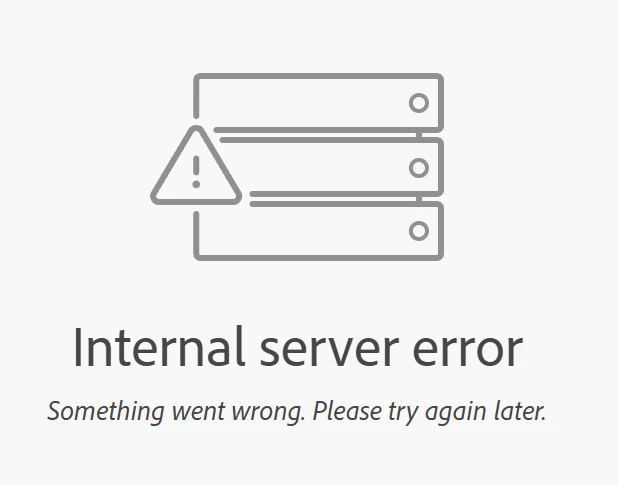
InDesign Publish dashboard return an Internal Server Error

  • June 21, 2023
  • 7 replies
  • 4427 views

Hi-


I just discovered the InDesign Publish feature, which seems to be working well for documents. However, any time I attempt to access my dashboard I'm met with an internal server error. I've tried with both the link presented to me in InDesign as well as simply trying to access the dashboard directly at https://indd.adobe.com/dashboard. Anyone else having this issue?


This topic has been closed for replies.
Correct answer HARSHIKA_VERMA

Thank you for sharing the URL. I have shared the document link with the team for further investigation. I will get back to you if we need further details. I will keep you posted on the status of your issue.


Thank you for your patience and cooperation.


Thanks,

Harshika


Hi All,


Thank you for your patience. The issue was fixed with the InDesign 18.5 release. Please check and let us know if you're still experiencing the issue.


Thank you for your support and collaboration.


Thanks,

Harshika

7 replies

Participant
November 6, 2023

Hello, expereincing the same issue with the publishing dashboard. any progress on resolving this issue?

HARSHIKA_VERMA
Community Manager
Community Manager
December 1, 2023

Hi @Jeroenh,

Sorry for the delay in response. The issue was fixed with the InDesign 18.5 release. Are you still experiencing the issue? If you're still encountering the issue, please inform us so that we can escalate it to the appropriate team for further investigation.


Thanks,

Harshika

Participating Frequently
October 24, 2023

I have the same error when I see the link of the publication from iPad (both with Safari and Chrome), while the same link has no problems displaying from Android tablet (Chrome), PC (Edge), Mac (Safari), iPhone (Safari, Chrome), why? I checked for any blocks to sites, pop-up windows and cleared browsing data without fixing. Please help me

Rishabh_Tiwari
Community Manager
Community Manager
October 27, 2023

Hi @defaultnx2zr5xia018,


Sorry to hear about the trouble. Will it be possible for you to share the link of the dashboard or file with us for testing? You can share it through DM by clicking on my name. 

Thanks

Rishab

Participant
July 25, 2023

I am sort of having the same problem. I say sort of, because I can only reproduce this error when I am in Safari and in Private mode, all other browsers work fine. This is one document I am trying to access, but it happens with all of my accounts documents: https://indd.adobe.com/embed/11d6370e-cb92-42a1-b705-b3464997d0ec

This was reported by one of our readers and I dismissed it at first because I was able to see it but then I noticed that with those specific conditions I would get said Internal Server Error.

Participant
August 2, 2023

Did anyone discover the problem? Here is my document: 

https://indd.adobe.com/view/f3d4b465-fe25-4401-a826-06dbf16024c1


I don't see search text? 


Participant
August 2, 2023

Nevermind! Making sure the very last check box is UNCHECKED worked for me, the one highlighted in blue below

Nils Henrik Sundqvist
Participating Frequently
July 3, 2023

Hello,

I have tried different browsers (Safari, Chrome, Firefox) and logged in, out and back in again from my Adobe Creative Cloud account but have not been able to resolve the issue. I am a library employee and we are using a government "Company or School account."


Per the FAQs posted in this link I am confirming access to:

  • Adobe activation servers
    "Adobe logos" visible
    "Pong message" visible
  • Operating system hosts files status: current; no repairs needed
  • Access to secure files confirmed


Any advice? Thank you, Henrik Sundqvist


<Title renamed by moderator>

Steve Werner
Community Expert
Community Expert
July 3, 2023

Publish Online errors usually have numeric codes. I've never heard of one which didn't have one. Here's the official list:


https://helpx.adobe.com/indesign/kb/troubleshoot-publish-online-errors.html

Nils Henrik Sundqvist
Participating Frequently
July 3, 2023

Dear Steve, the error message is attached. Unfortunately, no code number. Henrik

Participating Frequently
June 29, 2023

Same here.

The file will upload succesfuly but when trying to view it it then returns the same internal server error.

I wounder if it is the new Indesign update because I can still access all my published files, published before that update...

ant answers or clues ?


Rishabh_Tiwari
Community Manager
Community Manager
June 29, 2023

Hi @olivier2025 @marcw36526676 ,


Sorry to hear about the trouble and delayed response. Would you mind confirming if you have already tried the suggestions shared here? If yes, and if it's still not working, please share the version of InDesign & OS. Are you connected to a private network or an enterprise network? 


Thanks

Rishabh

marcw36526676
Participant
June 28, 2023

same here, anyone an answer for this?


Rishabh_Tiwari
Community Manager
Community Manager
June 22, 2023

Hi @darrenstimulant ,


I apologize for the inconvenience you're experiencing with the InDesign Publish Online Dashboard. Please test this on a different browser and check if it works. If it still doesn't work, please confirm if you're connected to a private or enterprise network. If it's an enterprise network, please try the suggestions shared here and let us know if this helps or if you need further assistance. 


Thanks

Rishabh