
InDesign Publish Online Dashboard - Collaboration for Teams Troubleshooting
Hi! I published a document online for internal and client use. My team has access to the original InDesign file that I used to create it (shared server at work). However, when they go to publish it using their account, it doesn't show up under their "recently published" files so they cannot publish over the original link under my account. They are only able to publish it as a new document, and we would like to avoid changing the link each time we need to make an update.
Is there a way that the recently published files on my Publish Online Dashboard (or what I believe is an Adobe server) can be shared to my other team members' dashboards (and vice versa) so that anyone on our team can publish over the original link?
Screenshot of my Publish Online Dashboard - only I can see my published files, and I would like my teammates to see them in their dashboard too.

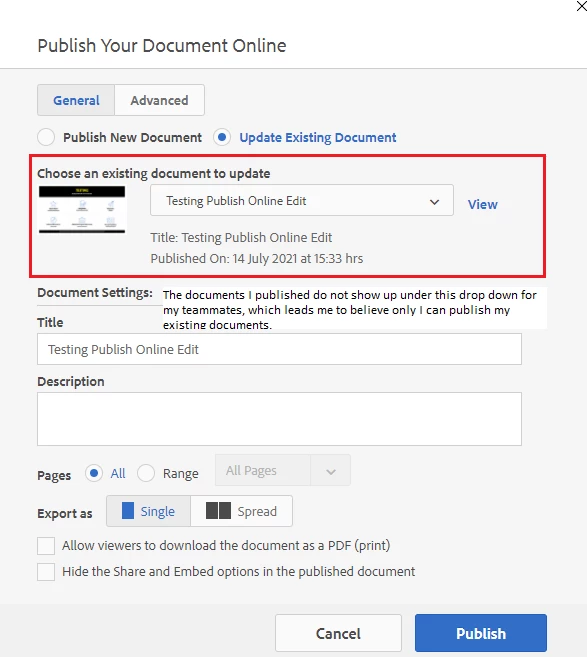
Screenshot of my InDesign publish online publishing box - the documents I published do not show up under this drop down for my teammates, which leads me to believe only I can publish over my existing documents.
Any help or insight appreciated on this!
Thanks,
Erica


 AdChoices