
Question
indesign reports missing fonts which I cannot find anywhere and cannot replace
Hi there,
i work with the indesign 2019 version (i cannot update). My document is without errors and also the preeflight is green. When I open the document I get an error message, I am missing a font. I use the font DINOT light in my document. The error message shows me that the font DINOT HP3 light is missing. I see that there are 6 characters in this font on page 61. But I cannot search for the characters, I cannot replace the font and the characters are not visible.
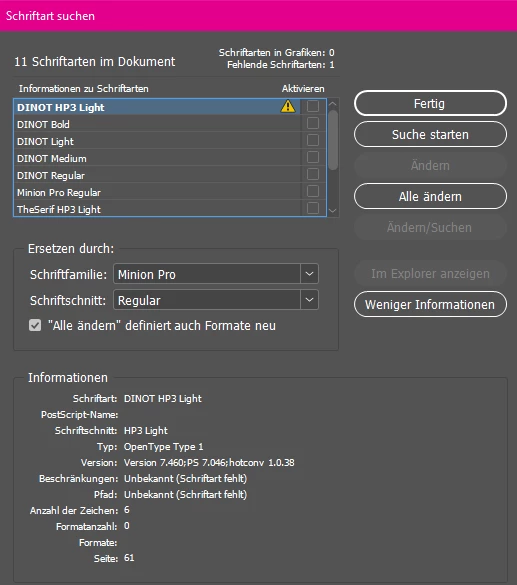
I have already checked layers and sample pages.
On the page 61 there is a text frame which is an inCopy link.
How can I remove the font from my document or replace it with the correct font?
Has anyone ever had this case?
many thanks in advance!
 AdChoices